AI agent for penetration testers
Active Directory Misconfiguration Review Agent
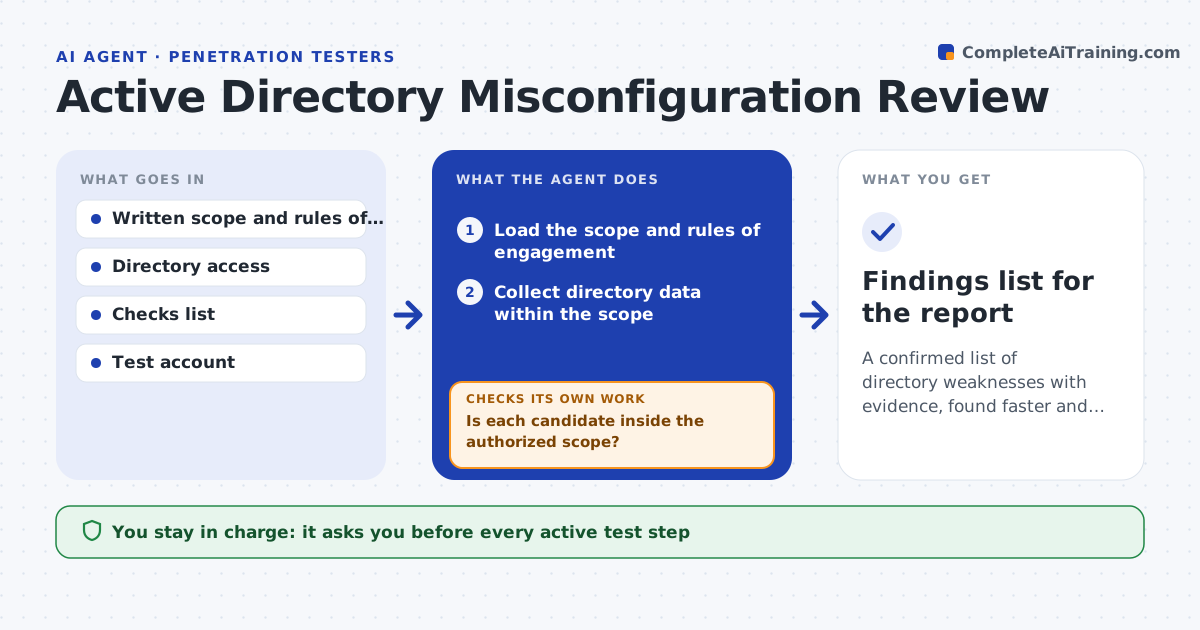
A confirmed list of directory weaknesses with evidence, found faster and strictly within scope
What it does
On an internal test, the first days go to the same checks: delegation settings, stale admin accounts, risky certificate templates. Within the authorized scope, this agent collects directory data and checks for known weaknesses, such as unconstrained delegation, accounts that have not logged in for a year but hold privileges and certificate templates that let users request certificates for others. For each possible finding, it plans a safe way to confirm it, such as a read-only query or a check of effective permissions, and runs it. Anything it cannot confirm is dropped, not reported. The tester reviews the confirmed list and approves every active test step before it runs. Edge case: an object outside the written scope is skipped and noted, even if it looks vulnerable.
How it works
Follow the arrows from top to bottom. The orange dashed arrow is the loop: when a check fails, the agent goes back and tries again.
Read the steps as a list
- Engagement begins with signed scope
- Load the scope and rules of engagement
- Collect directory data within the scope
- Match the data against known weakness checks
- Is each candidate inside the authorized scope?If not: skip it and note it as out of scope. Back to step 3.
- Plan a safe confirmation for each candidate
- Tester approves each active test stepThe agent waits here for your OK.
- Run the approved confirmation
- Did the check confirm the weakness?If not: drop the candidate and record that it was not confirmed. Back to step 6.
- Write confirmed findings with evidence
- Findings list for the report
How it decides
A finding is reported only if a safe check confirms it. Active steps need the tester's approval and must fall inside the scope.
- Use read-only checks wherever possible
- Treat accounts inactive for 365 days with privileges as stale
- Skip any object outside the written scope
- Never attempt a step that could lock accounts or stop services
Make it yours
Every agent is a starting point. You choose these settings for your own situation.
- Scope and excluded systems
- Checks to include
- Stale account age (default 365 days)
- Evidence format
What keeps you in control
It always asks you first
- Every active test step
- Any step near the edge of the scope
Hard limits
- Operates only within signed scope
- Never runs destructive or lockout-causing tests
It stops when
- Done: all candidates confirmed or dropped
- Stop: scope or rules of engagement are missing
Set it up
We guide you through the set-up, step by step
Members get the full set-up guide for this agent. No technical skills needed: you copy, paste and upload.
- One set of instructions to paste into your AI, with the clicks for ChatGPT, Claude, Microsoft 365 Copilot, Gemini and Grok
- The agent then walks you through connecting your own data, one source at a time
- A downloadable copy with the flow chart, the rules and the full guide