AI agent for penetration testers
Safe Proof-of-Concept Validation Agent
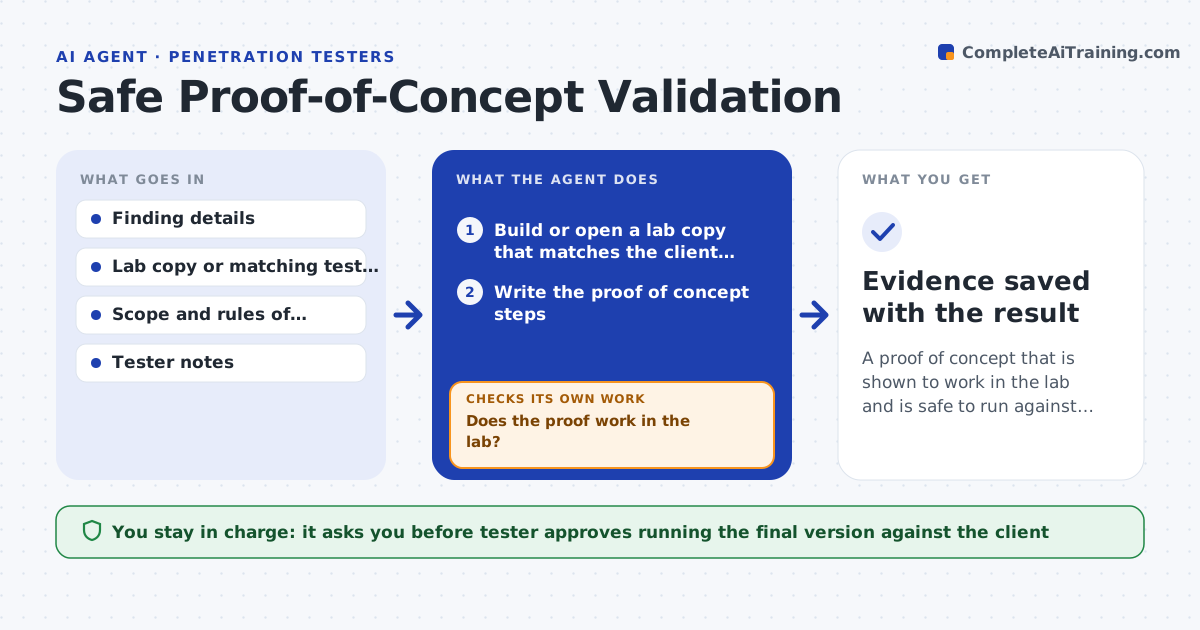
A proof of concept that is shown to work in the lab and is safe to run against the client
What it does
Exploit steps that work in theory can disrupt a client system when run. This agent first rebuilds the finding in a lab copy of the client environment. It runs the proof of concept there, recording whether it works and what it changes, such as services stopped or data modified. If it fails, it adjusts the steps and tries again. It then writes a final safe version with the smallest possible impact. The tester approves running that version against the client. Edge case: the proof of concept restarts a service, so the agent finds a read-only way to show the same weakness.
How it works
Follow the arrows from top to bottom. The orange dashed arrow is the loop: when a check fails, the agent goes back and tries again.
Read the steps as a list
- Tester has a finding to prove
- Build or open a lab copy that matches the client system
- Write the proof of concept steps
- Run the steps in the lab and record the effects
- Does the proof work in the lab?If not: adjust the steps and rerun. Back to step 3.
- Is the impact limited to what the rules allow?If not: redesign for a read-only or less disruptive version. Back to step 3.
- Write the final safe version with expected output
- Tester approves running it against the clientThe agent waits here for your OK.
- Tester runs the approved version
- Evidence saved with the result
How it decides
A version is safe when it demonstrates the weakness without changing data, stopping services or exceeding the rules of engagement.
- Run in the lab first
- Reject steps that change data or stop services
- Prefer read-only demonstrations
- Stay within the rules of engagement
Make it yours
Every agent is a starting point. You choose these settings for your own situation.
- Rules of engagement
- Allowed effects
- Lab setup
- Evidence format
What keeps you in control
It always asks you first
- Tester approves running the final version against the client
Hard limits
- Never runs anything against the client
- Never uses steps that damage data
It stops when
- Done: the safe proof is approved and evidence is recorded
- Stop: the lab cannot match the client system
Set it up
We guide you through the set-up, step by step
Members get the full set-up guide for this agent. No technical skills needed: you copy, paste and upload.
- One set of instructions to paste into your AI, with the clicks for ChatGPT, Claude, Microsoft 365 Copilot, Gemini and Grok
- The agent then walks you through connecting your own data, one source at a time
- A downloadable copy with the flow chart, the rules and the full guide