AI agent for penetration testers
Critical Finding Escalation Agent
Critical findings reach the client fast, with a tracked response and confirmed fix
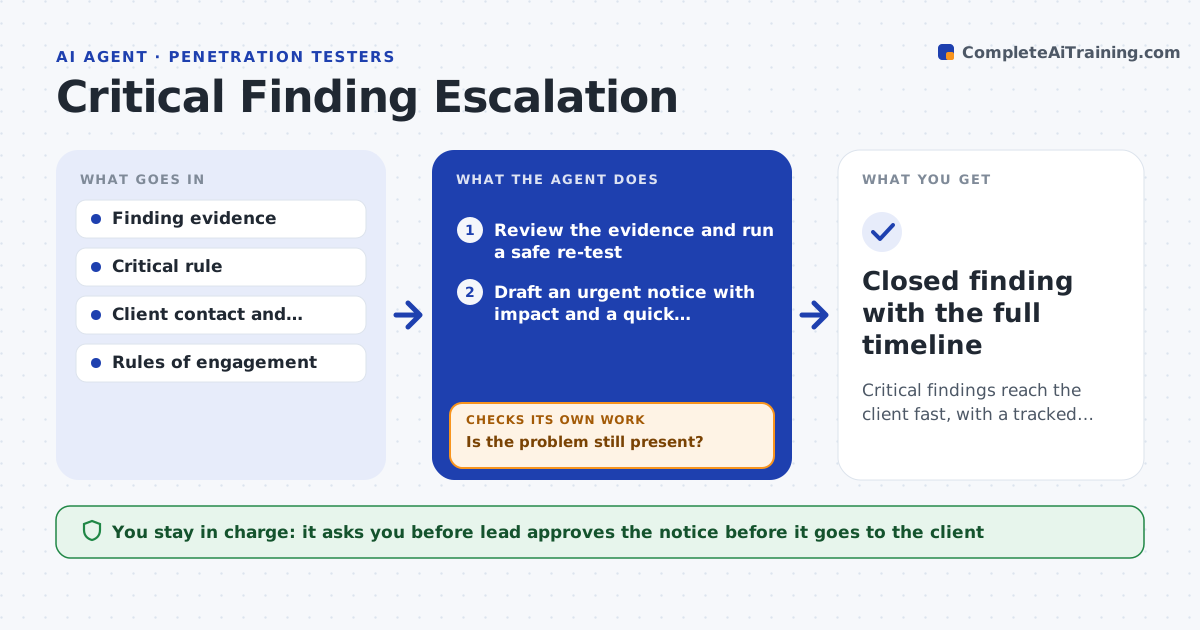
What it does
Serious findings wait for the final report while the client stays exposed. When a finding meets your critical rule, this agent checks the evidence and re-confirms that the problem is still there. It drafts an urgent notice that states the impact and a quick mitigation. After the lead approves and sends it, the agent tracks the client's acknowledgment and follows up if none arrives. It also rechecks after the client says it is fixed. It keeps a log of every message and reply so the lead can see the timeline at any moment. Edge case: the finding is an exposed admin panel, so the agent confirms it from outside before sending the notice.
How it works
Follow the arrows from top to bottom. The orange dashed arrow is the loop: when a check fails, the agent goes back and tries again.
Read the steps as a list
- Finding meets the critical rule
- Review the evidence and run a safe re-test
- Is the problem still present?If not: update the finding as fixed or intermittent and tell the tester. Back to step 2.
- Draft an urgent notice with impact and a quick mitigation
- Lead approves the notice before it is sentThe agent waits here for your OK.
- Track the client's acknowledgment
- Did the client acknowledge within the set time?If not: follow up and escalate through the contact list. Back to step 6.
- After the client reports a fix, re-test
- Is the problem fixed?If not: tell the client what remains and re-test again. Back to step 8.
- Closed finding with the full timeline
How it decides
A finding is critical when it meets the rule, such as remote access to sensitive data with no login. It is confirmed again before any notice.
- Re-confirm before every notice
- Send the first follow-up after 4 hours
- Escalate to the second contact after 24 hours
- Close only after a re-test shows it fixed
Make it yours
Every agent is a starting point. You choose these settings for your own situation.
- Critical rule
- Follow-up timing
- Contact escalation list
- Notice template
What keeps you in control
It always asks you first
- Lead approves the notice before it goes to the client
Hard limits
- Never sends a notice without the lead
- Never tests beyond the rules of engagement
It stops when
- Done: the fix is re-tested and closed
- Stop: the client asks to stop the engagement
Set it up
We guide you through the set-up, step by step
Members get the full set-up guide for this agent. No technical skills needed: you copy, paste and upload.
- One set of instructions to paste into your AI, with the clicks for ChatGPT, Claude, Microsoft 365 Copilot, Gemini and Grok
- The agent then walks you through connecting your own data, one source at a time
- A downloadable copy with the flow chart, the rules and the full guide