AI agent for penetration testers
Web Application Test Coverage Tracker Agent
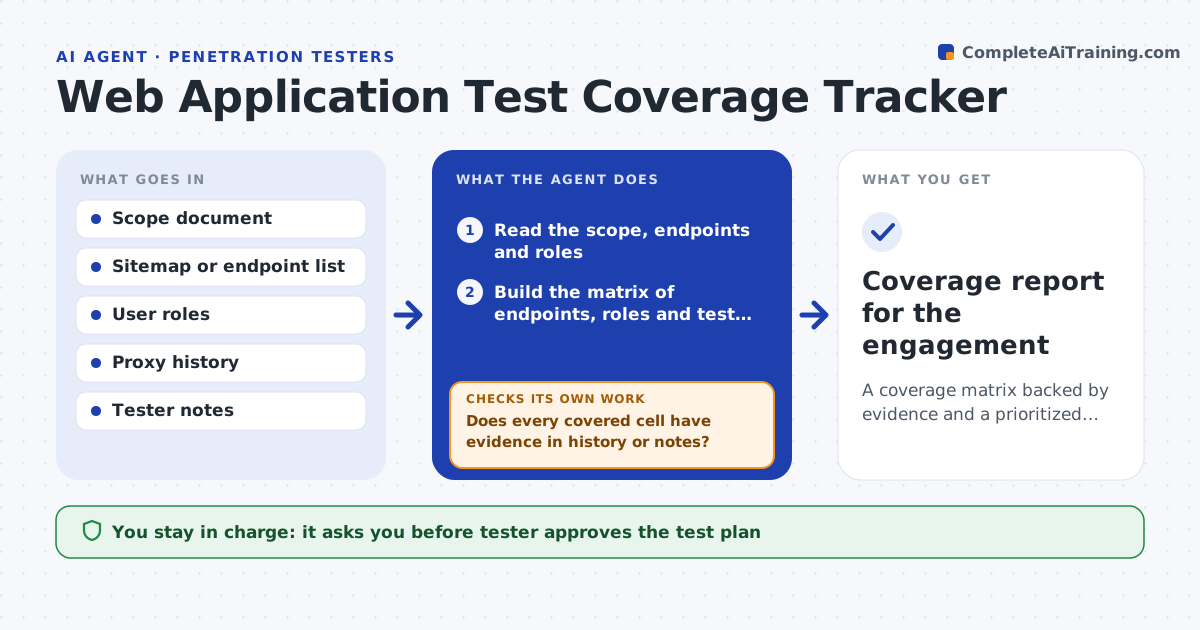
A coverage matrix backed by evidence and a prioritized plan for the remaining testing
What it does
Penetration testers lose track of which pages, roles and checks they have covered. This agent builds a coverage matrix from the target's endpoints, user roles and test categories, such as authentication, access control and input handling. It updates the matrix from the tester's notes and proxy history. It flags cells that were never tested and proposes the next tests ranked by risk. After each session, it rechecks the matrix so that coverage claims match the evidence. The tester approves the plan. Edge case: an admin role was never logged in during testing, so the agent marks all admin cells as untested.
How it works
Follow the arrows from top to bottom. The orange dashed arrow is the loop: when a check fails, the agent goes back and tries again.
Read the steps as a list
- Engagement begins or a session ends
- Read the scope, endpoints and roles
- Build the matrix of endpoints, roles and test categories
- Read proxy history and the tester's notes
- Mark each cell covered or untested with the evidence
- Does every covered cell have evidence in history or notes?If not: mark the cell untested until evidence is found. Back to step 4.
- Rank untested cells by risk
- Tester approves the next-test planThe agent waits here for your OK.
- After the session, did coverage rise as planned?If not: update the matrix and re-rank the remaining cells. Back to step 2.
- Coverage report for the engagement
How it decides
A cell counts as covered only when proxy history or notes show the test. Untested cells are ranked by exposure and data sensitivity.
- Count a cell only with evidence
- Rank by data sensitivity and exposure
- Treat roles never used in testing as untested
- Keep out-of-scope endpoints off the matrix
Make it yours
Every agent is a starting point. You choose these settings for your own situation.
- Test categories
- Roles
- Coverage target
- Ranking weights
What keeps you in control
It always asks you first
- Tester approves the test plan
Hard limits
- Never runs tests itself
- Never tests anything outside the scope document
It stops when
- Done: coverage target is met or time is up with gaps listed
- Stop: scope is not defined
Set it up
We guide you through the set-up, step by step
Members get the full set-up guide for this agent. No technical skills needed: you copy, paste and upload.
- One set of instructions to paste into your AI, with the clicks for ChatGPT, Claude, Microsoft 365 Copilot, Gemini and Grok
- The agent then walks you through connecting your own data, one source at a time
- A downloadable copy with the flow chart, the rules and the full guide