AI agent for actors
Actor Profile Update Agent
Consistent, current profiles on every casting site
What it does
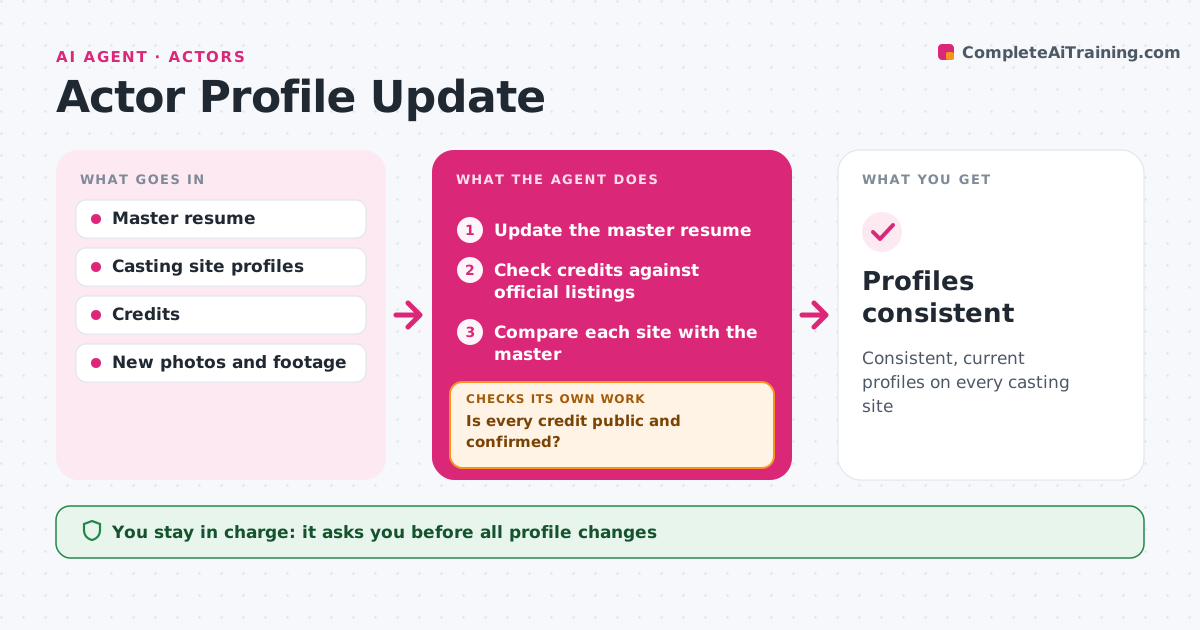
Casting sites, the agency page and a personal website drift out of sync, and casting directors notice old photos or wrong measurements. After a job wraps or new training or photos come in, this agent updates the master resume and lists what to change on each casting site, the agency page and the personal website. It checks credits against official listings, like the production's credit list, and checks that skills, measurements and photos are consistent across sites. When footage is released, it suggests clips for the reel. After the actor makes updates, it rechecks every site. The actor approves changes and does all logins. Edge case: a credit still under a confidentiality agreement is held back until release.
How it works
Follow the arrows from top to bottom. The orange dashed arrow is the loop: when a check fails, the agent goes back and tries again.
Read the steps as a list
- Job wraps or new material arrives
- Update the master resume
- Check credits against official listings
- Is every credit public and confirmed?If not: hold back confidential or unconfirmed credits. Back to step 3.
- Compare each site with the master
- Actor approves and makes the updatesThe agent waits here for your OK.
- Do all sites match the master after updates?If not: list the remaining differences for the actor. Back to step 5.
- Profiles consistent
How it decides
It uses confirmed credits only and flags any site that differs from the master.
- Confidential credits wait for release
- Credits must match official listings
- Photos older than two years are flagged
Make it yours
Every agent is a starting point. You choose these settings for your own situation.
- Sites tracked
- Photo age limit
- Resume format
- Reel length
What keeps you in control
It always asks you first
- All profile changes
Hard limits
- Never logs into accounts
- Never publishes confidential credits
It stops when
- Done: all sites consistent
- Stop: none needed until next change
Set it up
We guide you through the set-up, step by step
Members get the full set-up guide for this agent. No technical skills needed: you copy, paste and upload.
- One set of instructions to paste into your AI, with the clicks for ChatGPT, Claude, Microsoft 365 Copilot, Gemini and Grok
- The agent then walks you through connecting your own data, one source at a time
- A downloadable copy with the flow chart, the rules and the full guide