AI agent for copywriters
Ad Copy Variant Compliance Agent
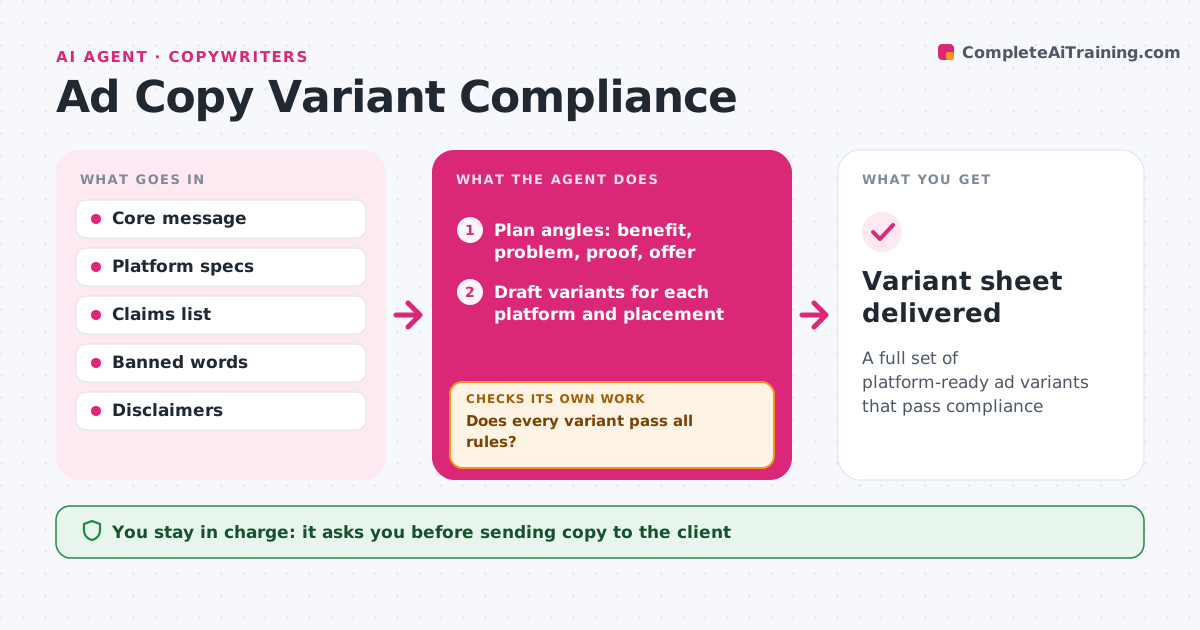
A full set of platform-ready ad variants that pass compliance
What it does
Writing dozens of ad variants is quick; making sure every one fits the limits and the client's rules is not. From an approved core message, this agent drafts copy variants for each platform and placement. It checks each variant against character limits, banned words, required disclaimers and the client's approved claims list. Variants that fail are rewritten and checked again, up to three tries, then the copywriter takes over. It also checks the set for variety, so the variants test different angles instead of the same line reworded. If too many variants say the same thing, it drafts new angles. The copywriter picks and edits the final copy before client review. Edge case: a claim with a number, such as 50% faster, is kept only if it is on the approved claims list with its source.
How it works
Follow the arrows from top to bottom. The orange dashed arrow is the loop: when a check fails, the agent goes back and tries again.
Read the steps as a list
- Core message approved
- Plan angles: benefit, problem, proof, offer
- Draft variants for each platform and placement
- Check limits, banned words, claims and disclaimers
- Does every variant pass all rules?If not: rewrite failed variants, up to three tries. Back to step 3.
- Remove near-duplicate variants
- Copywriter selects and edits before client reviewThe agent waits here for your OK.
- Variant sheet delivered
How it decides
It keeps variants that pass every rule and differ in angle, and drops near-duplicates.
- Numbers in claims must be on the approved list
- Drop variants too similar to another
- Hand over after three failed rewrites
Make it yours
Every agent is a starting point. You choose these settings for your own situation.
- Platforms and placements
- Number of angles
- Banned words
- Variants per placement
What keeps you in control
It always asks you first
- Sending copy to the client
Hard limits
- Never adds claims not on the approved list
- Never uploads ads
It stops when
- Done: variant sheet ready
- Stop: no approved claims list, ask the client
Set it up
We guide you through the set-up, step by step
Members get the full set-up guide for this agent. No technical skills needed: you copy, paste and upload.
- One set of instructions to paste into your AI, with the clicks for ChatGPT, Claude, Microsoft 365 Copilot, Gemini and Grok
- The agent then walks you through connecting your own data, one source at a time
- A downloadable copy with the flow chart, the rules and the full guide