AI agent for financial advisors
Advisory Fee Billing Check Agent
Send a billing file whose every fee matches the agreement and can be explained
What it does
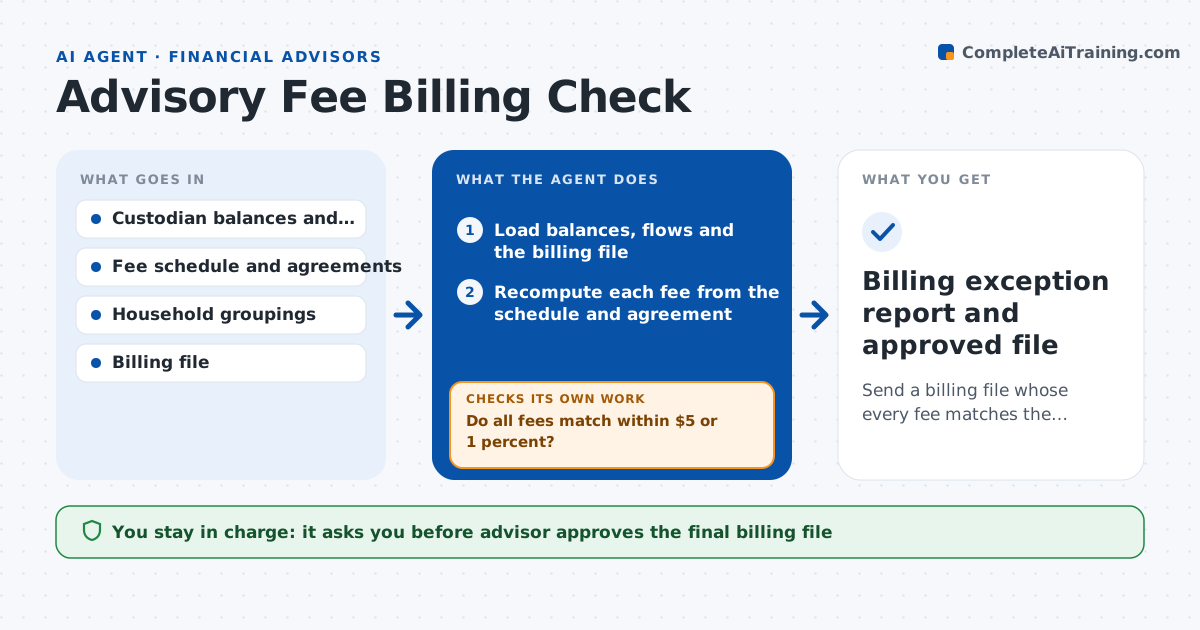
A client sees a fee that does not match the agreement and the firm refunds $1,200 after a week of digging. This agent recomputes the fee for every account from custodian balances and the fee schedule. It compares the result with the billing file and flags differences. It explains each difference by looking at causes: cash flows during the period, household groupings and the breakpoints in the schedule. For differences that stay unexplained, it asks operations to confirm the account setup and reruns. After fixes, it recomputes again. It produces a billing exception list with the amounts and reasons. The advisor approves the billing file before it goes to the custodian. Edge case: a mid-quarter deposit is prorated according to the agreement.
How it works
Follow the arrows from top to bottom. The orange dashed arrow is the loop: when a check fails, the agent goes back and tries again.
Read the steps as a list
- Billing period ends
- Load balances, flows and the billing file
- Recompute each fee from the schedule and agreement
- Compare with the billing file
- Do all fees match within $5 or 1 percent?If not: List differences and test causes: flows, grouping and breakpoints. Back to step 3.
- Ask operations to confirm setup for unexplained differences
- Apply fixes and recompute
- Are all differences now explained or corrected?If not: Keep the item on the exception list for the advisor. Back to step 6.
- Advisor approves the billing fileThe agent waits here for your OK.
- Billing exception report and approved file
How it decides
It flags any account where its fee differs from the billing file by more than $5 or 1 percent and checks causes in a set order.
- Flag differences above $5 or 1 percent
- Prorate flows according to the agreement
- Group households as set in the account records
- Use the breakpoint schedule in the agreement
Make it yours
Every agent is a starting point. You choose these settings for your own situation.
- Difference tolerance (default $5 or 1 percent)
- Billing frequency (default quarterly)
- Proration method (default per agreement)
- Exception report format (default account list with reasons)
What keeps you in control
It always asks you first
- Advisor approves the final billing file
Hard limits
- Never send billing without approval
- Never change account setups on its own
- Keep client fee data restricted
It stops when
- Done: Billing file approved and sent
- Stop: Agreement is missing for an account, so hold that account for the advisor
Set it up
We guide you through the set-up, step by step
Members get the full set-up guide for this agent. No technical skills needed: you copy, paste and upload.
- One set of instructions to paste into your AI, with the clicks for ChatGPT, Claude, Microsoft 365 Copilot, Gemini and Grok
- The agent then walks you through connecting your own data, one source at a time
- A downloadable copy with the flow chart, the rules and the full guide