AI agent for environmental engineers
Air Monitor Data Validation Agent
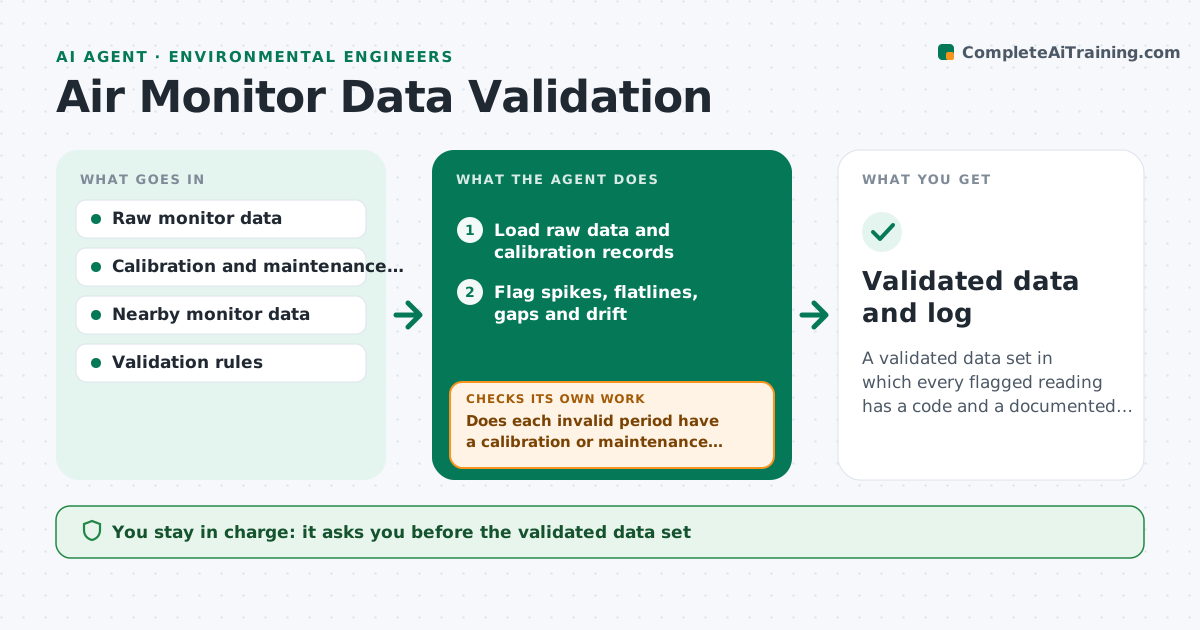
A validated data set in which every flagged reading has a code and a documented reason.
What it does
A monitor logs a thousand readings a day and some are spikes from a power glitch, some are drift between calibrations and some are plain gaps. This agent flags drift, spikes and gaps in the raw data and compares them to the calibration and maintenance records. It also compares to nearby monitors to see whether a spike is real or local. It proposes a validation code for each flagged period, such as valid, invalid with reason or estimated. When calibration records arrive late, it revalidates affected periods. You approve the validated data set. Edge case: a spike matching a nearby monitor's pattern is kept as a real event.
How it works
Follow the arrows from top to bottom. The orange dashed arrow is the loop: when a check fails, the agent goes back and tries again.
Read the steps as a list
- Data downloaded
- Load raw data and calibration records
- Flag spikes, flatlines, gaps and drift
- Compare flagged periods with nearby monitors
- Propose a validation code and reason for each period
- Does each invalid period have a calibration or maintenance record that explains it?If not: mark it pending and request the record from the technician. Back to step 3.
- Engineer approves the pending requestsThe agent waits here for your OK.
- Load the records received and revalidate affected periods
- Do the codes still apply after revalidation?If not: change the codes and recheck neighboring periods. Back to step 5.
- Engineer approves the validated setThe agent waits here for your OK.
- Validated data and log
How it decides
Flags come from rules for range, rate of change, flatlines and drift. Codes follow the validation rules and the calibration status.
- Change of more than 5 times the standard deviation in one step with no neighbor match: invalid spike
- Calibration drift above the allowed limit: invalidate back to the last good check
- Same value for 6 hours: flatline, invalid
- Spike matched by a nearby monitor: keep as a real event
Make it yours
Every agent is a starting point. You choose these settings for your own situation.
- Spike rule (default 5 standard deviations)
- Drift limit
- Flatline hours
- Neighbor monitors
- Validation code list
What keeps you in control
It always asks you first
- The validated data set
- Any estimated values
Hard limits
- Never delete raw data
- Never estimate data without approval
It stops when
- Done: validated set approved
- Stop: calibration records missing for the period
Set it up
We guide you through the set-up, step by step
Members get the full set-up guide for this agent. No technical skills needed: you copy, paste and upload.
- One set of instructions to paste into your AI, with the clicks for ChatGPT, Claude, Microsoft 365 Copilot, Gemini and Grok
- The agent then walks you through connecting your own data, one source at a time
- A downloadable copy with the flow chart, the rules and the full guide