AI agent for environmental engineers
Air Quality Alert Forecast Agent
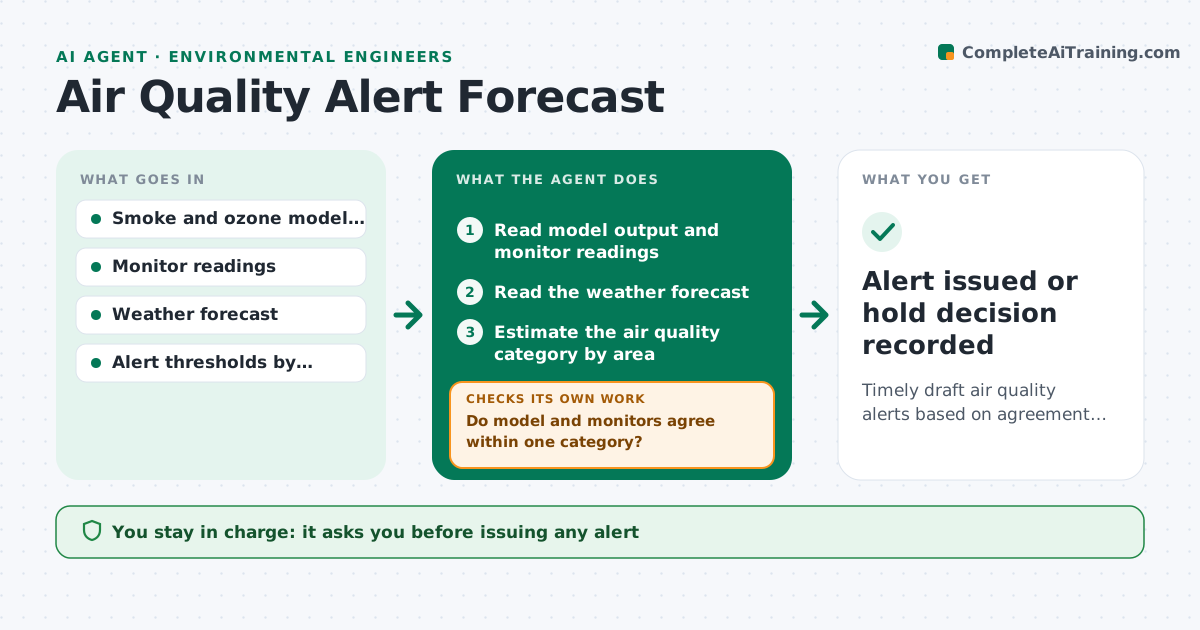
Timely draft air quality alerts based on agreement between models, monitors and weather
What it does
Smoke and ozone alerts are often issued late because the forecaster must read several sources at once. This agent combines smoke model output, monitor readings and the weather forecast to estimate the air quality category by area. It compares each estimate to the alert thresholds and updates as new data arrives. It checks whether monitors agree with the model, and falls back to monitor trends if they disagree. When a threshold is expected to be crossed, it drafts an alert for review. The forecaster approves issuing. Edge case: the model forecasts heavy smoke but the nearest monitor is clean, so the agent checks wind and asks for confirmation instead of assuming the model is right.
How it works
Follow the arrows from top to bottom. The orange dashed arrow is the loop: when a check fails, the agent goes back and tries again.
Read the steps as a list
- Scheduled data update
- Read model output and monitor readings
- Read the weather forecast
- Estimate the air quality category by area
- Do model and monitors agree within one category?If not: check wind and plume path, and weight recent monitors more. Back to step 3.
- Compare estimates to alert thresholds
- Is a threshold expected to be crossed within the alert window?If not: continue monitoring and update next cycle. Back to step 2.
- Draft the alert with areas, category and timing
- Forecaster approves issuing the alertThe agent waits here for your OK.
- Log the forecast and verify later
- Alert issued or hold decision recorded
How it decides
A category is forecast when the model and the latest monitors agree or the weather supports the model. Disagreement lowers confidence.
- Use the more recent monitor trend when model and monitors disagree
- Draft an alert when a category crossing is expected within 12 hours
- Include confidence level in the draft
- Update at every data cycle during an event
Make it yours
Every agent is a starting point. You choose these settings for your own situation.
- Thresholds by category
- Alert lead time (default 12 hours)
- Areas covered
- Update frequency
What keeps you in control
It always asks you first
- Issuing any alert
Hard limits
- Never issues alerts
- Never hides low confidence
It stops when
- Done: alert approved or no alert needed
- Stop: monitor and model data unavailable
Set it up
We guide you through the set-up, step by step
Members get the full set-up guide for this agent. No technical skills needed: you copy, paste and upload.
- One set of instructions to paste into your AI, with the clicks for ChatGPT, Claude, Microsoft 365 Copilot, Gemini and Grok
- The agent then walks you through connecting your own data, one source at a time
- A downloadable copy with the flow chart, the rules and the full guide