AI agent for chief sales officers
Annual Plan Reconciliation Agent
Compare top-down targets with bottom-up forecasts, find gaps by segment and test options until the plan closes
What it does
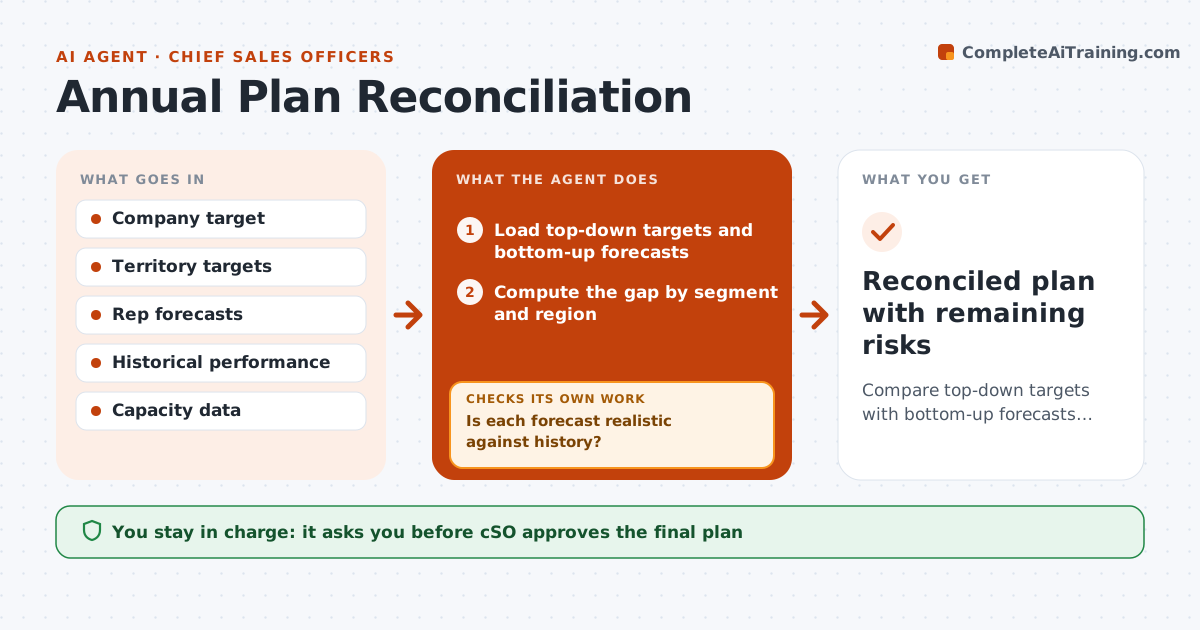
Targets and rep forecasts never agree, and the argument takes weeks. The agent compares the top-down target with the sum of territory and rep forecasts. It finds the gap by segment, region and product, and checks the forecasts against historical attainment to spot sandbagging or hope. It tests options such as raising a segment target, adding pipeline coverage or changing mix, and checks each against capacity and history. After revisions, it reruns the comparison. The CSO approves the final plan. Edge case: one region forecasts 140% of its history, and the agent flags the number before it enters the plan.
How it works
Follow the arrows from top to bottom. The orange dashed arrow is the loop: when a check fails, the agent goes back and tries again.
Read the steps as a list
- Planning round opens
- Load top-down targets and bottom-up forecasts
- Compute the gap by segment and region
- Compare forecasts with historical attainment
- Is each forecast realistic against history?If not: Mark outliers and ask for support or adjust. Back to step 3.
- Propose options to close the gap
- Test each option against capacity and coverage
- Does the revised plan close the gap within tolerance?If not: Test another option or raise a remaining gap to the CSO. Back to step 5.
- CSO approves the final planThe agent waits here for your OK.
- Reconciled plan with remaining risks
How it decides
Each segment's forecast is judged against history; gaps are closed with options tested for realism.
- Flag a forecast above 125% of history
- Require pipeline coverage of 3 times target
- Keep the gap tolerance at 3%
- Do not add targets beyond rep capacity
Make it yours
Every agent is a starting point. You choose these settings for your own situation.
- Gap tolerance (default 3%)
- Coverage ratio (default 3)
- Realism cap (default 125%)
- Segments used
What keeps you in control
It always asks you first
- CSO approves the final plan
- CSO approves target changes for individual reps
Hard limits
- Never set rep targets without CSO approval
- Never inflate a forecast
It stops when
- Done: plan within tolerance and approved
- Stop: the gap stays above tolerance after all tested options
Set it up
We guide you through the set-up, step by step
Members get the full set-up guide for this agent. No technical skills needed: you copy, paste and upload.
- One set of instructions to paste into your AI, with the clicks for ChatGPT, Claude, Microsoft 365 Copilot, Gemini and Grok
- The agent then walks you through connecting your own data, one source at a time
- A downloadable copy with the flow chart, the rules and the full guide