AI agent for biochemists
Antibody and Reagent Validation Tracker Agent
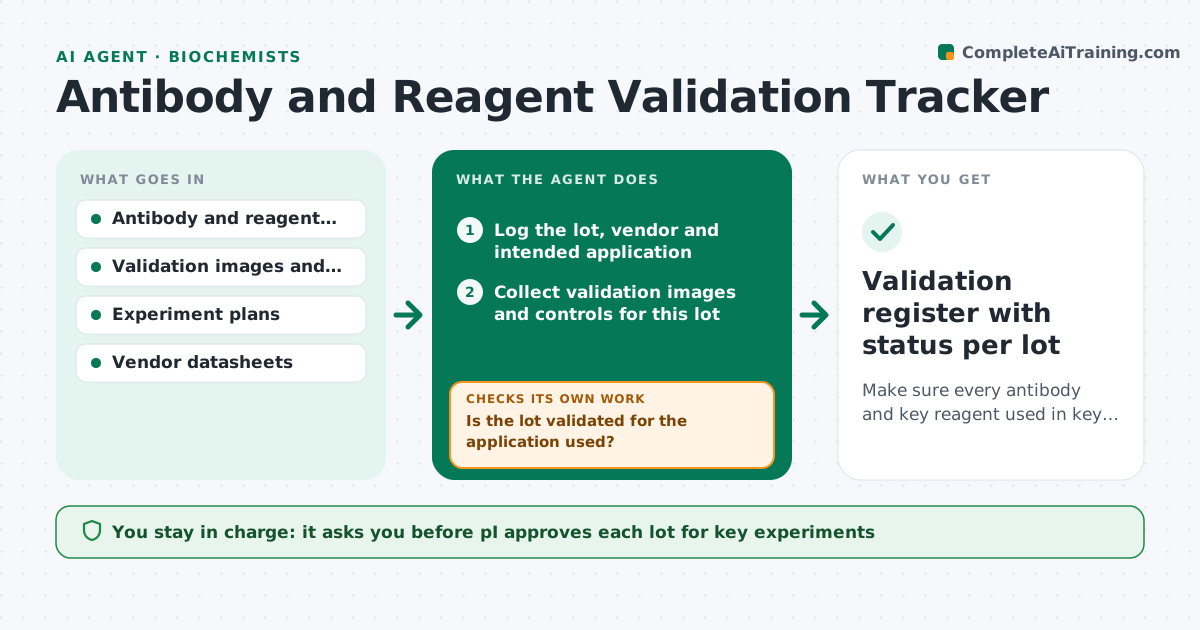
Make sure every antibody and key reagent used in key experiments has recorded validation for that use
What it does
A lab buys an antibody, a new lot arrives, and nobody records whether it was validated for the application used. Results change between lots and no one knows why. This agent keeps the validation record. It logs each antibody lot, collects validation blots and controls, checks them against the application used such as western blot or immunofluorescence, and flags unvalidated uses. It asks for missing controls, such as a knockout lysate or a peptide block, and rechecks after new data arrives. It also notes lot changes before a key experiment. The PI approves any lot for key experiments. Edge case: the new lot gives a different band size. The agent blocks it until compared with the old lot.
How it works
Follow the arrows from top to bottom. The orange dashed arrow is the loop: when a check fails, the agent goes back and tries again.
Read the steps as a list
- New lot arrives or experiment planned
- Log the lot, vendor and intended application
- Collect validation images and controls for this lot
- Check them against the application: size, specificity and negative control
- Is the lot validated for the application used?If not: Request the missing controls or a side-by-side with the previous lot. Back to step 3.
- Compare the new lot with the previous one
- Do the new data meet the validation criteria?If not: Flag the lot as unvalidated and block it for key experiments. Back to step 3.
- PI approves the lot for key experimentsThe agent waits here for your OK.
- Update the validation register and notify users
- Validation register with status per lot
How it decides
A lot is validated for an application only if the record shows the expected band or signal, a negative control and a comparison with the previous lot.
- A lot needs a negative control to be validated
- A changed band size blocks the lot until compared with the old lot
- Unvalidated reagents carry a warning on the inventory
- Re-validate lots older than 24 months
Make it yours
Every agent is a starting point. You choose these settings for your own situation.
- Required controls per application
- Re-validation age (default 24 months)
- Reagent types tracked
- Users notified of status changes
- Register format
What keeps you in control
It always asks you first
- PI approves each lot for key experiments
Hard limits
- Never marks a lot validated without controls
- Keeps validation data with each lot
It stops when
- Done: lot validated and registered
- Stop: validation fails, order a different antibody and tell the PI
Set it up
We guide you through the set-up, step by step
Members get the full set-up guide for this agent. No technical skills needed: you copy, paste and upload.
- One set of instructions to paste into your AI, with the clicks for ChatGPT, Claude, Microsoft 365 Copilot, Gemini and Grok
- The agent then walks you through connecting your own data, one source at a time
- A downloadable copy with the flow chart, the rules and the full guide