AI agent for customs brokers
Antidumping and Countervailing Duty Screening Agent
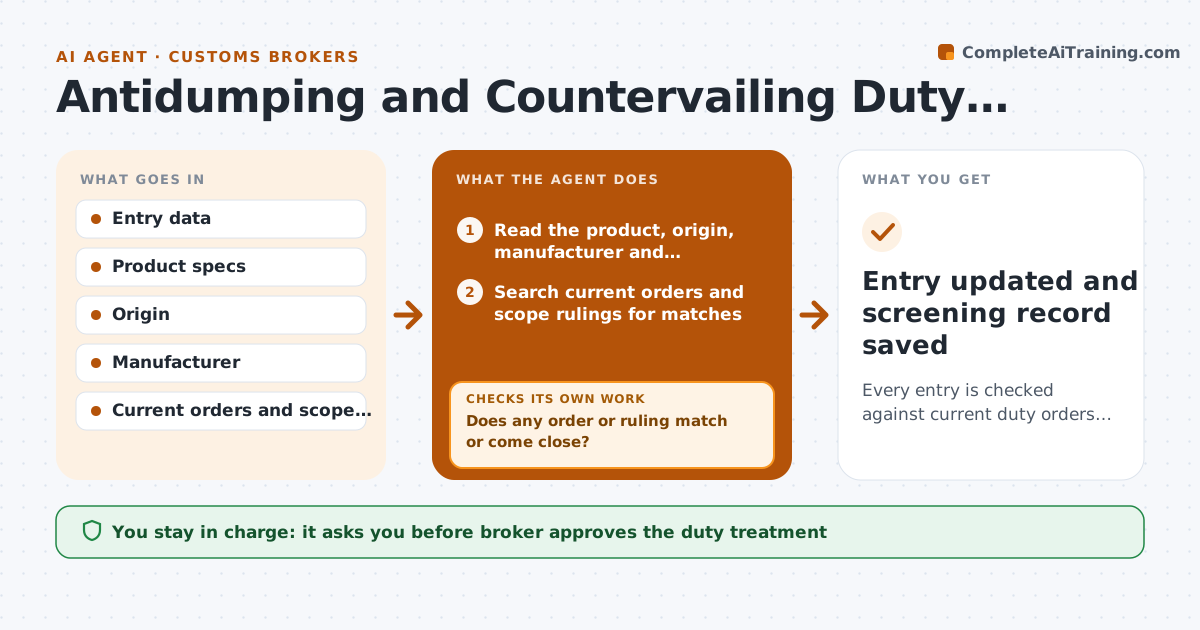
Every entry is checked against current duty orders and scope rulings before the broker finalizes treatment.
What it does
A shipment is classified correctly, but an antidumping order issued last month covers that product from that country and the duty bill is a surprise. For each entry, this agent checks the product description, origin and manufacturer against the current antidumping and countervailing duty orders and scope rulings. If anything matches or is close, it flags it and asks for evidence that rules the goods out of scope, such as a spec sheet, a mill certificate or a manufacturer statement. It reads what arrives, compares it with the scope language and decides whether the evidence rules it out or leaves it open. It rechecks the order list on each entry. The broker approves the duty treatment. Edge case: the manufacturer has a company specific rate.
How it works
Follow the arrows from top to bottom. The orange dashed arrow is the loop: when a check fails, the agent goes back and tries again.
Read the steps as a list
- Entry prepared
- Read the product, origin, manufacturer and classification
- Search current orders and scope rulings for matches
- Does any order or ruling match or come close?If not: search again using alternative product terms and the manufacturer name. Back to step 3.
- Compare the product with the scope language
- Request scope evidence from the importer or the manufacturer
- Does the evidence put the goods outside the scope?If not: request more evidence or mark the entry as covered and calculate the deposit. Back to step 6.
- Write the treatment recommendation with the rule and rate
- Broker approves the duty treatmentThe agent waits here for your OK.
- Entry updated and screening record saved
How it decides
It flags an entry when the product, origin and scope language match, and clears it only with evidence that places the goods outside the scope.
- Flag on a match of product, origin and scope.
- Look up the company specific rate for the manufacturer.
- Treat close matches as covered until evidence clears them.
- Rescreen open entries when new orders are issued.
Make it yours
Every agent is a starting point. You choose these settings for your own situation.
- Product and origin watch list
- Evidence required
- Rescreen schedule
- Rate lookup source
What keeps you in control
It always asks you first
- Broker approves the duty treatment
Hard limits
- Cite the order and scope language for each decision
- Never file the entry itself
It stops when
- Done: treatment approved.
- Stop: evidence not received by the filing date, so the broker decides.
Set it up
We guide you through the set-up, step by step
Members get the full set-up guide for this agent. No technical skills needed: you copy, paste and upload.
- One set of instructions to paste into your AI, with the clicks for ChatGPT, Claude, Microsoft 365 Copilot, Gemini and Grok
- The agent then walks you through connecting your own data, one source at a time
- A downloadable copy with the flow chart, the rules and the full guide