AI agent for quality assurance testers
App Review Feedback Triage Agent
Turn review text into confirmed, ticketed issues and track whether releases fix them
What it does
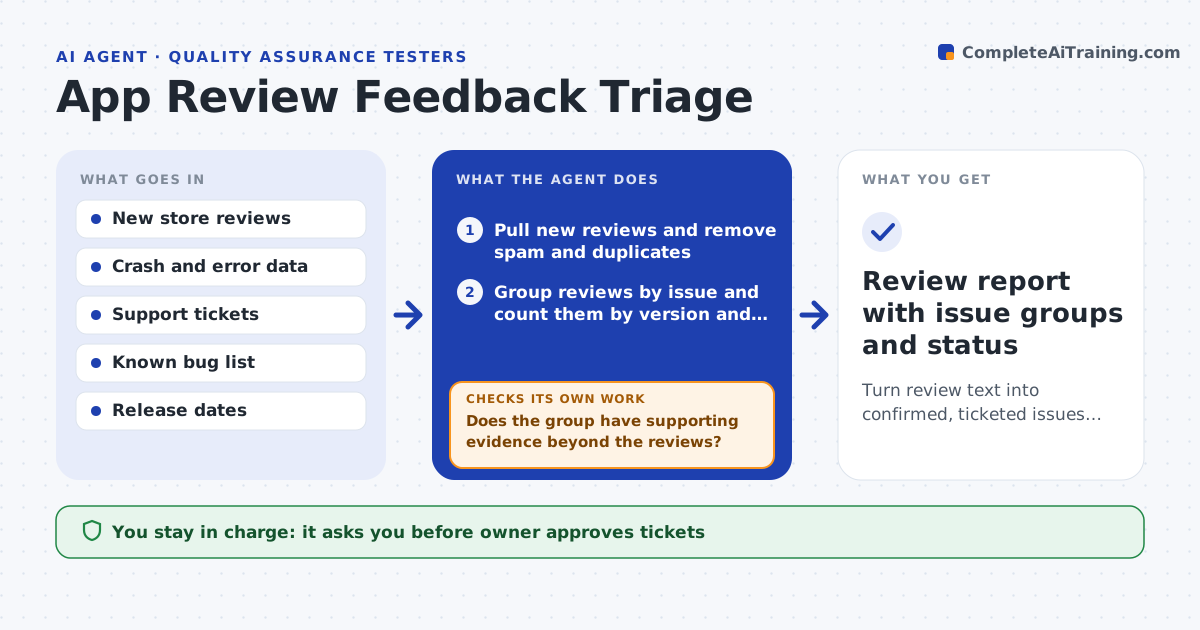
Hundreds of store reviews arrive each week and the real bugs hide among complaints, praise and spam. This agent reads the new reviews and groups them by issue: login failure, a crash, a payment problem, a missing feature. It checks each group against crash data, support tickets and the known bug list to see if the issue is real, known or new. For new issues, it drafts a ticket with the review quotes, versions and devices mentioned. It drafts short replies for review. After each release it rechecks whether complaints in that group fell. The owner approves tickets and replies. Edge case: five reviews say the app is slow, but crash data shows a server outage that day, so the agent links them to the incident.
How it works
Follow the arrows from top to bottom. The orange dashed arrow is the loop: when a check fails, the agent goes back and tries again.
Read the steps as a list
- Weekly run or new release
- Pull new reviews and remove spam and duplicates
- Group reviews by issue and count them by version and device
- Check each group against crash data, tickets and known bugs
- Does the group have supporting evidence beyond the reviews?If not: search logs and support tickets for matching signs; otherwise mark it unconfirmed. Back to step 3.
- Draft tickets for new issues and replies for groups worth answering
- Owner approves tickets and repliesThe agent waits here for your OK.
- File tickets and post approved replies
- After the next release, recount reviews in each group
- Did complaints in fixed groups fall by at least half?If not: reopen the ticket with new data. Back to step 3.
- Review report with issue groups and status
How it decides
It confirms a group as a real issue when review volume rises and matches crash, ticket or log evidence, and files a ticket when it is new and over a minimum size.
- File a ticket when a new group has at least 5 reviews in a week
- Mark a group as confirmed only with a second source
- Reply only to reviews with a clear problem and a fix or workaround
- Treat reviews from the first 48 hours after a release as a priority
Make it yours
Every agent is a starting point. You choose these settings for your own situation.
- Ticket threshold (default 5 reviews)
- Review sources and languages
- Reply tone
- Ticket tracker and labels
- Weekly schedule
What keeps you in control
It always asks you first
- Owner approves tickets
- Owner approves public replies
Hard limits
- Never post a reply without approval
- Never include personal details from reviews in tickets
It stops when
- Done: all groups are confirmed, ticketed or dismissed and the report is saved
- Stop: review feed is unavailable
Set it up
We guide you through the set-up, step by step
Members get the full set-up guide for this agent. No technical skills needed: you copy, paste and upload.
- One set of instructions to paste into your AI, with the clicks for ChatGPT, Claude, Microsoft 365 Copilot, Gemini and Grok
- The agent then walks you through connecting your own data, one source at a time
- A downloadable copy with the flow chart, the rules and the full guide