AI agent for vocal artists
Artist Social Content Engagement Agent
Consistent posting with growing engagement
What it does
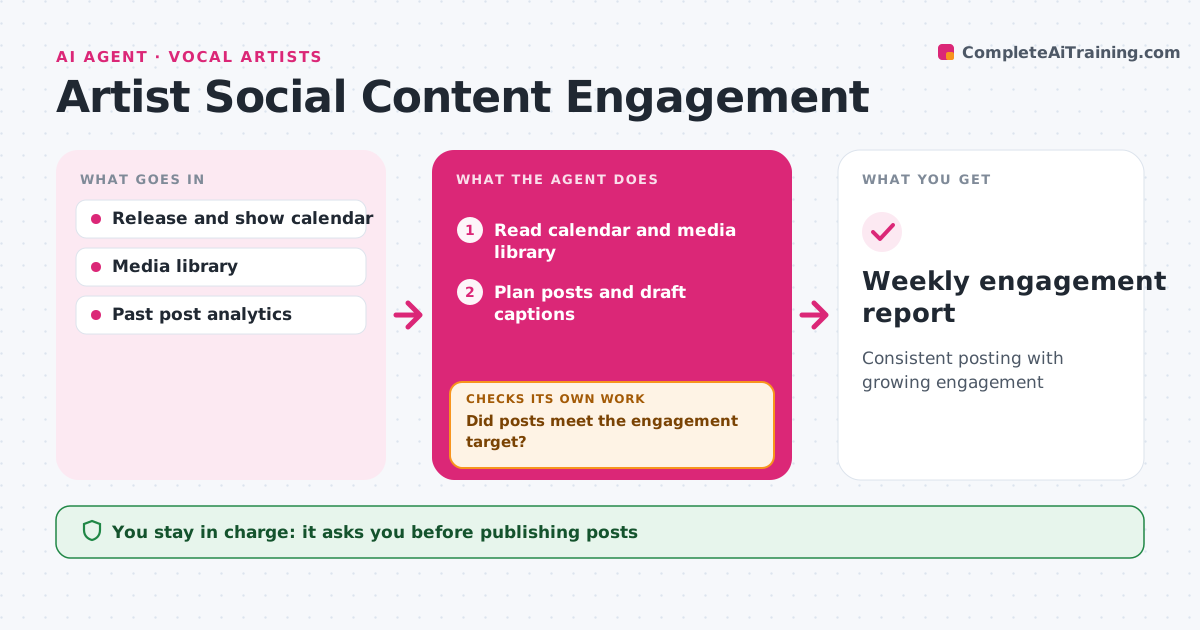
Fans expect regular posts and replies, but songwriting, rehearsals and shows come first. Each week this agent reads the artist's calendar and media library and plans posts around releases, shows and rehearsals. It drafts captions in the artist's voice. In release weeks, it plans more posts. The artist approves every post before it is scheduled. During the week, the agent watches comments and drafts replies, which the artist also approves. At week end, it compares each post's engagement with the artist's average. If posts missed the target, it looks at which formats did well and shifts next week's plan toward them, such as more live clips and fewer photos. The weekly engagement report shows what worked. Edge case: rude or hostile comments are flagged for the artist and never answered automatically.
How it works
Follow the arrows from top to bottom. The orange dashed arrow is the loop: when a check fails, the agent goes back and tries again.
Read the steps as a list
- Weekly planning starts
- Read calendar and media library
- Plan posts and draft captions
- Artist approves postsThe agent waits here for your OK.
- Schedule posts and draft comment replies
- Did posts meet the engagement target?If not: shift next week's plan toward formats that worked. Back to step 3.
- Weekly engagement report
How it decides
It gives more space to post types that beat your average engagement and drops ones that keep falling short.
- Favor formats above average engagement
- Flag hostile comments for the artist
- Post more often in release weeks
Make it yours
Every agent is a starting point. You choose these settings for your own situation.
- Platforms
- Posts per week (default 4)
- Caption tone
- Which replies need approval
What keeps you in control
It always asks you first
- Publishing posts
- Sending replies
Hard limits
- Never posts or replies without approval
- Never answers hostile comments
It stops when
- Done: week complete and report saved
- Stop: no new media available; ask the artist
Set it up
We guide you through the set-up, step by step
Members get the full set-up guide for this agent. No technical skills needed: you copy, paste and upload.
- One set of instructions to paste into your AI, with the clicks for ChatGPT, Claude, Microsoft 365 Copilot, Gemini and Grok
- The agent then walks you through connecting your own data, one source at a time
- A downloadable copy with the flow chart, the rules and the full guide