AI agent for land surveyors
As-Built Deviation Check Agent
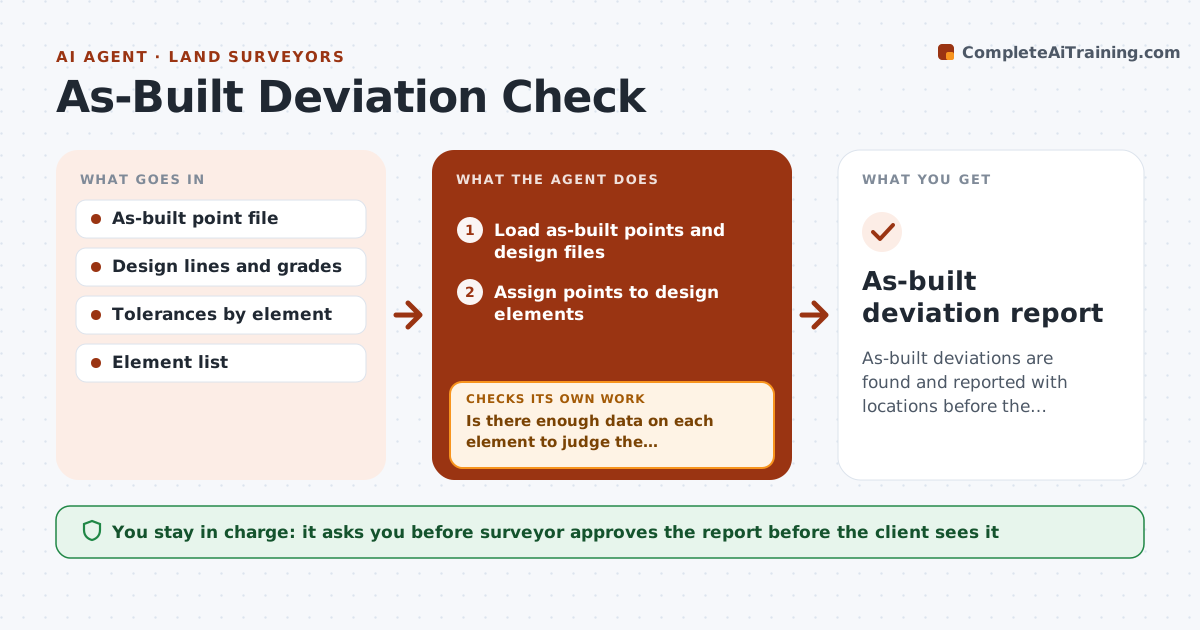
As-built deviations are found and reported with locations before the contractor demobilizes.
What it does
The contractor finishes a retaining wall and leaves, and only later does anyone notice that it sits 0.4 ft off line. This agent compares as-built shots with the design lines and grades as soon as the survey is processed. It computes deviations against the tolerance, groups them by element, and flags failures with locations. Where data is thin, for example one shot for a long curb line, it asks for extra shots or a re-survey. It rechecks after new data arrives. You approve the deviation report before the client sees it. Edge case: points on a surface that shifted after the contractor finished, such as settling pavement, are marked for review rather than failure.
How it works
Follow the arrows from top to bottom. The orange dashed arrow is the loop: when a check fails, the agent goes back and tries again.
Read the steps as a list
- As-built data processed
- Load as-built points and design files
- Assign points to design elements
- Is there enough data on each element to judge the deviation?If not: Request extra shots or a short re-survey for thin areas. Back to step 2.
- Compute horizontal and vertical deviations
- Flag elements outside tolerance and group by location
- Draft the deviation report with maps
- Do flagged deviations hold when checked against control and shot quality?If not: Recompute with corrected control or remove poor shots, then update. Back to step 4.
- Surveyor approves the report before it is sharedThe agent waits here for your OK.
- As-built deviation report
How it decides
It computes the horizontal and vertical difference to the design for each element and reports those outside tolerance, with coverage checked first.
- Use the tolerance for each element type
- Require at least 1 shot per 25 ft of linear element
- Mark post-construction settlement for review
- Rank deviations by size and consequence
Make it yours
Every agent is a starting point. You choose these settings for your own situation.
- Tolerances by element
- Shot spacing (default 25 ft)
- Map style
- Report recipients
What keeps you in control
It always asks you first
- Surveyor approves the report before the client sees it
Hard limits
- Never tell the contractor to redo work
- Never change design files
It stops when
- Done: report approved
- Stop: control not tied to design
Set it up
We guide you through the set-up, step by step
Members get the full set-up guide for this agent. No technical skills needed: you copy, paste and upload.
- One set of instructions to paste into your AI, with the clicks for ChatGPT, Claude, Microsoft 365 Copilot, Gemini and Grok
- The agent then walks you through connecting your own data, one source at a time
- A downloadable copy with the flow chart, the rules and the full guide