AI agent for headteachers
Assessment Data Gap Review Agent
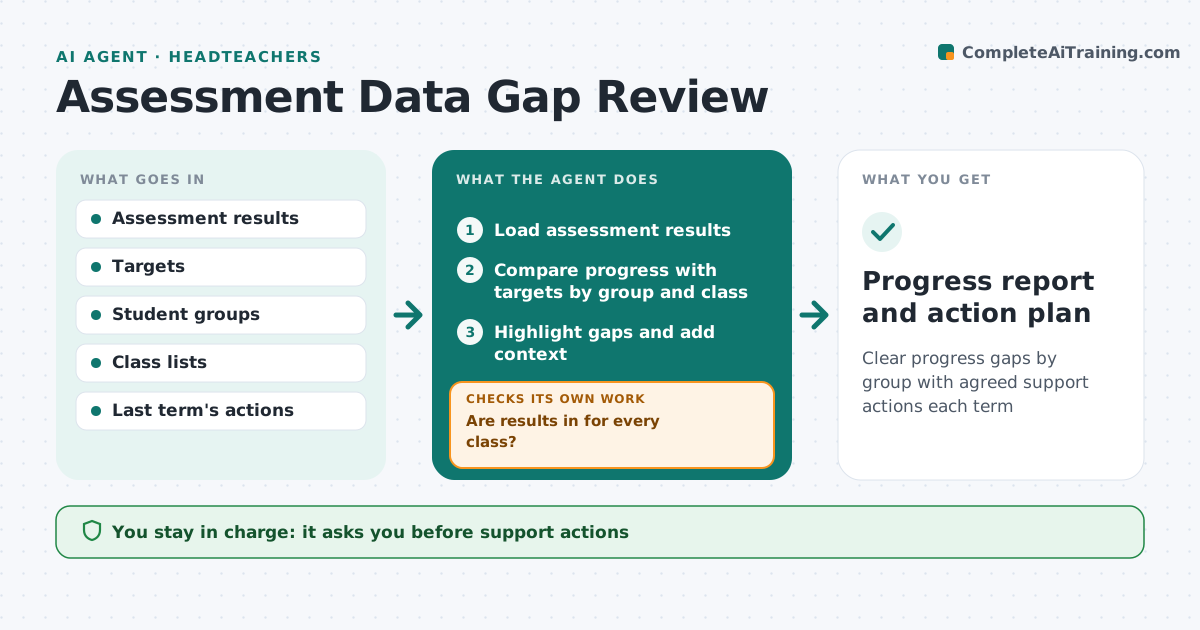
Clear progress gaps by group with agreed support actions each term
What it does
After each assessment point, leaders need to know which students and groups are falling behind, but results arrive in pieces. This agent loads the latest results and first checks they are complete; missing marks or classes are chased with teachers before analysis. It compares progress with targets and last term, broken down by class, subject and student group. Groups more than 10 points below target are flagged, and groups under five students are not reported separately to protect privacy. It adds context before judging a class, such as long-term staff absence. For each gap it drafts possible actions, such as small-group support, and reviews whether last term's actions worked. The school leader agrees actions with department heads. Edge case: a class had a long-term supply teacher, which the agent notes as context rather than a judgment on teaching.
How it works
Follow the arrows from top to bottom. The orange dashed arrow is the loop: when a check fails, the agent goes back and tries again.
Read the steps as a list
- Assessment window closes
- Load assessment results
- Are results in for every class?If not: ask teachers for missing marks. Back to step 2.
- Compare progress with targets by group and class
- Highlight gaps and add context
- Draft actions and review last term's actions
- School leader agrees actions with department headsThe agent waits here for your OK.
- Progress report and action plan
How it decides
It flags groups or classes more than the set margin below target or peers.
- Groups 10 points below target flagged
- Groups under five students not reported separately
- Context noted before judging classes
Make it yours
Every agent is a starting point. You choose these settings for your own situation.
- Target margin
- Student groups
- Assessment points
- Report format
What keeps you in control
It always asks you first
- Support actions
- Sharing data with governors
Hard limits
- No student names in governor reports
- Does not rate teachers
It stops when
- Done: action plan agreed
- Stop: assessment data incomplete after two reminders
Set it up
We guide you through the set-up, step by step
Members get the full set-up guide for this agent. No technical skills needed: you copy, paste and upload.
- One set of instructions to paste into your AI, with the clicks for ChatGPT, Claude, Microsoft 365 Copilot, Gemini and Grok
- The agent then walks you through connecting your own data, one source at a time
- A downloadable copy with the flow chart, the rules and the full guide