AI agent for financial controllers
Audit Request List Tracker Agent
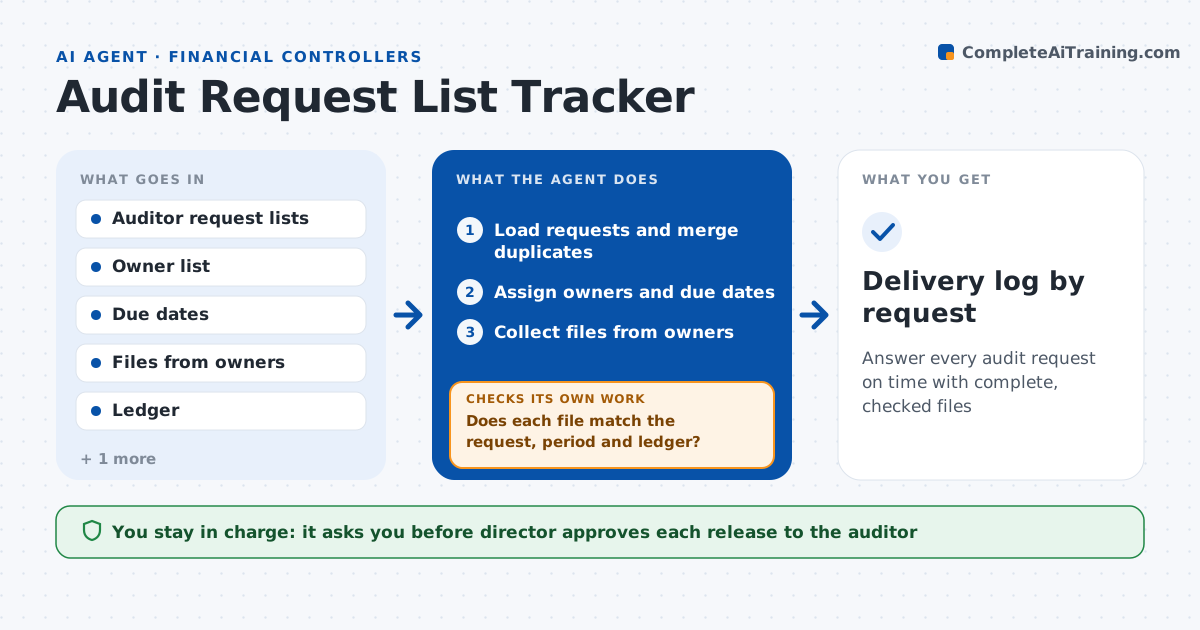
Answer every audit request on time with complete, checked files
What it does
The auditors send four lists over six weeks and the team answers in email, losing track of what has gone and what is waiting. This agent loads the auditor's request list and assigns each item an owner and a due date. It collects the files from owners and checks them for completeness, for example whether a bank confirmation covers the right year and whether a schedule ties to the ledger. It checks file quality, such as readable scans and correct names, and sends poor ones back. It chases late items on a schedule and updates a status view. When the auditor adds items, it merges them. The director approves release to the auditor. Edge case: duplicate requests across lists are combined into one answer.
How it works
Follow the arrows from top to bottom. The orange dashed arrow is the loop: when a check fails, the agent goes back and tries again.
Read the steps as a list
- Auditor request list arrives
- Load requests and merge duplicates
- Assign owners and due dates
- Collect files from owners
- Does each file match the request, period and ledger?If not: Return the file to the owner with what to fix. Back to step 4.
- Is every item delivered by its due date?If not: Chase the owner every 2 days and flag the item to the director. Back to step 4.
- Update the status view and list what is ready
- Director approves release to the auditorThe agent waits here for your OK.
- Send the package through the finance portal
- Delivery log by request
How it decides
It marks an item ready when the file matches the request, covers the period and ties to the ledger. Items past due are chased every 2 days.
- Merge identical requests across lists
- Mark a file ready only when it covers the right period
- Chase late items every 2 days
- Flag items more than 5 days late to the director
Make it yours
Every agent is a starting point. You choose these settings for your own situation.
- Chase interval (default every 2 days)
- Escalation threshold (default 5 days late)
- Owner assignment rules (default by account area)
- Status report frequency (default daily)
What keeps you in control
It always asks you first
- Director approves each release to the auditor
Hard limits
- Never release files to the auditor without approval
- Never alter source files
- Keep a log of what was sent and when
It stops when
- Done: Every request delivered and logged
- Stop: Auditor withdraws the request or the director closes it
Set it up
We guide you through the set-up, step by step
Members get the full set-up guide for this agent. No technical skills needed: you copy, paste and upload.
- One set of instructions to paste into your AI, with the clicks for ChatGPT, Claude, Microsoft 365 Copilot, Gemini and Grok
- The agent then walks you through connecting your own data, one source at a time
- A downloadable copy with the flow chart, the rules and the full guide