AI agent for actors
Audition Sides Deadline Triage Agent
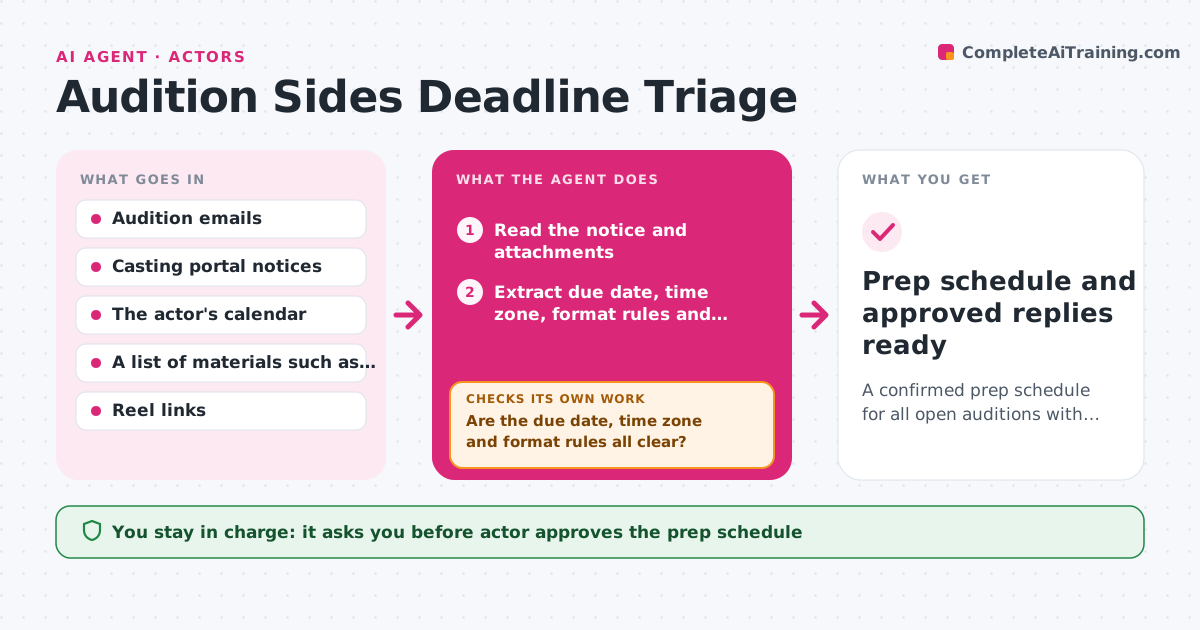
A confirmed prep schedule for all open auditions with every requirement and deadline verified
What it does
Auditions arrive by email, casting portal and agent message, each with its own due date, format and required materials. Sorting them can eat an evening. This agent reads new audition emails and portal notices, extracts the due date, time zone, self-tape rules, slate requirements, wardrobe notes and any attachments needed. It builds a prep order by deadline and effort, so a three-page scene due in 24 hours comes before a monologue due next week. If a due date or requirement is unclear, it flags it, goes back to the original notice to check again, and adds a question to the draft reply if it is still unclear. The actor approves the schedule and any reply to the casting office. Edge case: a due date written as 5 pm without a zone gets checked against the casting office's location.
How it works
Follow the arrows from top to bottom. The orange dashed arrow is the loop: when a check fails, the agent goes back and tries again.
Read the steps as a list
- New audition notice arrives
- Read the notice and attachments
- Extract due date, time zone, format rules and required materials
- Are the due date, time zone and format rules all clear?If not: Re-read the original notice and the portal, then mark any item still unclear as a question. Back to step 2.
- Read the actor's calendar for free blocks
- Order the auditions by deadline and prep effort
- Does the schedule fit before every deadline?If not: Move lower-effort items or flag the clash for the actor to decide. Back to step 6.
- Draft clarifying replies for unclear requirements
- Actor approves the schedule and any reply to castingThe agent waits here for your OK.
- Prep schedule and approved replies ready
How it decides
It ranks by deadline first, then by prep effort estimated from page count and format, and treats any unclear due date as urgent until confirmed.
- Treat a due date without a time zone as unconfirmed
- Rank by hours left before due time, then by estimated prep time
- Estimate prep at about 20 minutes per page plus tape and slate time
- Flag any audition that clashes with a booked job
Make it yours
Every agent is a starting point. You choose these settings for your own situation.
- Hours per page used for prep estimates
- Hours of the day available for taping
- Calendar to check for conflicts
- Who counts as a priority casting office
- Notification time for urgent items (default 8 am)
What keeps you in control
It always asks you first
- Actor approves the prep schedule
- Actor approves every reply sent to a casting office
Hard limits
- Never reply to a casting office without approval
- Never accept or decline an audition on the actor's behalf
It stops when
- Done: Every open audition has a verified deadline and a slot in the schedule
- Stop: A deadline stays unclear after the second check, so it is left as an open question for the actor
Set it up
We guide you through the set-up, step by step
Members get the full set-up guide for this agent. No technical skills needed: you copy, paste and upload.
- One set of instructions to paste into your AI, with the clicks for ChatGPT, Claude, Microsoft 365 Copilot, Gemini and Grok
- The agent then walks you through connecting your own data, one source at a time
- A downloadable copy with the flow chart, the rules and the full guide