AI agent for logistics engineers
Automation Business Case Validation Agent
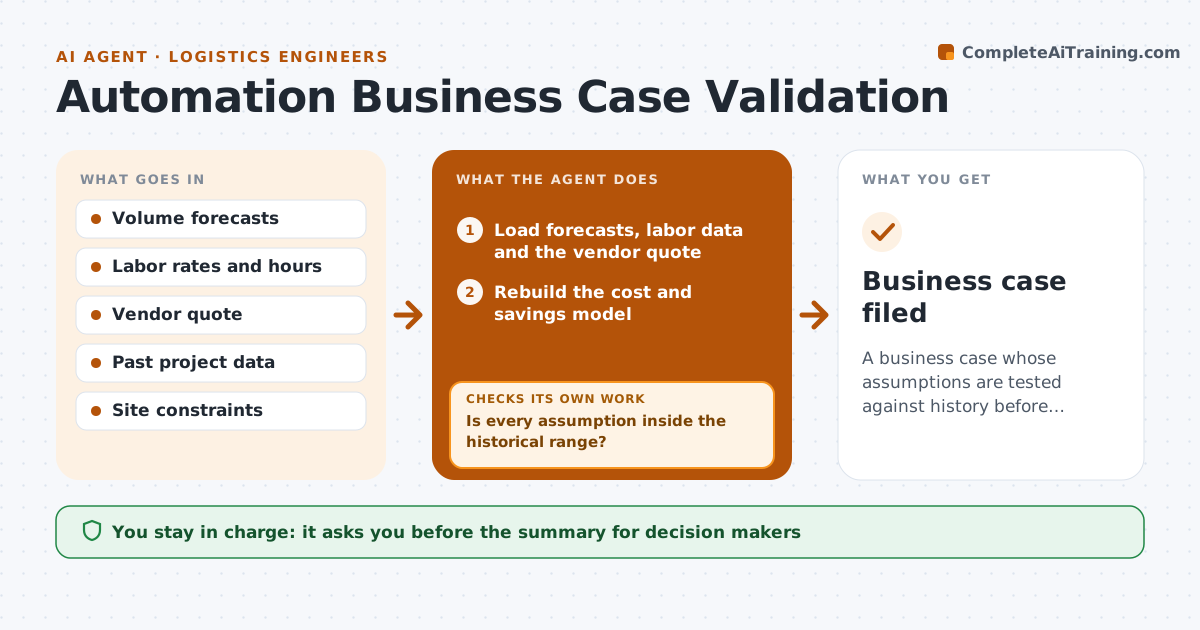
A business case whose assumptions are tested against history before decision makers see it
What it does
Automation cases often rest on optimistic volumes and labor savings. This agent rebuilds the case from volume forecasts, labor data and vendor quotes. It runs low and high scenarios and checks every assumption against history, such as actual peak volumes, absence rates and past project overruns. Weak assumptions are revised and the case is rerun. It lists the risks and the break-even point in plain terms. The engineer approves the summary for decision makers. The summary shows payback in every scenario and names the assumption that matters most. Edge case: the vendor quote excludes integration work, so the agent adds an estimate and marks it as such.
How it works
Follow the arrows from top to bottom. The orange dashed arrow is the loop: when a check fails, the agent goes back and tries again.
Read the steps as a list
- An automation proposal is submitted
- Load forecasts, labor data and the vendor quote
- Rebuild the cost and savings model
- Compare each assumption with history
- Is every assumption inside the historical range?If not: replace it with the historical value and mark the change. Back to step 3.
- Run low, expected and high scenarios
- Does the case pay back in the target period in the low scenario?If not: revise scope or volume assumptions and rerun. Back to step 3.
- Write the summary with break-even and risks
- Engineer approves the summary for decision makersThe agent waits here for your OK.
- Business case filed
How it decides
An assumption stands when it is within the historical range. Outside it, the agent uses the historical value and shows the gap.
- Use the lowest of forecast and last year's volume for the low case
- Add 15 percent for integration if the quote omits it
- Reject labor savings that assume 100 percent utilization
- Show payback in the low and high cases
Make it yours
Every agent is a starting point. You choose these settings for your own situation.
- Target payback period
- Contingency percentage (default 15)
- Scenarios
- Cost items included
What keeps you in control
It always asks you first
- The summary for decision makers
Hard limits
- Never present a case with untested assumptions
- Never contact vendors
It stops when
- Done: case tested and approved
- Stop: no historical data to test against
Set it up
We guide you through the set-up, step by step
Members get the full set-up guide for this agent. No technical skills needed: you copy, paste and upload.
- One set of instructions to paste into your AI, with the clicks for ChatGPT, Claude, Microsoft 365 Copilot, Gemini and Grok
- The agent then walks you through connecting your own data, one source at a time
- A downloadable copy with the flow chart, the rules and the full guide