AI agent for translators
Back-Translation Check Agent
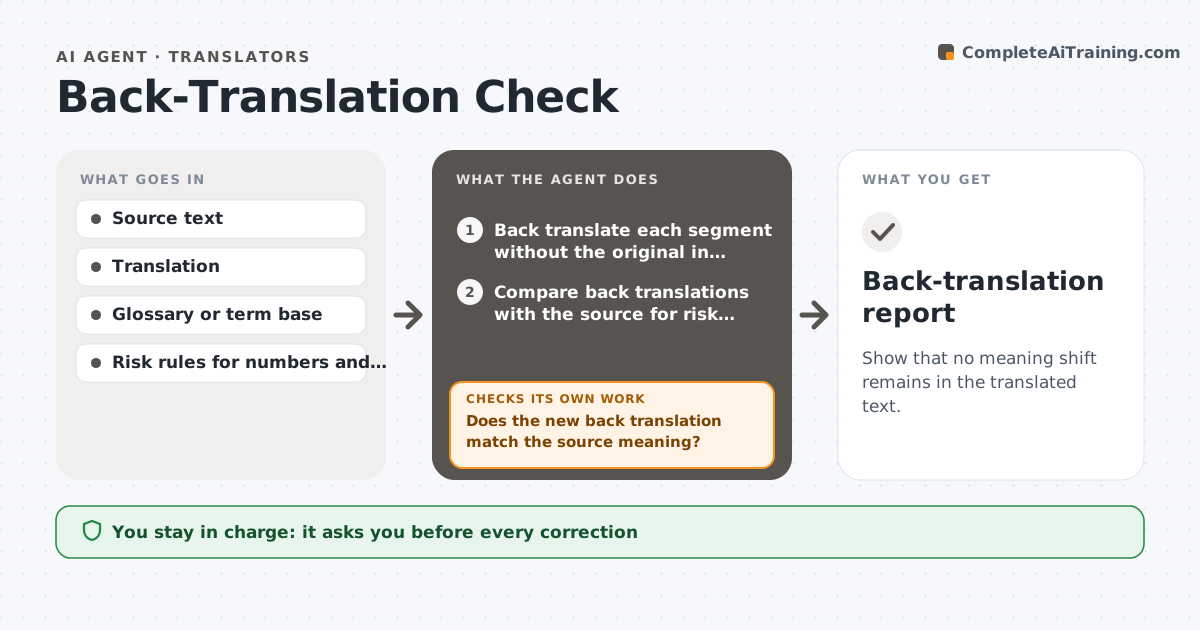
Show that no meaning shift remains in the translated text.
What it does
In regulated work such as clinical or legal texts, a small shift in meaning can have large consequences, and a read-through does not always catch it. This agent takes the source and the translation, back translates each segment into the source language without seeing the original, and compares the back translation with the source. It flags segments where the meaning shifts: changes in number, negation, modality, scope, dosage or defined terms. It proposes a fix for each flagged segment and back translates again to check that the new version is faithful. Segments are checked until they match or are sent to the translator. It never changes the translation itself. The translator approves. Edge case: a difference in style with the same meaning is noted but not flagged.
How it works
Follow the arrows from top to bottom. The orange dashed arrow is the loop: when a check fails, the agent goes back and tries again.
Read the steps as a list
- Translation completed
- Back translate each segment without the original in view
- Compare back translations with the source for risk elements
- Flag segments with meaning shifts and rate their risk
- Propose a corrected segment for each flag
- Translator accepts or edits the correctionsThe agent waits here for your OK.
- Back translate the corrected segments again
- Does the new back translation match the source meaning?If not: propose another correction and compare again. Back to step 4.
- After two attempts, does any segment still differ?If not: send it to the translator with both versions and the difference. Back to step 6.
- Back-translation report
How it decides
It flags a segment when the back translation differs in a risk element such as numbers, negation, modality, scope or a defined term, and ignores purely stylistic differences.
- Flag any change in a number, unit or date
- Flag any change from negative to positive or reverse
- Flag a change between may and must
- Ignore style-only differences
Make it yours
Every agent is a starting point. You choose these settings for your own situation.
- Risk element list
- Attempts before escalation (default 2)
- Language pair
- Report format
- Glossary used
What keeps you in control
It always asks you first
- Every correction
- The final report
Hard limits
- Never change the translation without approval
- Never hide a remaining difference
It stops when
- Done: all high-risk segments match
- Stop: segment remains ambiguous after two attempts
Set it up
We guide you through the set-up, step by step
Members get the full set-up guide for this agent. No technical skills needed: you copy, paste and upload.
- One set of instructions to paste into your AI, with the clicks for ChatGPT, Claude, Microsoft 365 Copilot, Gemini and Grok
- The agent then walks you through connecting your own data, one source at a time
- A downloadable copy with the flow chart, the rules and the full guide