AI agent for product managers
Beta Program Management Agent
Keep beta users engaged and turn feedback into a clear go or no-go against exit criteria
What it does
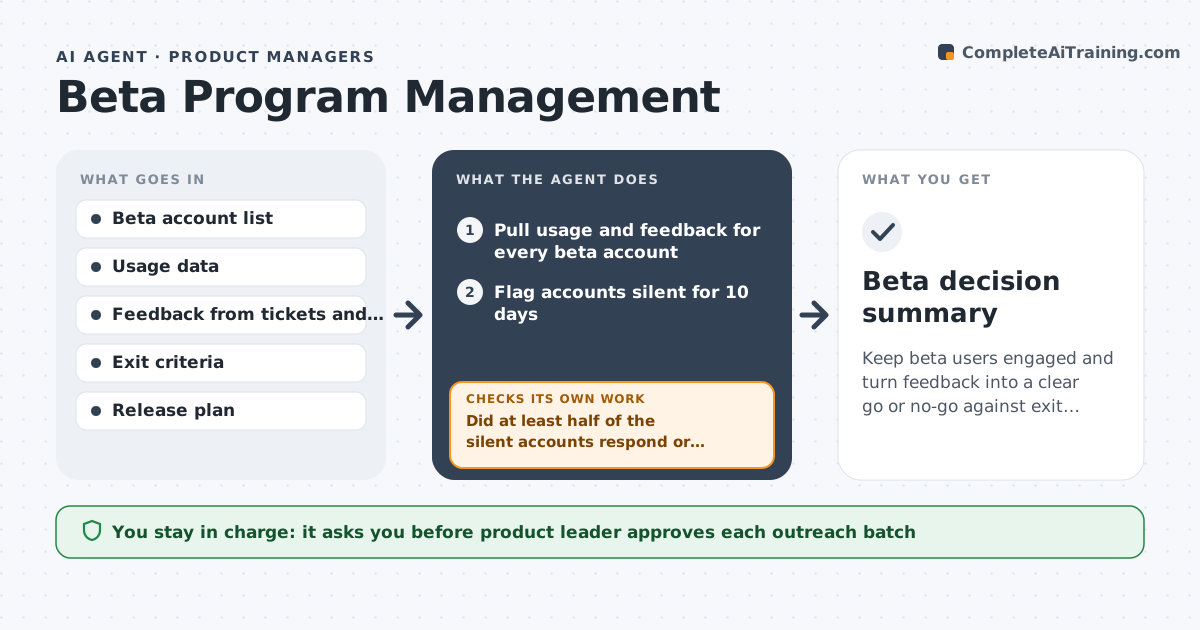
A beta starts with forty accounts, and by week three half have stopped using the product while feedback sits unread. This agent tracks every beta account's usage and the feedback it gave. It flags the silent ones and drafts a short check-in that asks a specific question about what they tried. It groups feedback into themes and counts how many accounts mention each. Then it checks the themes against the program's exit criteria, such as activation rate and a set of must-fix issues, and shows what is still missing. If criteria are not met, it recommends extending the beta or fixing items. The product leader approves outreach and the final go or no-go summary. Edge case: an account that churned for a known reason is excluded from the activation rate.
How it works
Follow the arrows from top to bottom. The orange dashed arrow is the loop: when a check fails, the agent goes back and tries again.
Read the steps as a list
- Weekly beta review
- Pull usage and feedback for every beta account
- Flag accounts silent for 10 days
- Draft a check-in for each silent account
- Product leader approves outreachThe agent waits here for your OK.
- Send approved check-ins and log replies
- Did at least half of the silent accounts respond or return?If not: Change the question or channel and try again after a week. Back to step 3.
- Group feedback into themes and count accounts
- Do the themes and metrics meet the exit criteria?If not: List unmet criteria and recommend extend or fix. Back to step 2.
- Product leader approves the go or no-go summaryThe agent waits here for your OK.
- Beta decision summary
How it decides
It flags an account silent after 10 days without use. It marks a theme as must-fix when 3 or more accounts raise it.
- Flag an account silent after 10 days
- Mark a theme must-fix when 3 or more accounts raise it
- Exclude accounts that left for a known unrelated reason
- Recommend extend when activation is below the target
Make it yours
Every agent is a starting point. You choose these settings for your own situation.
- Silence threshold (default 10 days)
- Must-fix theme rule (default 3 accounts)
- Exit criteria (default activation and must-fix count)
- Outreach channel (default email)
What keeps you in control
It always asks you first
- Product leader approves each outreach batch
- Product leader approves the go or no-go summary
Hard limits
- Never contact beta users without approval
- Never promise features or dates
- Keep beta feedback confidential
It stops when
- Done: Exit criteria met and decision summary approved
- Stop: Critical defect found, so pause the beta and alert the product leader
Set it up
We guide you through the set-up, step by step
Members get the full set-up guide for this agent. No technical skills needed: you copy, paste and upload.
- One set of instructions to paste into your AI, with the clicks for ChatGPT, Claude, Microsoft 365 Copilot, Gemini and Grok
- The agent then walks you through connecting your own data, one source at a time
- A downloadable copy with the flow chart, the rules and the full guide