AI agent for construction estimators
Bid Package and Addenda Check Agent
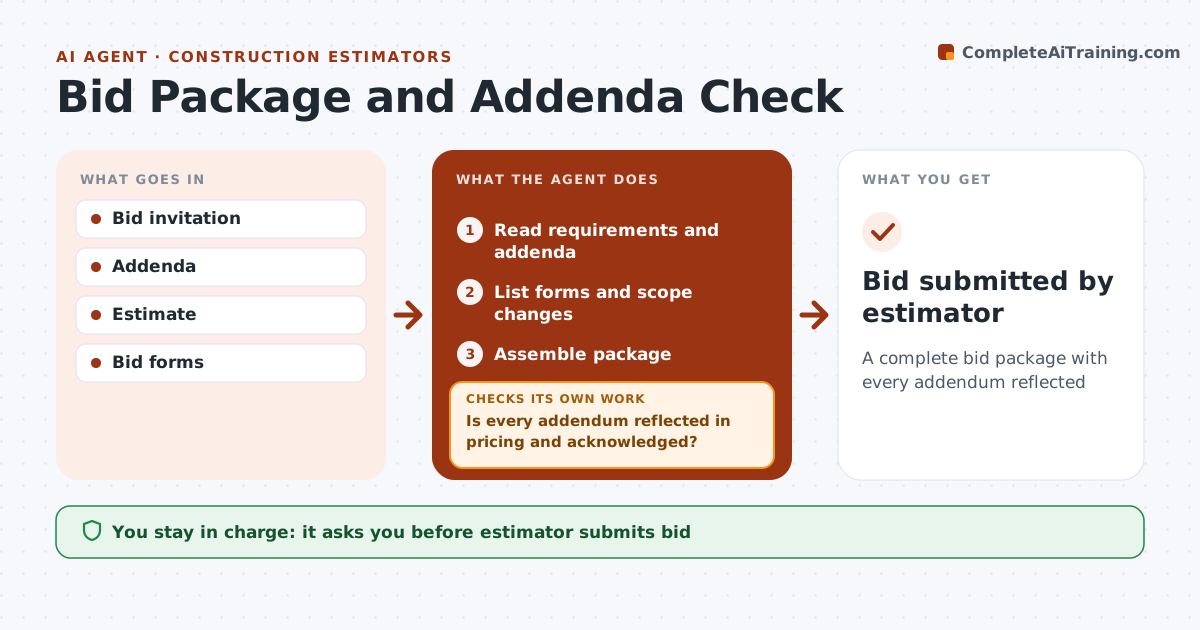
A complete bid package with every addendum reflected
What it does
Bid invitations come with forms, bonds, addenda and format rules, and addenda keep arriving until days before the deadline. This agent reads the invitation and every addendum, lists required forms and scope changes, and checks that each addendum is reflected in the estimate and acknowledged on the bid form. If an addendum changed quantities, it asks the estimator to update pricing and checks again. An addendum within 24 hours of the deadline triggers an urgent alert. It then assembles the package and checks it against every bid requirement, including bonds and format rules. The estimator approves and submits. Edge case: a late addendum that changes scope gets an alert even if the estimator has already approved the package.
How it works
Follow the arrows from top to bottom. The orange dashed arrow is the loop: when a check fails, the agent goes back and tries again.
Read the steps as a list
- Invitation or addendum received
- Read requirements and addenda
- List forms and scope changes
- Is every addendum reflected in pricing and acknowledged?If not: ask the estimator to update and recheck. Back to step 3.
- Assemble package
- Does the package meet every form, bond and format rule?If not: list the missing items and rebuild the package. Back to step 5.
- Watch for new addenda until the deadline
- Estimator approves submissionThe agent waits here for your OK.
- Bid submitted by estimator
How it decides
Every requirement and addendum must be reflected and acknowledged.
- All addenda acknowledged
- Late addenda trigger alerts
- Format rules followed
Make it yours
Every agent is a starting point. You choose these settings for your own situation.
- Alert window
- Checklist
- Portal
- Who approves
What keeps you in control
It always asks you first
- Estimator submits bid
Hard limits
- Never submits bids
- Never signs forms
It stops when
- Done: bid submitted
- Stop: decision not to bid
Set it up
We guide you through the set-up, step by step
Members get the full set-up guide for this agent. No technical skills needed: you copy, paste and upload.
- One set of instructions to paste into your AI, with the clicks for ChatGPT, Claude, Microsoft 365 Copilot, Gemini and Grok
- The agent then walks you through connecting your own data, one source at a time
- A downloadable copy with the flow chart, the rules and the full guide