AI agent for biomedical engineers
Biocompatibility Test Plan Gap Agent
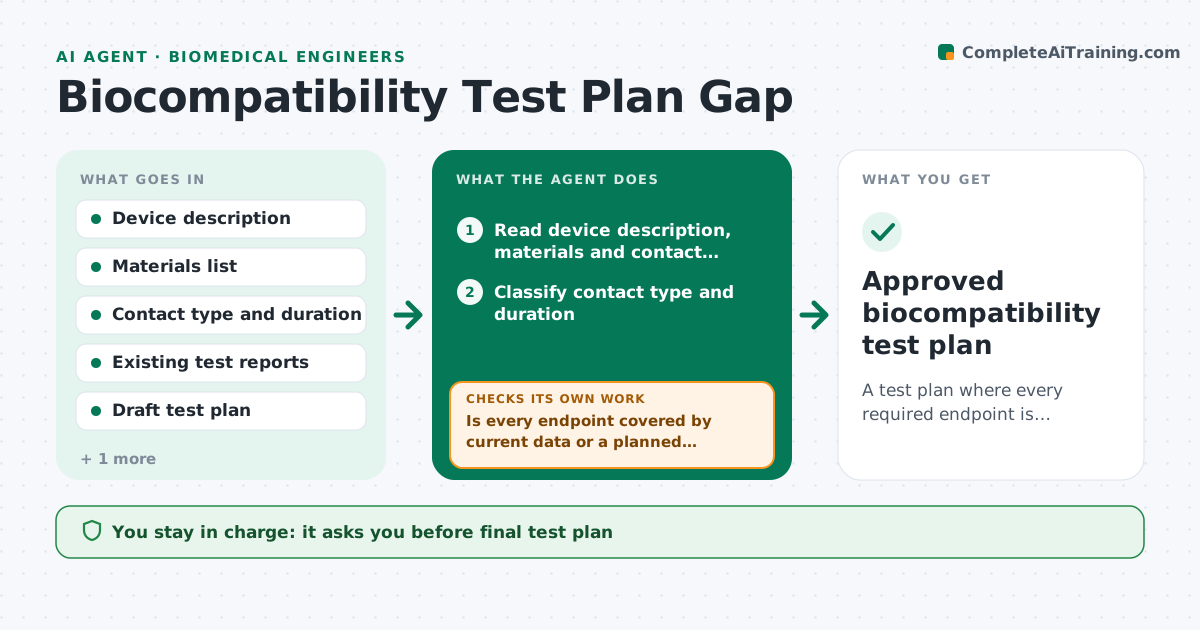
A test plan where every required endpoint is covered by current data, a planned test or a documented rationale
What it does
Biocompatibility plans often miss endpoints that the contact type and duration require, and the gap shows up at a regulatory review. This agent reads the device description, materials list and intended contact, such as skin, blood path or implant, and the contact duration. It maps the endpoints that the applicable standards call for and compares them to the existing test data and the draft plan. Missing or outdated endpoints are listed as gaps. For any test the team wants to waive, it checks that a written rationale exists and that the rationale cites chemistry or prior data. After every plan revision it reruns the comparison. The regulatory lead approves the final plan. Edge case: a material supplier changes a coating, so earlier cytotoxicity data no longer covers the finished device and the agent reopens that endpoint.
How it works
Follow the arrows from top to bottom. The orange dashed arrow is the loop: when a check fails, the agent goes back and tries again.
Read the steps as a list
- Draft plan or design change arrives
- Read device description, materials and contact details
- Classify contact type and duration
- Map required endpoints from the applicable standards
- Compare endpoints to existing reports and the draft plan
- Is every endpoint covered by current data or a planned test?If not: list the gap and propose a test or a rationale request. Back to step 5.
- Does each waived test have a written rationale with supporting data?If not: return the waiver to the engineer with the missing evidence listed. Back to step 5.
- Draft the revised gap table and test schedule
- Regulatory lead approves the planThe agent waits here for your OK.
- Approved biocompatibility test plan
How it decides
Each required endpoint must be matched to data that covers the final device and materials. An endpoint with no match becomes a gap unless a rationale passes the check.
- Treat data on a different material formulation as not covering the device
- Treat a test report older than the stated validity window as a gap
- Accept a waiver only when chemistry or prior data is cited
- Flag any contact duration change as a full remap
Make it yours
Every agent is a starting point. You choose these settings for your own situation.
- Standards list to map against
- Validity window for old reports (default 5 years)
- Gap table format
- Who reviews waivers
What keeps you in control
It always asks you first
- Final test plan
- Any waived endpoint
Hard limits
- Does not decide that a standard applies, only maps it for review
- Never submits plans to a lab or regulator
It stops when
- Done: no open gaps remain and the plan is approved
- Stop: contact type or materials are unknown
Set it up
We guide you through the set-up, step by step
Members get the full set-up guide for this agent. No technical skills needed: you copy, paste and upload.
- One set of instructions to paste into your AI, with the clicks for ChatGPT, Claude, Microsoft 365 Copilot, Gemini and Grok
- The agent then walks you through connecting your own data, one source at a time
- A downloadable copy with the flow chart, the rules and the full guide