AI agent for director of finances
Borrowing Base Certificate Agent
A correct borrowing base certificate, with availability checked against the loan terms, ready for CFO approval by the due date
What it does
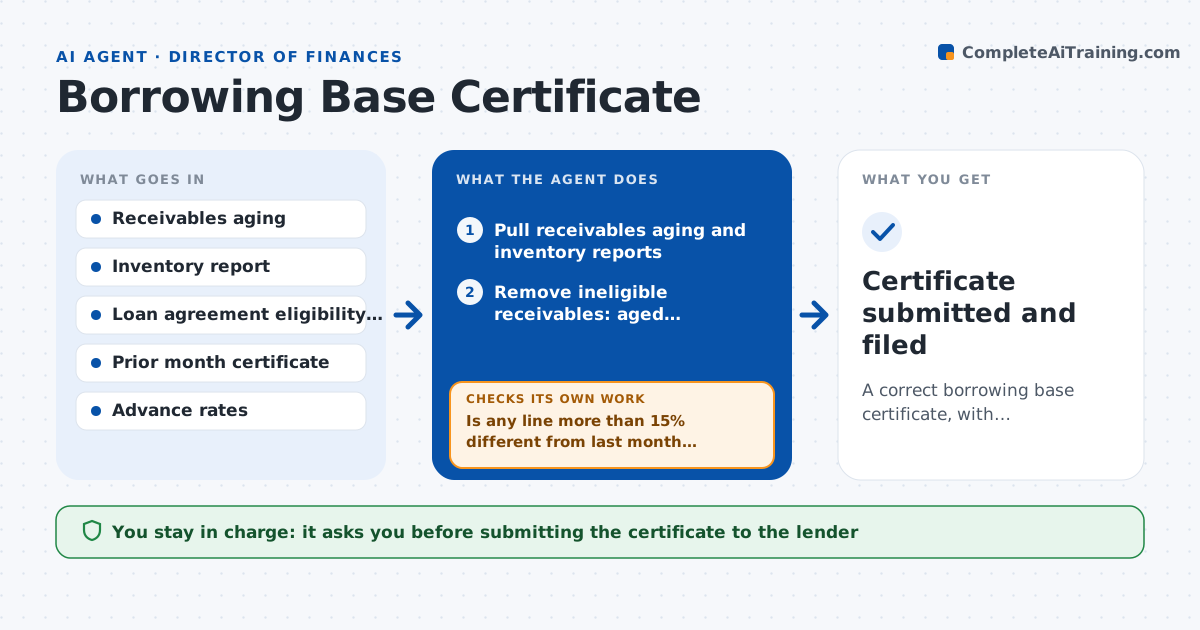
A company with an asset-based loan must send its lender a borrowing base certificate each month. It shows how much of its receivables and inventory qualify as collateral under the loan agreement. Calculating it by hand means working through aging reports, concentration limits and exclusions. This agent pulls the receivables and inventory reports at month end. It applies the lender's eligibility rules, such as excluding invoices over 90 days, cross-aged accounts, foreign debtors and customers above a concentration cap, then applies advance rates to get availability. It compares the result with last month and looks for unusual ineligible items. If something looks off, such as a large jump in ineligibles, it checks the source data and recalculates. The CFO approves the certificate before it goes to the lender. Edge case: a customer paid a disputed invoice after month end, and the agent records the date.
How it works
Follow the arrows from top to bottom. The orange dashed arrow is the loop: when a check fails, the agent goes back and tries again.
Read the steps as a list
- Month end closes
- Pull receivables aging and inventory reports
- Remove ineligible receivables: aged, cross-aged, foreign, disputed
- Apply concentration limits by customer
- Value eligible inventory and apply advance rates
- Calculate availability less loans outstanding
- Compare each line with last month's certificate
- Is any line more than 15% different from last month without a known reason?If not: check the source reports for errors or late entries and recalculate. Back to step 3.
- Does availability tie to the loan balance and the ledger?If not: find the reconciling item and correct the calculation. Back to step 5.
- CFO approves the certificate before it is sent to the lenderThe agent waits here for your OK.
- Certificate submitted and filed
How it decides
It excludes items the agreement says are ineligible, applies the advance rate to the rest and treats any large month-over-month change as a reason to recheck the source data.
- Exclude invoices over 90 days from invoice date
- Cap each customer at the agreement's concentration limit
- Apply the advance rates from the agreement, such as 85% and 50%
- Investigate changes over 15% in any line
Make it yours
Every agent is a starting point. You choose these settings for your own situation.
- Eligibility rules and advance rates
- Change threshold for review (default 15%)
- Due date
- Format of the certificate
What keeps you in control
It always asks you first
- Submitting the certificate to the lender
Hard limits
- Never sends the certificate
- Does not change eligibility rules
- Shows each exclusion with its reason
It stops when
- Done: certificate approved and submitted
- Stop: a source report is missing or the agreement terms are unclear
Set it up
We guide you through the set-up, step by step
Members get the full set-up guide for this agent. No technical skills needed: you copy, paste and upload.
- One set of instructions to paste into your AI, with the clicks for ChatGPT, Claude, Microsoft 365 Copilot, Gemini and Grok
- The agent then walks you through connecting your own data, one source at a time
- A downloadable copy with the flow chart, the rules and the full guide