AI agent for crisis communications managers
Brand Crisis Signal Monitoring Agent
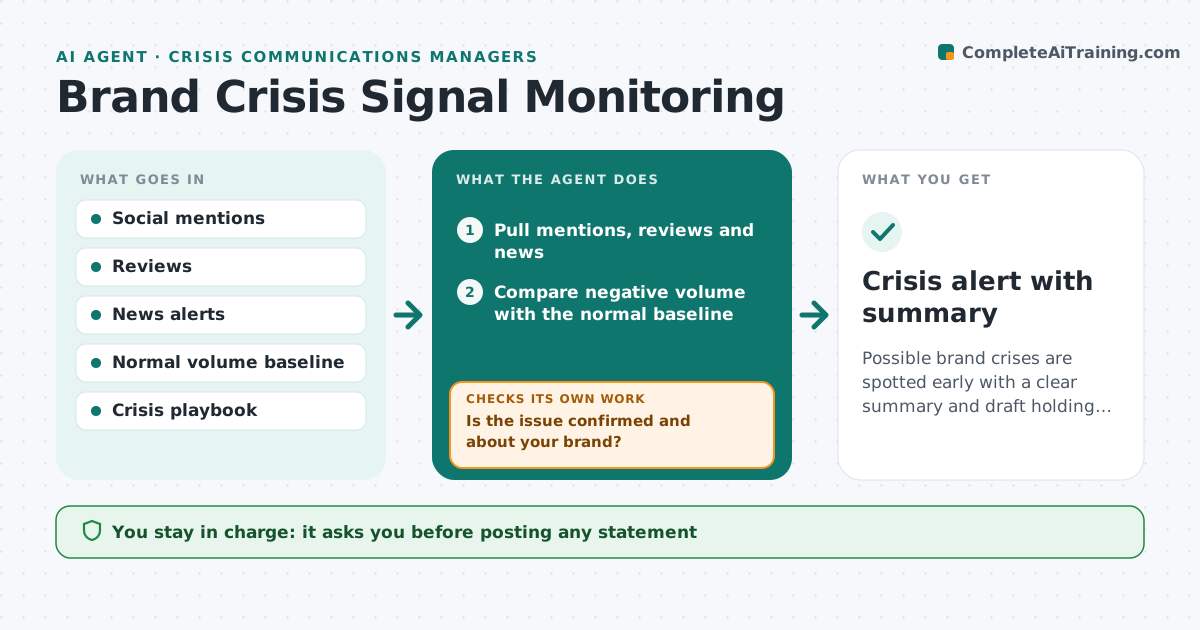
Possible brand crises are spotted early with a clear summary and draft holding statement
What it does
Brand problems often start as a few angry posts or one news story and spread for hours before anyone notices. This agent watches social mentions, reviews and news for your brand and products. It learns the normal volume and tone, and flags when negative mentions rise well above normal or when a high-reach account or outlet is involved. It reads the posts to find the actual issue, such as a product defect or an offensive ad. It checks the issue is real and about your brand, since a competitor with a similar name can cause a spike. If unclear, it gathers more posts before alerting. It drafts a situation summary and holding statement from your crisis playbook. The brand manager decides the response.
How it works
Follow the arrows from top to bottom. The orange dashed arrow is the loop: when a check fails, the agent goes back and tries again.
Read the steps as a list
- Hourly check
- Pull mentions, reviews and news
- Compare negative volume with the normal baseline
- Read posts to identify the issue
- Is the issue confirmed and about your brand?If not: gather more posts and recheck in the next hour. Back to step 4.
- Draft situation summary and holding statement
- Brand manager decides the responseThe agent waits here for your OK.
- Crisis alert with summary
How it decides
It alerts when negative volume is more than the set multiple of normal for the hour or a high-reach source is involved, and the issue is confirmed to be about your brand.
- Alert at three times normal negative volume
- High-reach sources alert at lower volume
- Safety issues always alert
Make it yours
Every agent is a starting point. You choose these settings for your own situation.
- Alert multiple over normal (default 3x)
- Sources monitored
- Escalation contacts
- Holding statement templates
What keeps you in control
It always asks you first
- Posting any statement
- Involving executives or legal
Hard limits
- Never posts statements
- Never replies to individuals online
It stops when
- Done: alert sent and acknowledged
- Stop: product safety issue; follow the safety escalation route at once
Set it up
We guide you through the set-up, step by step
Members get the full set-up guide for this agent. No technical skills needed: you copy, paste and upload.
- One set of instructions to paste into your AI, with the clicks for ChatGPT, Claude, Microsoft 365 Copilot, Gemini and Grok
- The agent then walks you through connecting your own data, one source at a time
- A downloadable copy with the flow chart, the rules and the full guide