AI agent for technical writers
Broken Link and Redirect Audit Agent
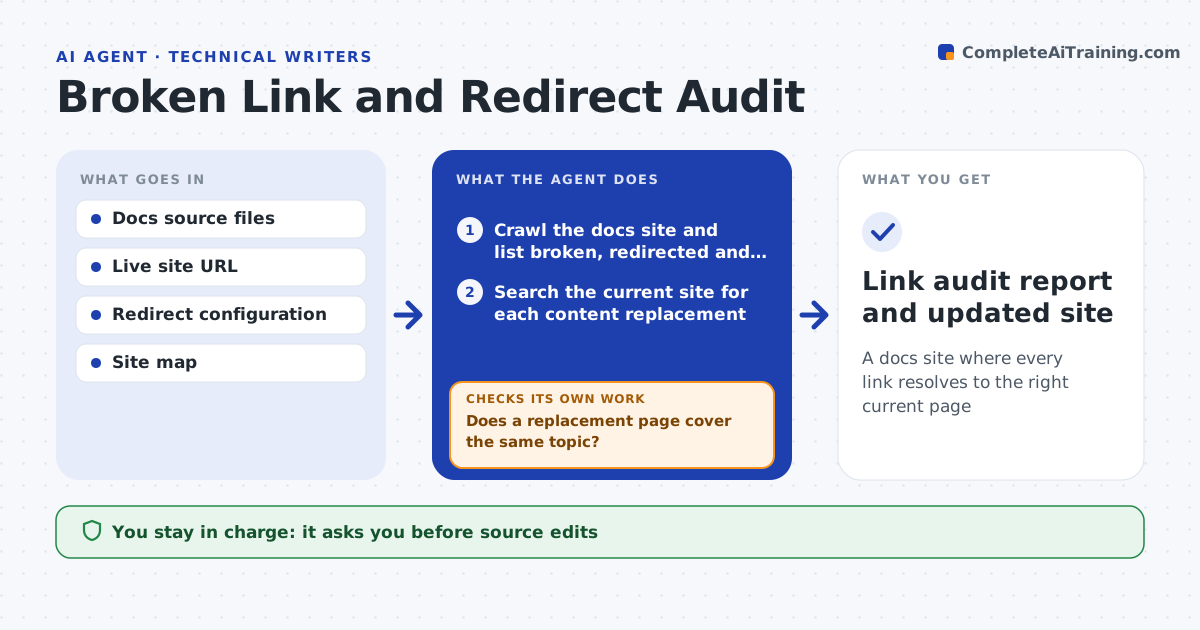
A docs site where every link resolves to the right current page
What it does
After a docs move or a product rename, links break quietly, and readers land on error pages. This agent crawls the docs site and lists broken links, redirect chains and links that point to old versions. For each one it searches the current site for the page that now holds the content and checks that the new target covers the same topic. It drafts edits to the source files and, where many pages share a moved URL, a redirect rule instead. After the writer approves, it applies the changes to a draft build, recrawls the site and checks that every link now resolves in one step. If some still fail, it repeats the search and fix. Edge case: two old pages merged into one, so the agent picks the section anchor.
How it works
Follow the arrows from top to bottom. The orange dashed arrow is the loop: when a check fails, the agent goes back and tries again.
Read the steps as a list
- Monthly crawl runs or a content move is announced
- Crawl the docs site and list broken, redirected and old-version links
- Search the current site for each content replacement
- Does a replacement page cover the same topic?If not: mark the link for the writer and list candidate pages. Back to step 3.
- Draft source edits and redirect rules
- Writer approves the edits and the redirect listThe agent waits here for your OK.
- Apply the changes to a draft build and recrawl
- Does every link now resolve in one step?If not: repeat the search and fix for the remaining links. Back to step 3.
- Write the change summary
- Writer approves publishingThe agent waits here for your OK.
- Link audit report and updated site
How it decides
A replacement is accepted only if the new page covers the same topic and the link resolves directly. Many broken links to one URL get a redirect, a single page gets an edit.
- Use a redirect rule when more than 5 pages link to the same dead URL
- Use an edit for a single page link
- Collapse redirect chains to a single hop
- Point to a section anchor when pages merged
Make it yours
Every agent is a starting point. You choose these settings for your own situation.
- Crawl schedule (default monthly)
- Link types to check
- Redirect threshold (default 5 pages)
- Sites it crawls
What keeps you in control
It always asks you first
- Source edits
- Redirect rules
- Publishing
Hard limits
- Never publishes without approval
- Never deletes pages
It stops when
- Done: recrawl shows zero broken links and no chains
- Stop: the crawler cannot reach the site
Set it up
We guide you through the set-up, step by step
Members get the full set-up guide for this agent. No technical skills needed: you copy, paste and upload.
- One set of instructions to paste into your AI, with the clicks for ChatGPT, Claude, Microsoft 365 Copilot, Gemini and Grok
- The agent then walks you through connecting your own data, one source at a time
- A downloadable copy with the flow chart, the rules and the full guide