AI agent for chemists
Buffer and Solution Preparation Check Agent
Prepare solutions that match the protocol in composition, pH and conductivity
What it does
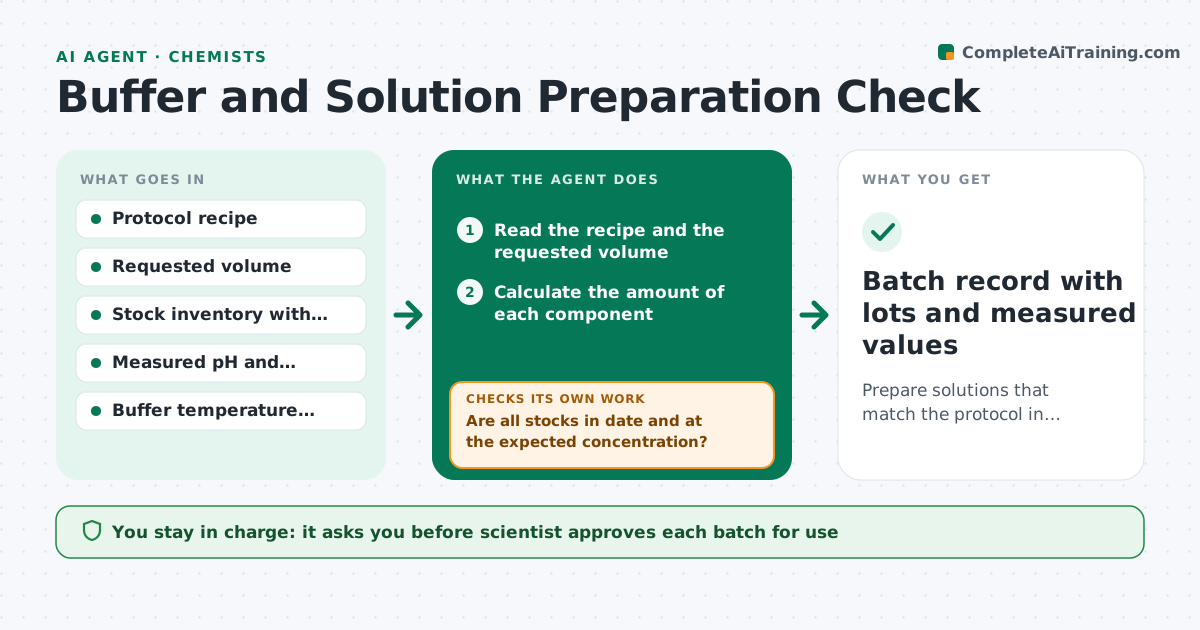
A buffer made with the wrong stock concentration or an old stock gives odd results, and the lab spends a week chasing the cause. This agent checks preparation before the experiment. It reads the protocol, calculates the amounts for the requested volumes, checks stock concentrations and expiry, and then compares measured pH and conductivity with the targets after preparation. If a value is off, it recalculates adjustments, such as adding acid or base in small steps, and rechecks the new reading. It logs each batch with lot numbers and values. The scientist approves use of the batch. Edge case: pH changes with temperature. The agent applies the temperature correction for the buffer.
How it works
Follow the arrows from top to bottom. The orange dashed arrow is the loop: when a check fails, the agent goes back and tries again.
Read the steps as a list
- Protocol needs a solution
- Read the recipe and the requested volume
- Calculate the amount of each component
- Check stock concentrations, lots and expiry dates
- Are all stocks in date and at the expected concentration?If not: Substitute another stock or recalculate with the actual concentration. Back to step 3.
- Give the preparation sheet to the technician
- Record the measured pH, temperature and conductivity
- Is the pH and conductivity within target at the use temperature?If not: Calculate a stepwise adjustment, apply it and remeasure. Back to step 3.
- Scientist approves use of the batchThe agent waits here for your OK.
- Batch record with lots and measured values
How it decides
It scales the recipe to the volume, rejects expired or unknown stocks and accepts a batch only if pH is within 0.05 and conductivity within 5 percent of target at the use temperature.
- pH must be within 0.05 of target at the use temperature
- Conductivity must be within 5 percent
- Expired stocks are not used
- Adjust in steps of no more than 10 percent of the estimated amount
Make it yours
Every agent is a starting point. You choose these settings for your own situation.
- pH and conductivity tolerances
- Buffers in the library
- Temperature of use
- Expiry rules
- Batch record template
What keeps you in control
It always asks you first
- Scientist approves each batch for use
Hard limits
- Never approves its own batch
- Does not handle hazardous reagents without the safety sheet
It stops when
- Done: batch approved and logged
- Stop: values cannot be brought into range, remake from fresh stocks
Set it up
We guide you through the set-up, step by step
Members get the full set-up guide for this agent. No technical skills needed: you copy, paste and upload.
- One set of instructions to paste into your AI, with the clicks for ChatGPT, Claude, Microsoft 365 Copilot, Gemini and Grok
- The agent then walks you through connecting your own data, one source at a time
- A downloadable copy with the flow chart, the rules and the full guide