AI agent for actors
Self-Tape Slate and Submission Agent
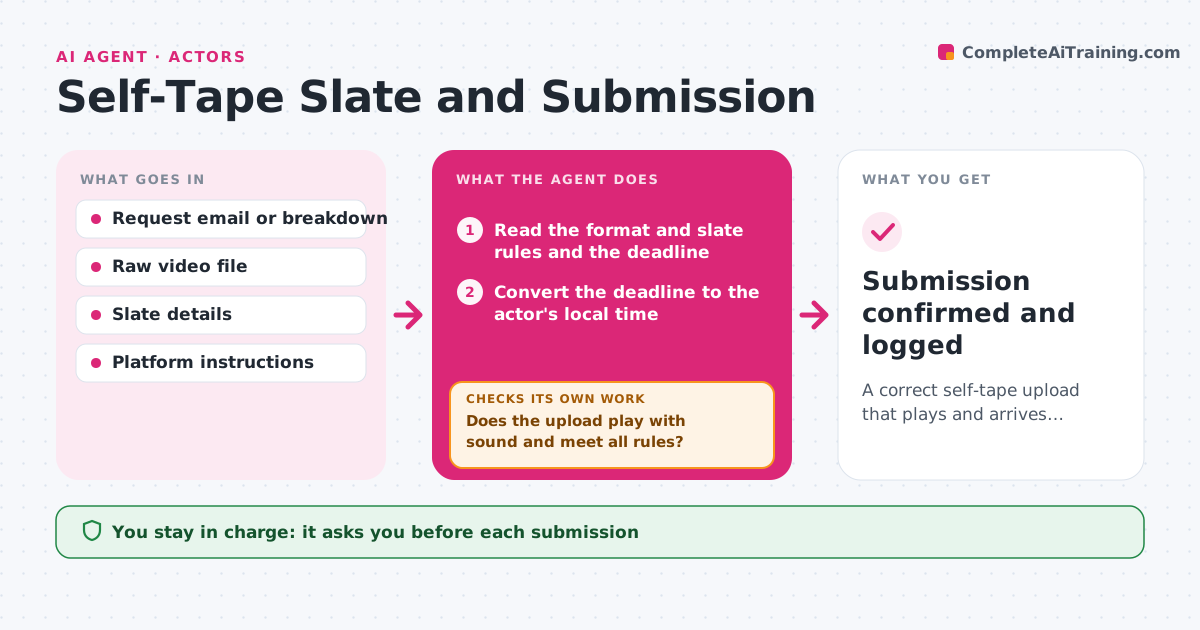
A correct self-tape upload that plays and arrives before the deadline
What it does
Self-tape files are named wrongly, uploaded to the wrong platform or sent after the deadline. This agent takes each request and reads the format and slate rules: file name, length, size, resolution and slate wording. It renames and exports the files, uploads them to a draft on the platform and verifies that the upload plays with sound. It tracks the deadline and reminds the actor before it. If the platform rejects the file, it re-exports with different settings and uploads again. The actor approves each submission. Edge case: a request in a different time zone gets its deadline converted and shown in the actor's local time.
How it works
Follow the arrows from top to bottom. The orange dashed arrow is the loop: when a check fails, the agent goes back and tries again.
Read the steps as a list
- Self-tape request arrives
- Read the format and slate rules and the deadline
- Convert the deadline to the actor's local time
- Rename and export the file to the required format
- Upload to a draft on the platform
- Does the upload play with sound and meet all rules?If not: re-export with new settings and upload again. Back to step 3.
- Remind the actor before the deadline
- Actor approves the submissionThe agent waits here for your OK.
- Submit the file
- Submission confirmed and logged
How it decides
A file is ready when name, length, size, resolution and slate match the request. A submission is sent only after a draft upload plays correctly.
- Name files exactly as the request says
- Keep file size under the platform limit
- Submit only after a successful playback test
- Remind the actor 3 hours before the deadline
Make it yours
Every agent is a starting point. You choose these settings for your own situation.
- File rules by platform
- Reminder timing (default 3 hours)
- Export settings
- Time zone
What keeps you in control
It always asks you first
- Each submission
- Changes to the slate
Hard limits
- Never submits without approval
- Never alters the performance
It stops when
- Done: submitted before the deadline and confirmed
- Stop: the deadline passes
Set it up
We guide you through the set-up, step by step
Members get the full set-up guide for this agent. No technical skills needed: you copy, paste and upload.
- One set of instructions to paste into your AI, with the clicks for ChatGPT, Claude, Microsoft 365 Copilot, Gemini and Grok
- The agent then walks you through connecting your own data, one source at a time
- A downloadable copy with the flow chart, the rules and the full guide