AI agent for vp of marketings
Campaign Incrementality Readout Agent
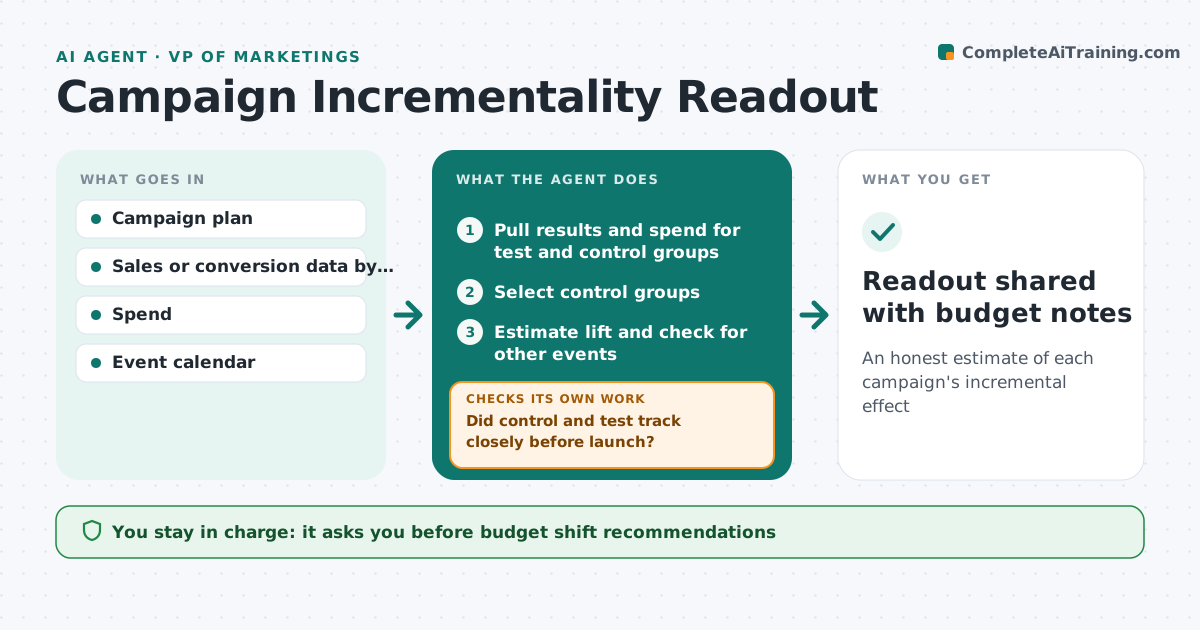
An honest estimate of each campaign's incremental effect
What it does
Campaign reports often credit every sale in the period to the campaign, overstating results. After a campaign ends, this agent pulls results for regions or groups that saw it and comparable ones that did not, and estimates the lift. It checks the control group was similar before launch, and if not, picks a better match and redoes the comparison. It checks for other events that could explain the change, such as a price cut. If no clean control exists, it uses a before-and-after comparison and labels it lower confidence. It drafts a readout with lift, cost per incremental sale and confidence. The VP of marketing approves the readout and any budget changes.
How it works
Follow the arrows from top to bottom. The orange dashed arrow is the loop: when a check fails, the agent goes back and tries again.
Read the steps as a list
- Campaign ends
- Pull results and spend for test and control groups
- Select control groups
- Did control and test track closely before launch?If not: choose different control groups and recheck. Back to step 3.
- Estimate lift and check for other events
- Draft readout with cost per incremental sale
- VP of marketing approves readoutThe agent waits here for your OK.
- Readout shared with budget notes
How it decides
It compares test and control groups that tracked closely before the campaign and reports lift only with its confidence range.
- Pre-period match within 5% is required
- Lift reported with a range
- Overlapping promotions are noted
Make it yours
Every agent is a starting point. You choose these settings for your own situation.
- Pre-period match tolerance
- Control selection method
- Readout timing
- Cost metric used
What keeps you in control
It always asks you first
- Budget shift recommendations
Hard limits
- Always shows uncertainty
- No individual customer data in readouts
It stops when
- Done: readout shared
- Stop: data too thin for any estimate
Set it up
We guide you through the set-up, step by step
Members get the full set-up guide for this agent. No technical skills needed: you copy, paste and upload.
- One set of instructions to paste into your AI, with the clicks for ChatGPT, Claude, Microsoft 365 Copilot, Gemini and Grok
- The agent then walks you through connecting your own data, one source at a time
- A downloadable copy with the flow chart, the rules and the full guide