AI agent for accounts payable specialists
Carrier Invoice Audit Agent
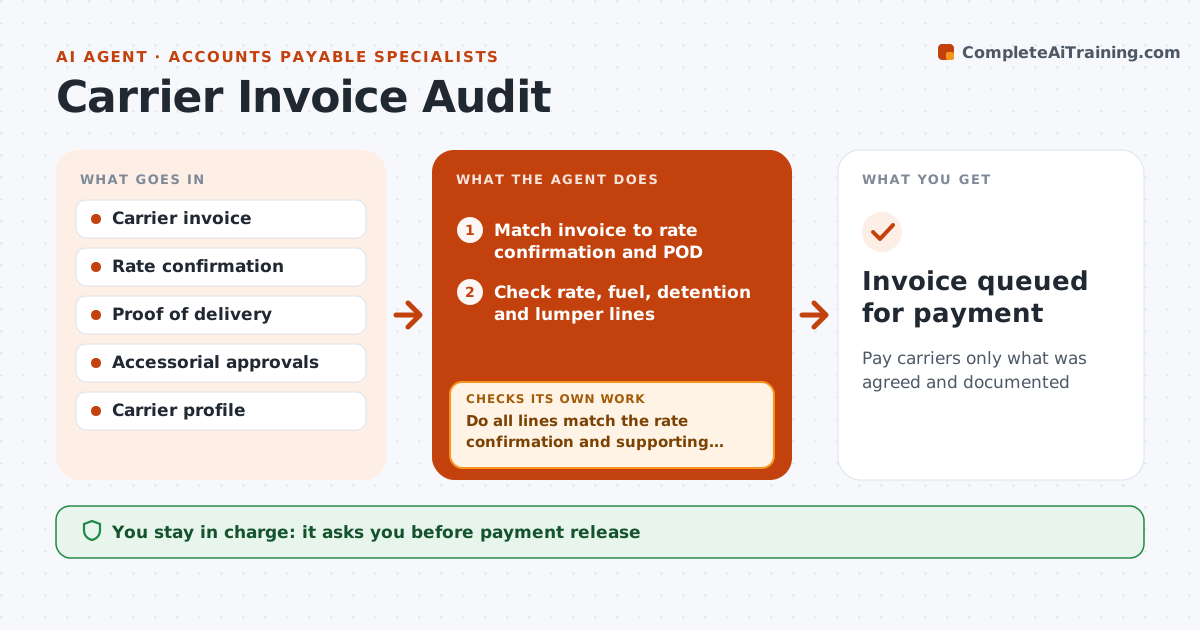
Pay carriers only what was agreed and documented
What it does
Brokers receive carrier invoices every day, and paying the wrong amount, or paying a fraudster, erodes thin margins. This agent matches each invoice to its rate confirmation, proof of delivery and approved accessorials. It checks the line haul rate, fuel surcharge, detention hours against the check-in and check-out times on the POD, and lumper charges against receipts. Detention is paid only for hours beyond free time. It compares remit-to details with the carrier profile to catch payment fraud, and any bank account change needs verbal confirmation with the registered contact. Mismatched lines go back to the carrier with the specific line in question, and the revised invoice is checked again. Accounting approves payment. Edge case: a changed bank account always needs verbal confirmation before payment.
How it works
Follow the arrows from top to bottom. The orange dashed arrow is the loop: when a check fails, the agent goes back and tries again.
Read the steps as a list
- Carrier invoice received
- Match invoice to rate confirmation and POD
- Check rate, fuel, detention and lumper lines
- Do all lines match the rate confirmation and supporting times or receipts?If not: send the disputed lines back to the carrier and wait for a revised invoice. Back to step 3.
- Compare remit-to details with the carrier profile
- Do payment details match the carrier profile?If not: hold payment and verify by phone with the registered contact. Back to step 5.
- Accounting approves paymentThe agent waits here for your OK.
- Invoice queued for payment
How it decides
Each invoice line must match the rate confirmation or an approved accessorial with supporting times or receipts.
- Detention paid only for hours shown on the POD beyond free time
- Lumper paid only with a receipt
- Bank changes need verbal confirmation
Make it yours
Every agent is a starting point. You choose these settings for your own situation.
- Detention free time and rate
- Tolerance for small differences
- Documents required per charge type
- Payment approval levels
What keeps you in control
It always asks you first
- Payment release
- Accepting a charge without documents
Hard limits
- Never pays invoices itself
- Never updates bank details without verbal confirmation
It stops when
- Done: invoice approved for payment
- Stop: no POD received
Set it up
We guide you through the set-up, step by step
Members get the full set-up guide for this agent. No technical skills needed: you copy, paste and upload.
- One set of instructions to paste into your AI, with the clicks for ChatGPT, Claude, Microsoft 365 Copilot, Gemini and Grok
- The agent then walks you through connecting your own data, one source at a time
- A downloadable copy with the flow chart, the rules and the full guide