AI agent for actors
Casting Notice Screening Agent
A short daily list of roles worth submitting for, with drafted submissions ready to approve
What it does
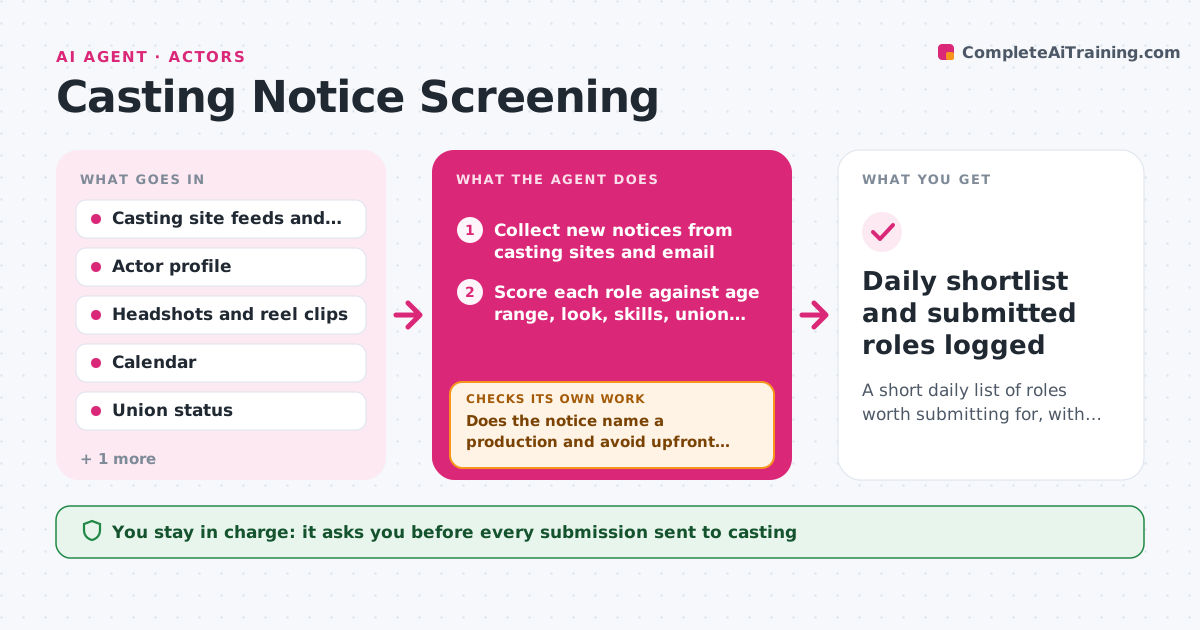
Actors scroll casting sites and emails every day to find roles worth submitting for, and most notices do not fit their age range, union status, location or dates. This agent reads new notices each morning and scores each against your profile: playable age, look, skills, union rules, travel and blocked dates. It decides between submit, maybe and skip using your rules, and checks each notice for missing or suspicious details like no production name or an upfront fee. For roles marked submit, it picks the right headshot and reel clip and drafts a short note. It then rechecks that every requirement in the notice, such as a slate or accent, is covered. You approve every submission. Edge case: a role says 30 to 40 but asks for a teen sibling scene, so it flags the conflict instead of guessing.
How it works
Follow the arrows from top to bottom. The orange dashed arrow is the loop: when a check fails, the agent goes back and tries again.
Read the steps as a list
- Morning run or new casting notice
- Collect new notices from casting sites and email
- Score each role against age range, look, skills, union and location
- Check calendar for shoot and callback dates
- Does the notice name a production and avoid upfront fees?If not: mark it as a possible scam, move it to skip and note why. Back to step 3.
- Pick headshot and reel clip and draft a submission note
- Does the draft cover every requirement in the notice?If not: add the missing item, such as a slate or a specific clip, or ask the actor for it. Back to step 6.
- Actor approves each submissionThe agent waits here for your OK.
- Log submitted roles in the audition tracker
- Daily shortlist and submitted roles logged
How it decides
A notice is submit when it scores above the threshold and has no red flags, maybe when it misses one soft rule, and skip when it breaks a hard rule like union status or blocked dates.
- Skip any role outside the playable age range by more than 5 years
- Skip roles that conflict with blocked calendar dates
- Mark as scam any notice asking for payment to audition
- Mark as maybe when travel exceeds the set distance but pay is above the minimum
Make it yours
Every agent is a starting point. You choose these settings for your own situation.
- Playable age range and type
- Union status and rules
- Maximum travel distance (default 80 km)
- Minimum pay for non-union work
- Daily run time (default 8:00)
What keeps you in control
It always asks you first
- Every submission sent to casting
Hard limits
- Never submit without approval
- Never pay any fee or share personal ID documents
It stops when
- Done: all new notices sorted and approved submissions logged
- Stop: no new notices today
Set it up
We guide you through the set-up, step by step
Members get the full set-up guide for this agent. No technical skills needed: you copy, paste and upload.
- One set of instructions to paste into your AI, with the clicks for ChatGPT, Claude, Microsoft 365 Copilot, Gemini and Grok
- The agent then walks you through connecting your own data, one source at a time
- A downloadable copy with the flow chart, the rules and the full guide