AI agent for systems administrators
Certificate and License Expiry Agent
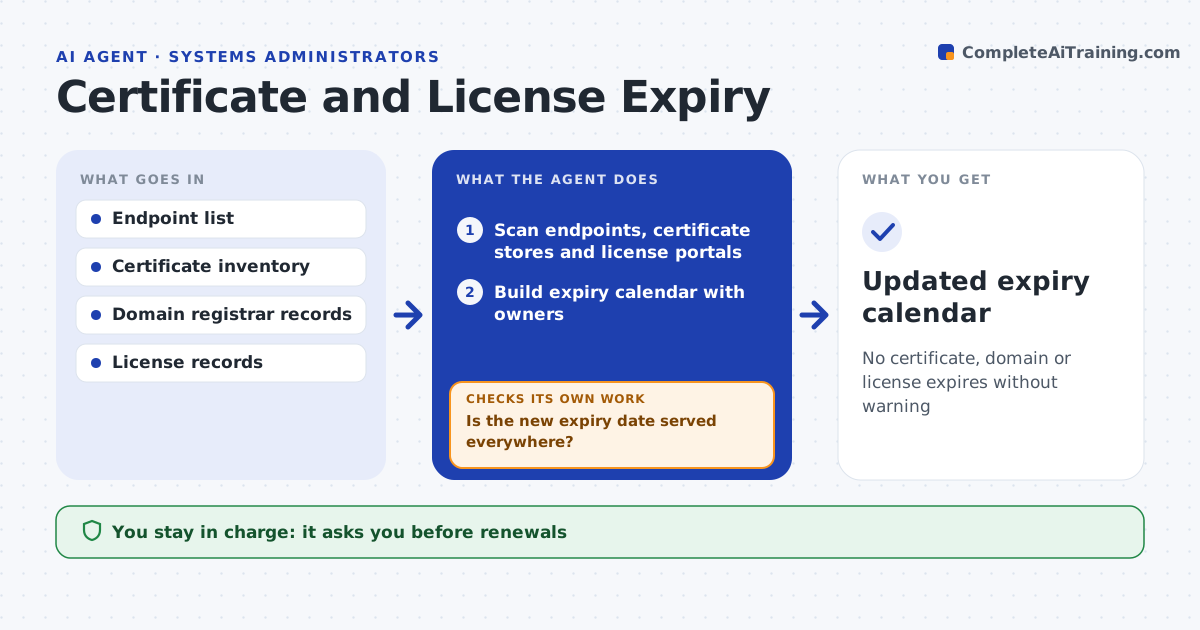
No certificate, domain or license expires without warning
What it does
TLS certificates, domain names and software licenses all expire on different dates, often tracked only in someone's head, and one missed date can take a website down. Each week this agent scans public and internal endpoints, reads certificate stores and license portals, and builds one expiry calendar with an owner for each item. Items expiring within 45 days get a renewal task, and items within 14 days are escalated to the admin directly. The admin approves every renewal and purchase. After a renewal, the agent checks every live endpoint, including each node behind a load balancer, to confirm the new expiry date is in use. If the old certificate is still served anywhere, it finds the missed server and drafts a task for it. Edge case: auto-renewing items are still verified, because auto-renewal often fails on an expired payment card.
How it works
Follow the arrows from top to bottom. The orange dashed arrow is the loop: when a check fails, the agent goes back and tries again.
Read the steps as a list
- Weekly scan
- Scan endpoints, certificate stores and license portals
- Build expiry calendar with owners
- Draft renewal tasks for items inside the window
- Admin approves renewal or purchaseThe agent waits here for your OK.
- Check every live endpoint after renewal
- Is the new expiry date served everywhere?If not: find the server or node still using the old item and draft a task for it. Back to step 4.
- Updated expiry calendar
How it decides
Items expiring within 45 days get a renewal task and items within 14 days are escalated to the admin directly.
- 45-day renewal window and 14-day escalation
- Every node behind a load balancer is checked
- Auto-renew items are verified, not trusted
Make it yours
Every agent is a starting point. You choose these settings for your own situation.
- Renewal window (default 45 days)
- Escalation window (default 14 days)
- Endpoints and portals scanned
- Escalation contacts
What keeps you in control
It always asks you first
- Renewals
- Purchases
Hard limits
- Never installs certificates itself
- Never makes purchases
It stops when
- Done: all items inside the window renewed and verified
- Stop: no owner for an item, ask the IT manager to assign one
Set it up
We guide you through the set-up, step by step
Members get the full set-up guide for this agent. No technical skills needed: you copy, paste and upload.
- One set of instructions to paste into your AI, with the clicks for ChatGPT, Claude, Microsoft 365 Copilot, Gemini and Grok
- The agent then walks you through connecting your own data, one source at a time
- A downloadable copy with the flow chart, the rules and the full guide