AI agent for school administrators
Childcare Records Compliance Agent
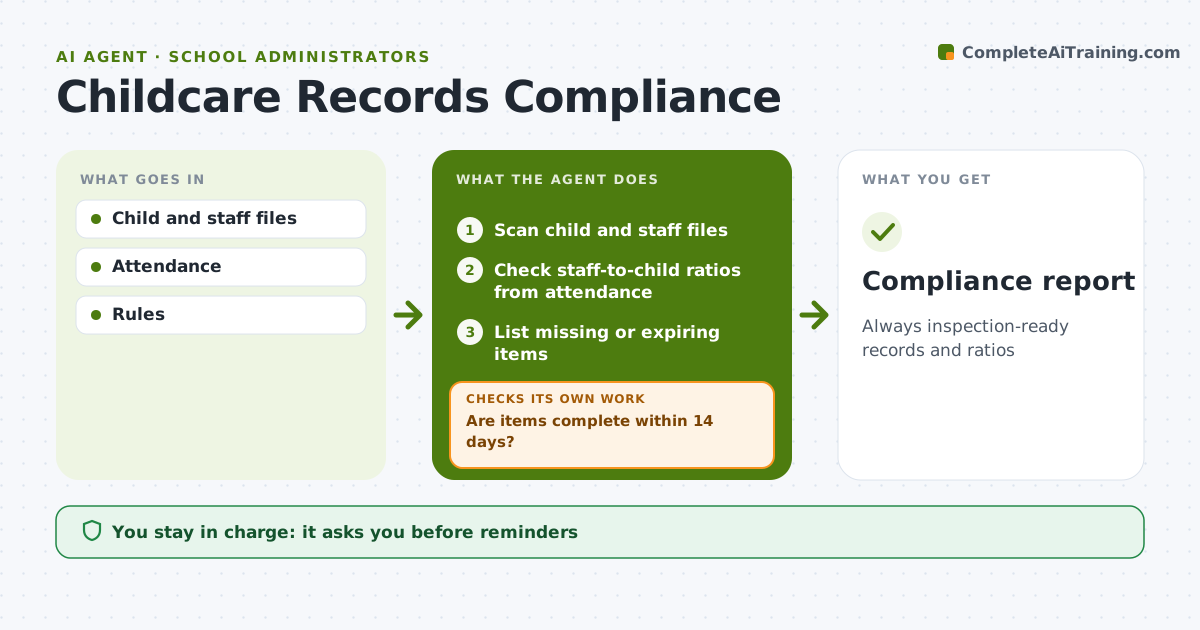
Always inspection-ready records and ratios
What it does
Licensing rules require current immunization records, emergency contacts, medication permissions, staff first aid and background checks, and correct staff-to-child ratios at all times. Each week this agent scans every child's and staff member's file for missing items or items that expire within 30 days. It drafts reminders to parents and staff for the director to approve. It checks again until items are complete; anything still missing after 14 days gets a final notice draft and is flagged to the director, who makes any exclusion decision. Each day it also compares attendance with the staff rota by room and age group, and if a ratio would be broken it alerts the director at once rather than waiting for the weekly run. Edge case: medical or religious exemptions are recorded with their documents and are not flagged as missing.
How it works
Follow the arrows from top to bottom. The orange dashed arrow is the loop: when a check fails, the agent goes back and tries again.
Read the steps as a list
- Weekly check
- Scan child and staff files
- Check staff-to-child ratios from attendance
- List missing or expiring items
- Director approves remindersThe agent waits here for your OK.
- Are items complete within 14 days?If not: draft a final notice and flag to the director. Back to step 4.
- Prepare the compliance report
- Compliance report
How it decides
Rules per record and ratio.
- Expiry within 30 days flagged
- Ratio breaches immediate
- Exemptions recorded
Make it yours
Every agent is a starting point. You choose these settings for your own situation.
- Rules
- Reminder timing
- Ratio by age
- Report
What keeps you in control
It always asks you first
- Reminders
- Exclusion decisions
Hard limits
- Health data private
It stops when
- Done: complete
- Stop: child withdraws
Set it up
We guide you through the set-up, step by step
Members get the full set-up guide for this agent. No technical skills needed: you copy, paste and upload.
- One set of instructions to paste into your AI, with the clicks for ChatGPT, Claude, Microsoft 365 Copilot, Gemini and Grok
- The agent then walks you through connecting your own data, one source at a time
- A downloadable copy with the flow chart, the rules and the full guide