AI agent for insurance claims processors
Claim Document Fraud Signal Agent
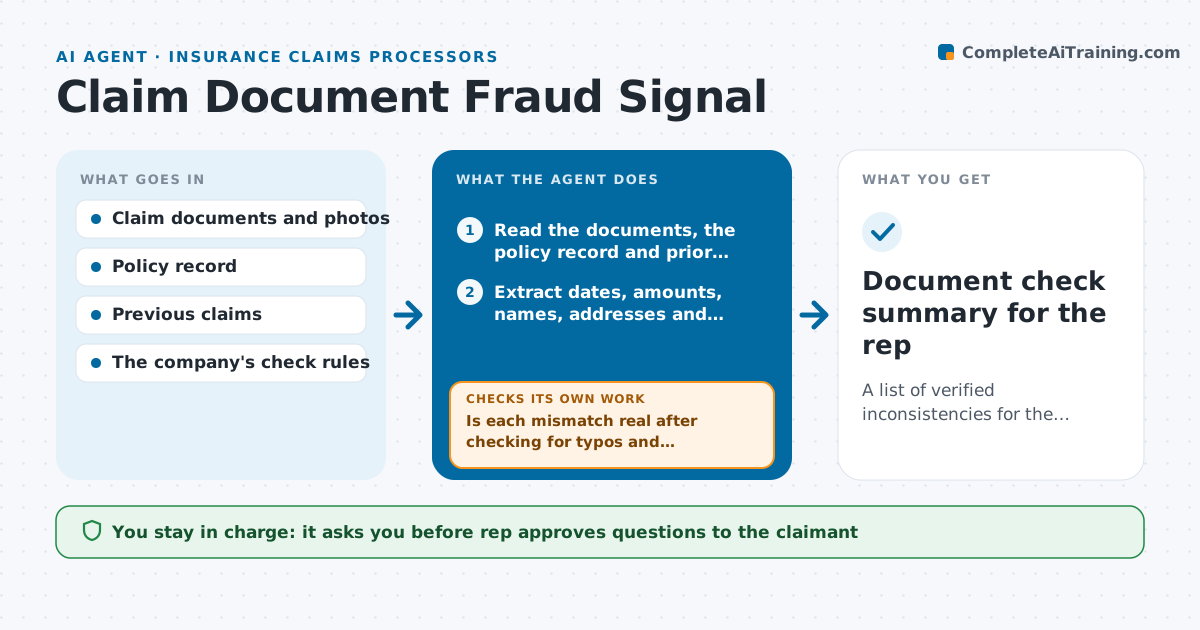
A list of verified inconsistencies for the rep, with innocent errors resolved before any referral decision
What it does
A claim comes in with a repair invoice, a police report and photos, and the rep only has a few minutes to process it. Details that do not fit, such as an invoice dated before the incident or an amount that differs between pages, are hard to see. This agent reads the claim documents and checks dates, amounts, names, addresses and policy details against the policy record and against each other. It flags inconsistencies, such as a vehicle identification number that differs between forms, an incident outside the policy period or the same photo used in an earlier claim. It asks for clarification when a mismatch might be an innocent error, then rechecks the reply. A person decides on any referral, and the agent never labels a claim as fraud. Edge case: a typo in a postcode is treated as a data error, not a signal.
How it works
Follow the arrows from top to bottom. The orange dashed arrow is the loop: when a check fails, the agent goes back and tries again.
Read the steps as a list
- Claim documents received
- Read the documents, the policy record and prior claims
- Extract dates, amounts, names, addresses and identifiers from each document
- Compare them with each other and with the policy record
- Is each mismatch real after checking for typos and formatting differences?If not: Drop it as a data error or ask for a clarifying document. Back to step 3.
- Group mismatches into likely error or pattern of concern
- Draft clarifying questions for the claimant
- Rep approves the questions before they are sentThe agent waits here for your OK.
- Read the claimant's reply and the new documents
- Are the mismatches explained by the reply?If not: Update the list with the remaining items for the rep's decision. Back to step 3.
- Document check summary for the rep
How it decides
It flags a mismatch only when two documents disagree on a key fact, then separates likely errors from patterns that appear in several fields.
- Flag mismatches in date, amount, name or identifier between documents
- Treat a single formatting difference as an error, not a signal
- Flag 3 or more mismatches in one claim as a pattern
- Never label a claim as fraud
Make it yours
Every agent is a starting point. You choose these settings for your own situation.
- Fields to compare
- Mismatch count for a pattern (default 3)
- Check rules from the company
- Document types supported
- Question tone
What keeps you in control
It always asks you first
- Rep approves questions to the claimant
- Rep decides on any referral
Hard limits
- Never tell a claimant that they are suspected of fraud
- Never reject or refer a claim without a person's decision
It stops when
- Done: Mismatches are explained or listed for the rep's decision
- Stop: Documents are unreadable, so the agent asks for better copies
Set it up
We guide you through the set-up, step by step
Members get the full set-up guide for this agent. No technical skills needed: you copy, paste and upload.
- One set of instructions to paste into your AI, with the clicks for ChatGPT, Claude, Microsoft 365 Copilot, Gemini and Grok
- The agent then walks you through connecting your own data, one source at a time
- A downloadable copy with the flow chart, the rules and the full guide