AI agent for insurance claims managers
Claim Service Vendor Evidence Agent
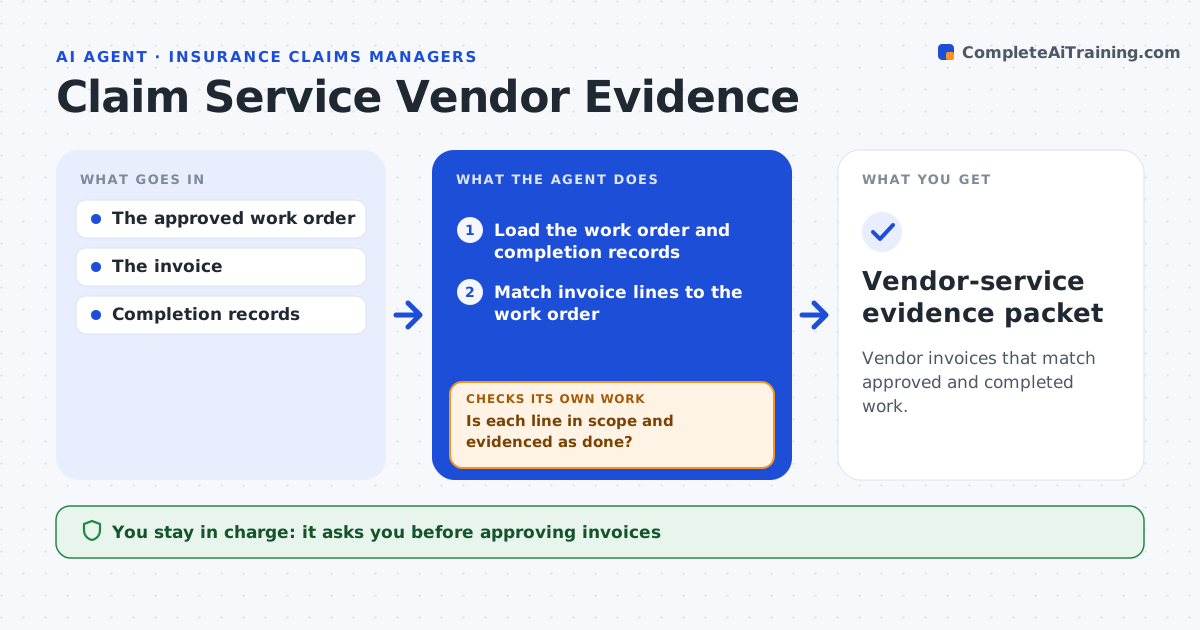
Vendor invoices that match approved and completed work.
What it does
Claim service vendors sometimes bill for tasks that are not in the approved work order or have no completion record. This agent matches every line on a vendor invoice to the approved scope and to completion evidence, such as photos, sign-offs or site reports. Lines in scope and evidenced pass. Lines that are out of scope or lack evidence go into an exception review with the reason. Scope disputes stay with the adjuster. The coordinator approves the invoice. The agent never pays or contacts the vendor. Edge case: a water mitigation vendor bills five days of dryer rental, but moisture logs show drying ended after three, so two days become exceptions.
How it works
Follow the arrows from top to bottom. The orange dashed arrow is the loop: when a check fails, the agent goes back and tries again.
Read the steps as a list
- Invoice received
- Load the work order and completion records
- Match invoice lines to the work order
- Is each line in scope and evidenced as done?If not: add it to the exception review and request evidence. Back to step 3.
- Check prices against the rate card
- Prepare the evidence packet
- Coordinator approves the invoiceThe agent waits here for your OK.
- Vendor-service evidence packet
How it decides
It checks billed tasks missing from completion evidence.
- Pass a line only if it is in scope and evidenced.
- Scope disputes go to the adjuster.
- Prices above the rate card are flagged, not adjusted.
Make it yours
Every agent is a starting point. You choose these settings for your own situation.
- Accepted completion evidence per task type
- Rate card used for price checks
- Exception amount that needs the adjuster (default $500)
- Who approves invoices
What keeps you in control
It always asks you first
- Approving invoices
- Vendor communications
Hard limits
- No invoice approval.
It stops when
- Done: packet ready.
Set it up
We guide you through the set-up, step by step
Members get the full set-up guide for this agent. No technical skills needed: you copy, paste and upload.
- One set of instructions to paste into your AI, with the clicks for ChatGPT, Claude, Microsoft 365 Copilot, Gemini and Grok
- The agent then walks you through connecting your own data, one source at a time
- A downloadable copy with the flow chart, the rules and the full guide