AI agent for insurance risk analysts
Claims Trend Monitoring Agent
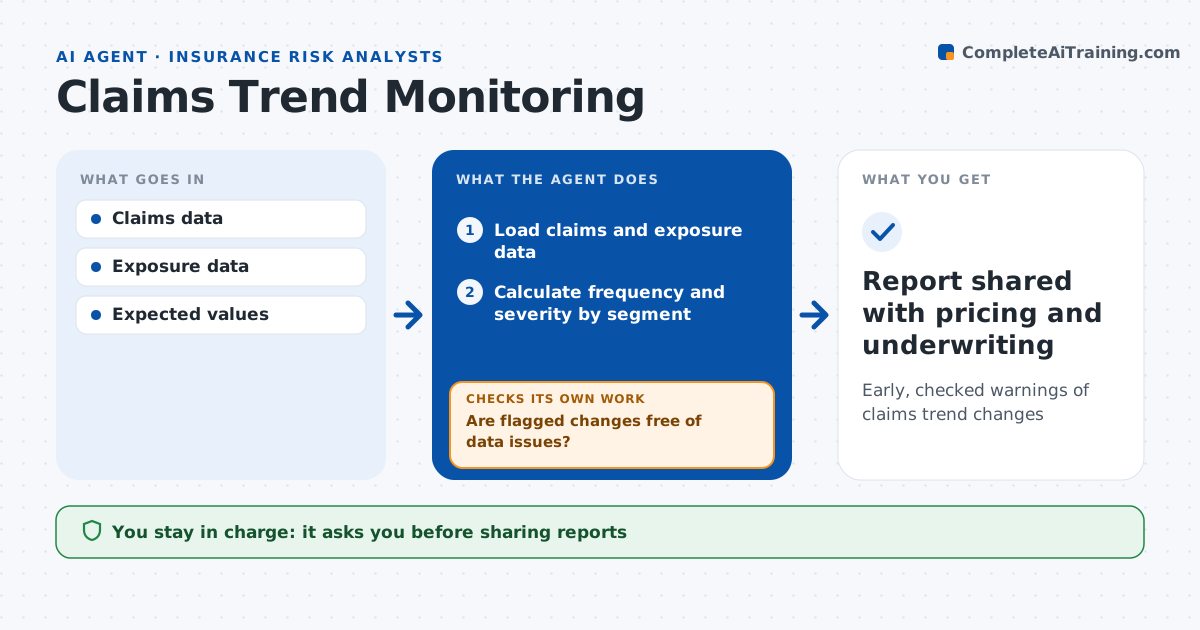
Early, checked warnings of claims trend changes
What it does
Claim trends drive pricing and underwriting, but a shift caused by a coding change or late reporting can look like a real trend. Each month this agent tracks claim frequency and severity by line, region and segment, compares them with prior periods and expected values, and tests whether changes are larger than normal noise. A change over two standard deviations is flagged, and severity up more than 10 percent year on year is drilled down to find drivers such as a loss type, a region or repair costs. Before calling anything a trend, it checks for data issues. If it finds coding changes or reporting lags, it adjusts and recalculates, then checks again. It writes a short trend report with charts. The analyst approves before the report goes to pricing and underwriting. Edge case: a claims system change recoded water damage, so the agent adjusts before comparing years.
How it works
Follow the arrows from top to bottom. The orange dashed arrow is the loop: when a check fails, the agent goes back and tries again.
Read the steps as a list
- Monthly claims data closes
- Load claims and exposure data
- Calculate frequency and severity by segment
- Test changes against normal variation
- Are flagged changes free of data issues?If not: adjust for coding or reporting lags and recalculate. Back to step 3.
- Build trend report
- Analyst approves sharingThe agent waits here for your OK.
- Report shared with pricing and underwriting
How it decides
It flags changes beyond statistical noise and confirms they are not data artifacts.
- Change over two standard deviations: flag
- Coding change in period: adjust first
- Severity up over 10% year on year: drill down
Make it yours
Every agent is a starting point. You choose these settings for your own situation.
- Segments tracked
- Significance level
- Report audience
- Chart types
What keeps you in control
It always asks you first
- Sharing reports
Hard limits
- Never changes rates
- Never edits claims data
It stops when
- Done: report shared
- Stop: data incomplete
Set it up
We guide you through the set-up, step by step
Members get the full set-up guide for this agent. No technical skills needed: you copy, paste and upload.
- One set of instructions to paste into your AI, with the clicks for ChatGPT, Claude, Microsoft 365 Copilot, Gemini and Grok
- The agent then walks you through connecting your own data, one source at a time
- A downloadable copy with the flow chart, the rules and the full guide