AI agent for insurance agents
Client Claim Status Follow-up Agent
Keep clients informed and claims moving without the client having to chase
What it does
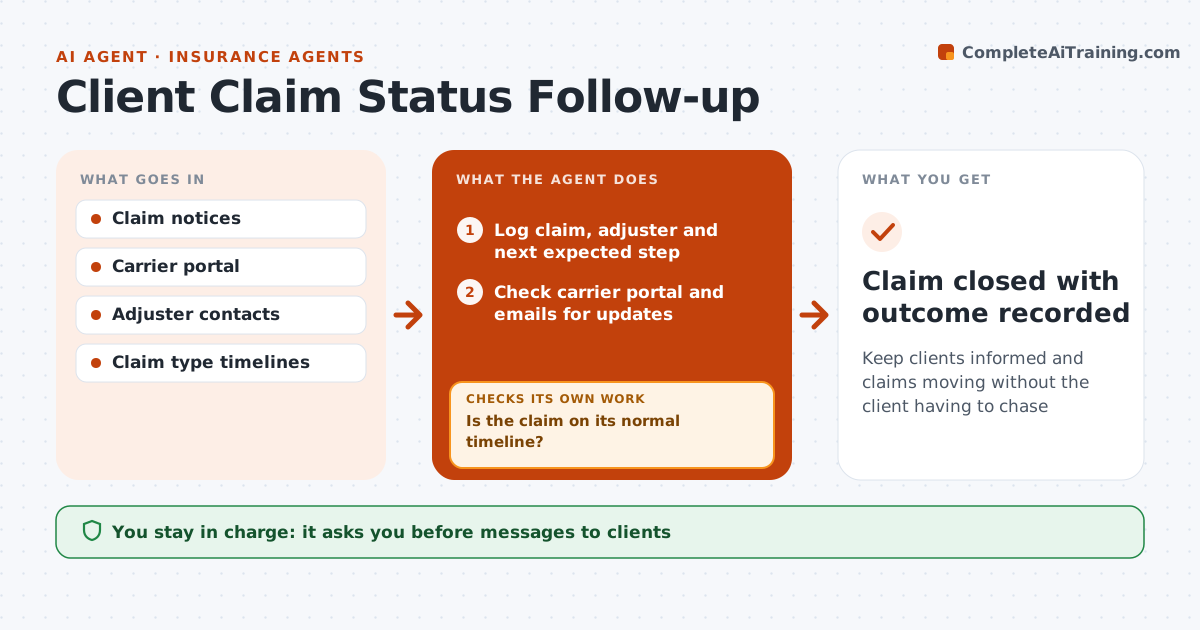
When a client files a claim, they look to their agent for updates, and silence feels like being let down. This agent logs each claim, the adjuster and the next expected step. Every few days it checks the carrier portal and emails for updates and compares progress with the normal timeline for that claim type. A claim is stuck when the next step is late, for example no adjuster contact in 7 days. Then it drafts a note to the adjuster and a short client update. Clients get an update at least weekly. It reads replies, updates the claim log and checks the claim moved. If the carrier denies part of a claim, it drafts a plain-language summary for the agent to review and gives no legal advice. The agent approves every client and carrier message. Edge case: partial denials get a plain-language summary for review.
How it works
Follow the arrows from top to bottom. The orange dashed arrow is the loop: when a check fails, the agent goes back and tries again.
Read the steps as a list
- Client reports a claim
- Log claim, adjuster and next expected step
- Check carrier portal and emails for updates
- Is the claim on its normal timeline?If not: draft an adjuster follow-up and a client update. Back to step 3.
- Draft a plain-language summary of any partial denial
- Agent approves messagesThe agent waits here for your OK.
- Update the claim log and client file
- Has the claim moved to its next step after follow-up?If not: follow up again and raise it with the carrier's claim manager. Back to step 3.
- Claim closed with outcome recorded
How it decides
A claim is stuck when the next expected step is late by the set number of days.
- No adjuster contact in 7 days triggers follow-up
- Partial denials get a plain-language summary for review
- Client updates at least weekly
Make it yours
Every agent is a starting point. You choose these settings for your own situation.
- Check frequency
- Stuck threshold per claim type
- Client update cadence
- Message tone
What keeps you in control
It always asks you first
- Messages to clients
- Messages to adjusters
Hard limits
- Never gives legal advice
- Never negotiates the claim amount
It stops when
- Done: claim closed
- Stop: client hires a public adjuster or attorney
Set it up
We guide you through the set-up, step by step
Members get the full set-up guide for this agent. No technical skills needed: you copy, paste and upload.
- One set of instructions to paste into your AI, with the clicks for ChatGPT, Claude, Microsoft 365 Copilot, Gemini and Grok
- The agent then walks you through connecting your own data, one source at a time
- A downloadable copy with the flow chart, the rules and the full guide