AI agent for penetration testers
Client Debrief and Lessons Agent
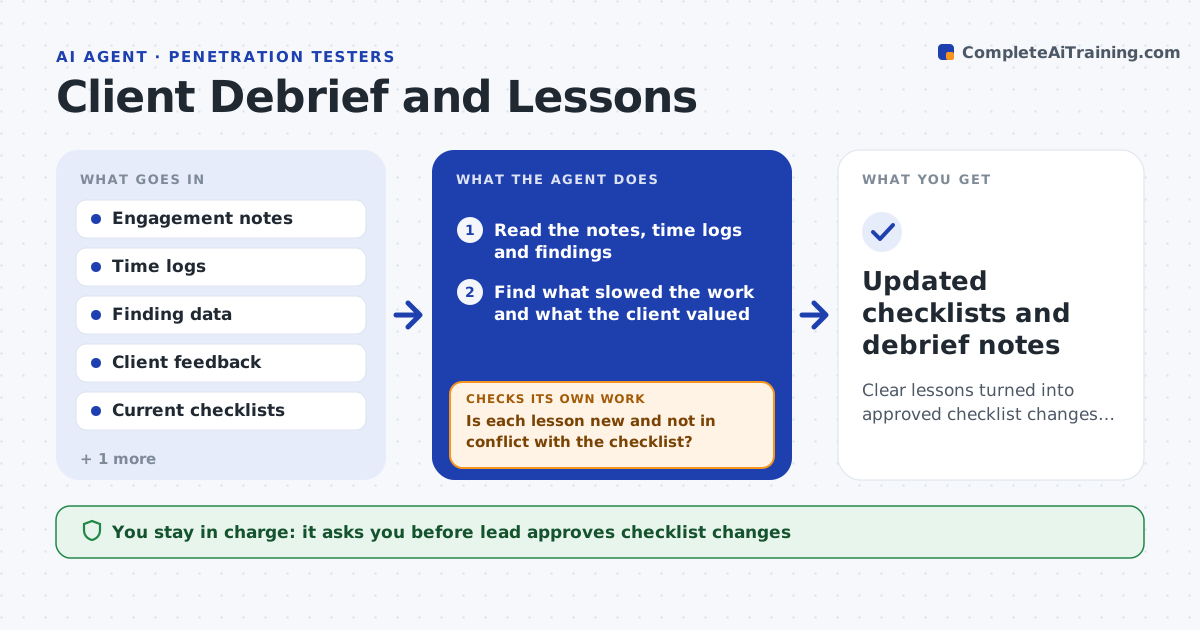
Clear lessons turned into approved checklist changes that the next engagement uses
What it does
Lessons from each engagement rarely reach the next one. After an engagement, this agent reads the notes, time logs and finding data. It finds what slowed the work, what surprised the team and what the client found most useful. It drafts changes to the team's checklists and templates and checks them against earlier engagements to see whether the same lesson already appears or conflicts with something. It then proposes a short debrief agenda. The lead approves the checklist changes. Edge case: the same delay shows up in three past debriefs, so the agent raises it as a repeating problem.
How it works
Follow the arrows from top to bottom. The orange dashed arrow is the loop: when a check fails, the agent goes back and tries again.
Read the steps as a list
- Engagement ends
- Read the notes, time logs and findings
- Find what slowed the work and what the client valued
- Compare with past debriefs and current checklists
- Is each lesson new and not in conflict with the checklist?If not: merge with the existing item or flag the conflict. Back to step 3.
- Draft checklist and template changes
- Would each change have helped in at least one past engagement?If not: test it against past notes and drop it if not. Back to step 5.
- Draft a debrief agenda
- Lead approves the checklist changesThe agent waits here for your OK.
- Updated checklists and debrief notes
How it decides
A lesson becomes a change when it explains a delay or a miss and does not conflict with an existing checklist item. Repeats rank first.
- Prioritize lessons that repeat across engagements
- Reject changes that contradict a checklist item without a reason
- Link each change to evidence
- Keep client names out of shared checklists
Make it yours
Every agent is a starting point. You choose these settings for your own situation.
- Sources for the debrief
- Checklist locations
- Debrief timing
- Evidence required for a change
What keeps you in control
It always asks you first
- Lead approves checklist changes
Hard limits
- Never publishes changes without the lead
- Never includes client names or data in shared lessons
It stops when
- Done: the changes are approved and published
- Stop: notes and time logs are not available
Set it up
We guide you through the set-up, step by step
Members get the full set-up guide for this agent. No technical skills needed: you copy, paste and upload.
- One set of instructions to paste into your AI, with the clicks for ChatGPT, Claude, Microsoft 365 Copilot, Gemini and Grok
- The agent then walks you through connecting your own data, one source at a time
- A downloadable copy with the flow chart, the rules and the full guide