AI agent for legal assistants
Client Interview Preparation Agent
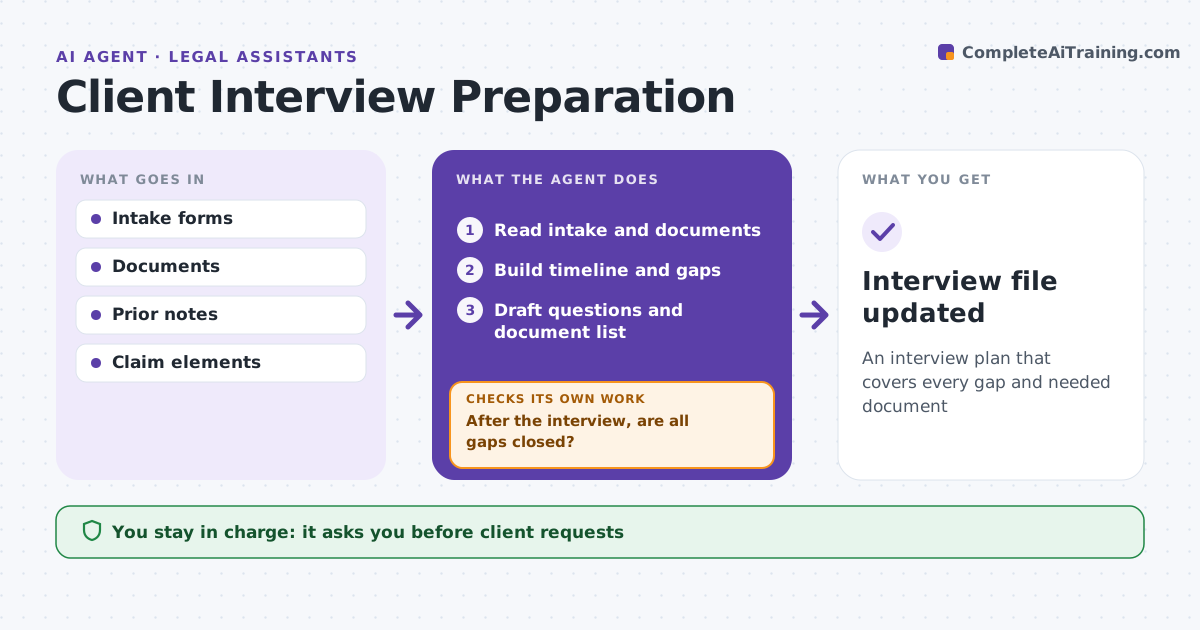
An interview plan that covers every gap and needed document
What it does
Client interviews go better when the team knows the gaps before the client walks in. Before an interview, this agent reads the intake form, documents and prior notes and builds a timeline of known facts. It lists gaps and conflicts, such as two documents with different dates for the same event. It drafts interview questions grouped by topic and links each one to a gap or a claim element. It lists documents to ask for and, if the intake lacks basics, drafts a request for the client to bring them. The attorney approves the questions and requests. After the interview, it compares the notes to the gap list. If gaps remain open, it drafts follow-up requests and updates the file. Edge case: the termination letter and the intake form give different dates, so the agent adds a question.
How it works
Follow the arrows from top to bottom. The orange dashed arrow is the loop: when a check fails, the agent goes back and tries again.
Read the steps as a list
- Interview scheduled
- Read intake and documents
- Build timeline and gaps
- Draft questions and document list
- Attorney approves planThe agent waits here for your OK.
- After the interview, are all gaps closed?If not: list open items and draft follow-up requests. Back to step 3.
- Interview file updated
How it decides
It ties questions to fact gaps and legal elements.
- Conflicting dates: ask
- Element without facts: question
- Missing key document: request
Make it yours
Every agent is a starting point. You choose these settings for your own situation.
- Question style
- Elements by case type
- Document lists
- Timeline format
What keeps you in control
It always asks you first
- Client requests
- Questions
Hard limits
- Never gives legal advice
- Never contacts clients without approval
It stops when
- Done: gaps closed
- Stop: client declines interview
Set it up
We guide you through the set-up, step by step
Members get the full set-up guide for this agent. No technical skills needed: you copy, paste and upload.
- One set of instructions to paste into your AI, with the clicks for ChatGPT, Claude, Microsoft 365 Copilot, Gemini and Grok
- The agent then walks you through connecting your own data, one source at a time
- A downloadable copy with the flow chart, the rules and the full guide