AI agent for it consultants
Client IT Asset Discovery Agent
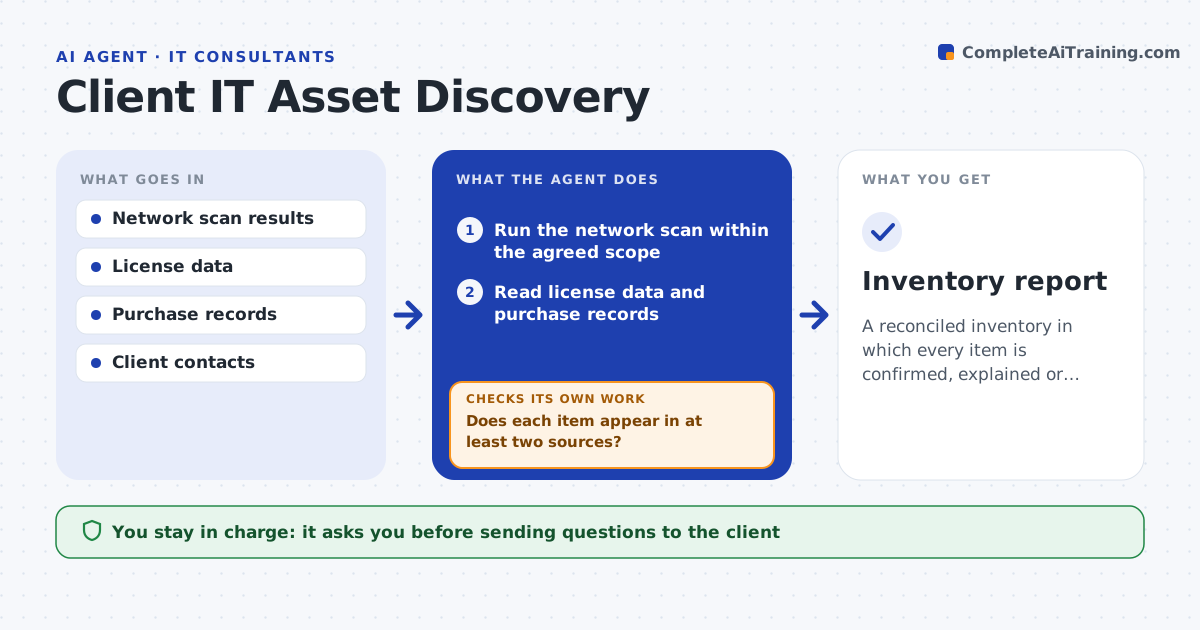
A reconciled inventory in which every item is confirmed, explained or marked unknown
What it does
A consultant arrives at a new client and is told there is no inventory. This agent builds one from three sources: a network scan, license and subscription data from the vendors and purchase records from finance. It combines them into one list by matching names, serial numbers and addresses. Items found in only one source are the interesting ones: a server on the network with no purchase record, or a license with no matching device. The agent asks the client to confirm each, and updates the list with the answers. It then rechecks for conflicts and duplicates. The consultant approves the final inventory. Edge case: a device seen on the network with a guest tag is classed separately and not added to the client's assets.
How it works
Follow the arrows from top to bottom. The orange dashed arrow is the loop: when a check fails, the agent goes back and tries again.
Read the steps as a list
- Engagement kickoff
- Run the network scan within the agreed scope
- Read license data and purchase records
- Merge the three sources into one list
- Does each item appear in at least two sources?If not: mark single-source items for client confirmation. Back to step 4.
- Draft questions to the client for each single-source item
- Consultant approves sending the questionsThe agent waits here for your OK.
- Update the inventory with the client's answers
- Are conflicts and duplicates resolved?If not: list them and ask again. Back to step 4.
- Consultant approves the final inventoryThe agent waits here for your OK.
- Inventory report
How it decides
Items match on serial number first, then on name and address. An item in one source only goes to the client for confirmation.
- Match on serial number before name or address
- Class guest or personal devices separately
- Ask the client about any item found in only 1 source
- Mark items unconfirmed after 2 reminders
Make it yours
Every agent is a starting point. You choose these settings for your own situation.
- Network ranges to scan
- Source systems
- Fields to record per item
- Reminder schedule for client answers
What keeps you in control
It always asks you first
- Sending questions to the client
- Final inventory sign-off
Hard limits
- Scans only within the written scope
- Never changes any client system
It stops when
- Done: inventory reconciled
- Stop: the client has not authorized the scan scope
Set it up
We guide you through the set-up, step by step
Members get the full set-up guide for this agent. No technical skills needed: you copy, paste and upload.
- One set of instructions to paste into your AI, with the clicks for ChatGPT, Claude, Microsoft 365 Copilot, Gemini and Grok
- The agent then walks you through connecting your own data, one source at a time
- A downloadable copy with the flow chart, the rules and the full guide