AI agent for insurance brokers
Client Life Event Review Outreach Agent
Review coverage with clients soon after a life event so gaps are closed
What it does
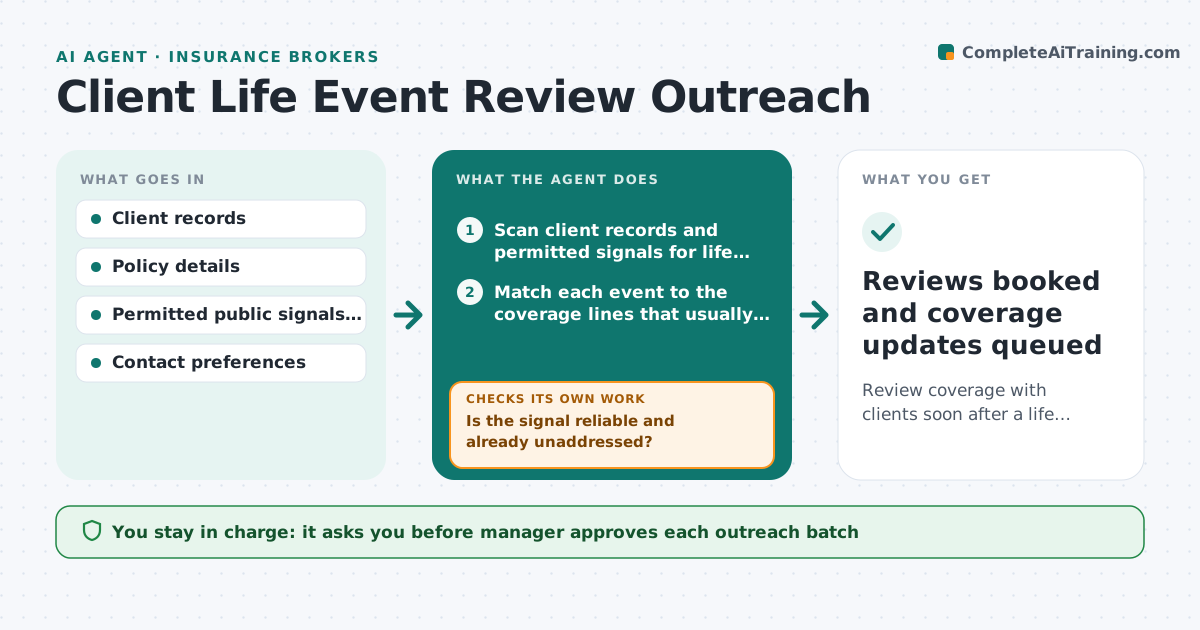
A client buys a second home or starts a side business, and the first the agency hears about it is a claim that is denied. This agent looks for the signs before that happens. Each week it scans client records for changes such as a new address, a new vehicle, a birth or a business registration, and checks public signals the agency has permission to use. It matches each event to the coverage that usually needs a change, for example a move calls for a homeowners and auto review. It drafts a friendly outreach with a short review checklist and tracks replies. If the client does not answer it sends one reminder. The manager approves all outreach. Edge case: a client moved to a different state. The agent flags licensing and carrier appetite before drafting.
How it works
Follow the arrows from top to bottom. The orange dashed arrow is the loop: when a check fails, the agent goes back and tries again.
Read the steps as a list
- Weekly scan starts
- Scan client records and permitted signals for life events
- Match each event to the coverage lines that usually change
- Is the signal reliable and already unaddressed?If not: Drop duplicates, verify against the client file and rescan. Back to step 2.
- Draft outreach with a short review checklist
- Manager approves the outreach batchThe agent waits here for your OK.
- Send messages and log the date
- Track replies and book review calls
- Did the client reply within 10 days?If not: Draft one reminder for approval, then close the task. Back to step 5.
- Reviews booked and coverage updates queued
How it decides
It scores events by coverage impact. A move or business purchase ranks above a minor change. It only contacts a client once per event.
- A change of address or new business ranks high and gets outreach within a week
- A client who opted out of marketing gets a service note only
- Only one outreach per event
- A move across state lines goes to the manager before any message
Make it yours
Every agent is a starting point. You choose these settings for your own situation.
- Which life events to watch
- Days to wait before a reminder (default 10)
- Outreach tone
- Clients excluded from outreach
- Weekly scan day
What keeps you in control
It always asks you first
- Manager approves each outreach batch
- Manager approves any reminder
Hard limits
- Uses only signals the agency is allowed to use
- Never changes coverage itself
It stops when
- Done: review held or client declined
- Stop: signal is wrong or client asked to stop contact
Set it up
We guide you through the set-up, step by step
Members get the full set-up guide for this agent. No technical skills needed: you copy, paste and upload.
- One set of instructions to paste into your AI, with the clicks for ChatGPT, Claude, Microsoft 365 Copilot, Gemini and Grok
- The agent then walks you through connecting your own data, one source at a time
- A downloadable copy with the flow chart, the rules and the full guide