AI agent for freelancers
Client Website Maintenance Report Agent
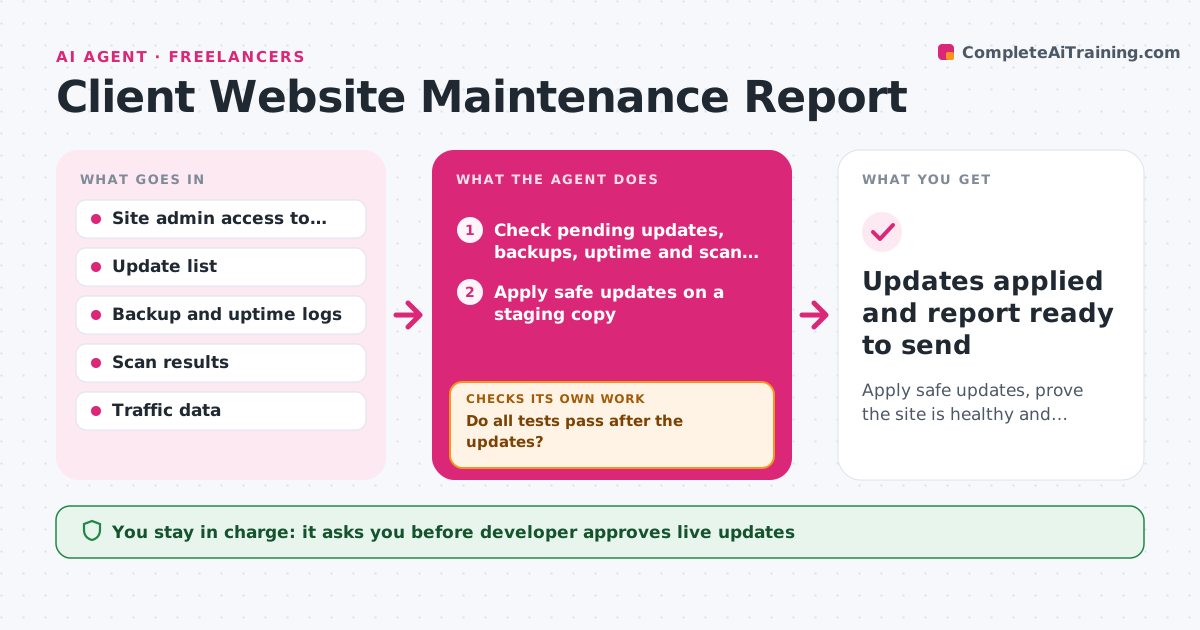
Apply safe updates, prove the site is healthy and send the client a clear monthly record.
What it does
Your clients pay a monthly care plan, and at renewal they ask what they actually got. This agent runs a monthly cycle for each client site. It checks pending updates, backup status, uptime history, security scan results and traffic. It applies the safe updates on a staging copy, then tests the main pages, forms and checkout. If a test fails, it rolls back that update and marks it for manual work. It repeats until the staging site passes. It then drafts the monthly report in plain words: what was updated, what was skipped and why, uptime, backups and traffic. The developer approves the updates for the live site and the report. Edge case: a major version update of a plugin breaks the layout, so the agent skips it and explains.
How it works
Follow the arrows from top to bottom. The orange dashed arrow is the loop: when a check fails, the agent goes back and tries again.
Read the steps as a list
- Monthly cycle starts for a client site
- Check pending updates, backups, uptime and scan results
- Apply safe updates on a staging copy
- Test main pages, forms and checkout on staging
- Do all tests pass after the updates?If not: roll back the failing update, mark it for manual work and test again. Back to step 3.
- Collect uptime, backup and traffic figures
- Draft the monthly report in plain words
- Is every action and skipped update explained in the report?If not: add the missing explanation and update the numbers. Back to step 7.
- Developer approves the live updates and the reportThe agent waits here for your OK.
- Updates applied and report ready to send
How it decides
Minor and security updates are applied first on staging. Major updates are tested separately and applied only if every test passes.
- Apply security and minor updates first, and major updates one at a time
- Skip an update if any page, form or checkout test fails
- Report any backup older than 24 hours as a problem
- Mention any uptime below 99.5% with the cause
Make it yours
Every agent is a starting point. You choose these settings for your own situation.
- Clients and sites included
- Pages and flows to test
- Report tone and length
- Update types applied automatically
- Uptime and backup thresholds
What keeps you in control
It always asks you first
- Developer approves live updates
- Developer approves the report before it goes to the client
Hard limits
- Never apply updates to a live site without approval
- Never update without a verified backup
It stops when
- Done: staging passes, updates applied and report approved
- Stop: backups fail, so no updates are applied until the developer fixes them
Set it up
We guide you through the set-up, step by step
Members get the full set-up guide for this agent. No technical skills needed: you copy, paste and upload.
- One set of instructions to paste into your AI, with the clicks for ChatGPT, Claude, Microsoft 365 Copilot, Gemini and Grok
- The agent then walks you through connecting your own data, one source at a time
- A downloadable copy with the flow chart, the rules and the full guide