AI agent for inventory control specialists
Clinic Supply Reorder Agent
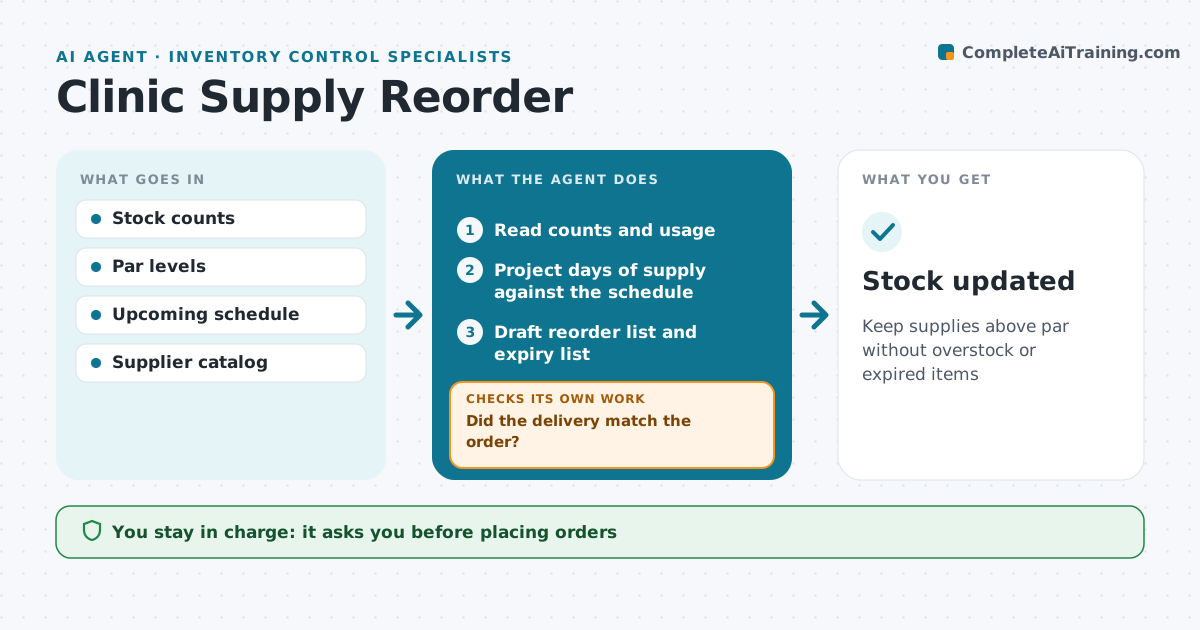
Keep supplies above par without overstock or expired items
What it does
Supplies like gloves, syringes, prophy paste and test kits run out at bad times or expire unused on the shelf. Each week this agent reads stock counts and usage from the inventory sheet or system. It projects days of supply for each item against the schedule ahead, such as a busy flu week. It drafts a reorder list for items that will fall below lead time plus 5 days, and lists items expiring within 60 days to use first or return. When the supplier lists an item as back-ordered, it suggests only an approved alternate. A staff lead approves every order. After ordering, it tracks the delivery and compares it with the order, flagging missing or substituted items. For shortages it drafts a follow-up or claim to the supplier and adds them to the next reorder. Edge case: a back-ordered item gets an approved alternate instead of being skipped.
How it works
Follow the arrows from top to bottom. The orange dashed arrow is the loop: when a check fails, the agent goes back and tries again.
Read the steps as a list
- Weekly stock check
- Read counts and usage
- Project days of supply against the schedule
- Draft reorder list and expiry list
- Staff lead approves the orderThe agent waits here for your OK.
- Track delivery and compare with order
- Did the delivery match the order?If not: flag shortages and substitutes and draft a reorder or claim. Back to step 4.
- Stock updated
How it decides
Days of supply are compared with lead time. Items short before the next delivery are ordered; near-expiry items are flagged.
- Order when supply falls under lead time plus 5 days
- Expiry within 60 days is flagged
- Only approved alternates are suggested
Make it yours
Every agent is a starting point. You choose these settings for your own situation.
- Par levels
- Order day
- Approved suppliers and alternates
- Budget per order
What keeps you in control
It always asks you first
- Placing orders
- Accepting substitutes
Hard limits
- No order placed without approval
- Never order outside the budget limit
It stops when
- Done: delivery received and checked
- Stop: critical item unavailable everywhere, alert manager
Set it up
We guide you through the set-up, step by step
Members get the full set-up guide for this agent. No technical skills needed: you copy, paste and upload.
- One set of instructions to paste into your AI, with the clicks for ChatGPT, Claude, Microsoft 365 Copilot, Gemini and Grok
- The agent then walks you through connecting your own data, one source at a time
- A downloadable copy with the flow chart, the rules and the full guide