
AI agent for technology managers
Cloud Account Access Review Agent
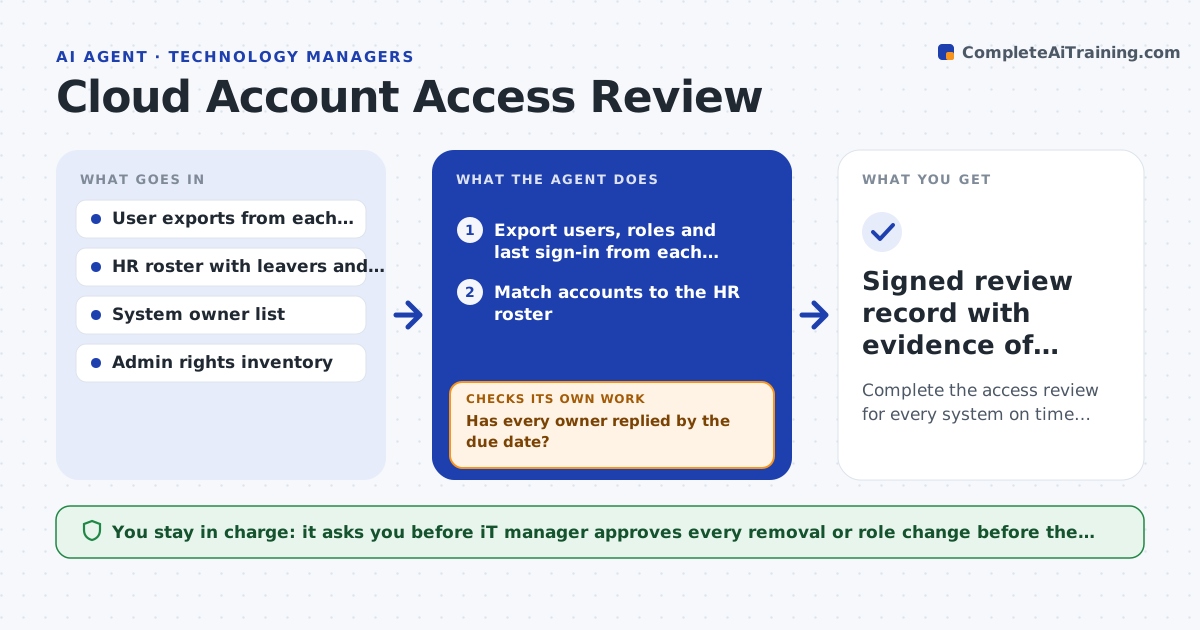
Complete the access review for every system on time with all removals confirmed in the system.
What it does
Quarterly access reviews usually mean a spreadsheet, a pile of email replies and a deadline that slips. Meanwhile former staff keep accounts and admins keep rights they stopped using. This agent exports users, roles and last sign-in dates from each cloud and business system, then compares them with HR records. It flags leavers who still have accounts, role mismatches and admin rights unused for 90 days. It sends each system owner a review list with a due date and tracks every reply. Owners who stay silent get reminders, then a note to their manager. As answers come in, it updates the master list and rechecks that approved removals actually happened in the system. It never removes access itself. Edge case: a contractor appears in the cloud console but not in HR, so the agent asks the sponsoring manager before anything is flagged as a leaver.
How it works
Follow the arrows from top to bottom. The orange dashed arrow is the loop: when a check fails, the agent goes back and tries again.
Read the steps as a list
- Review quarter opens
- Export users, roles and last sign-in from each system
- Match accounts to the HR roster
- Flag leavers, role mismatches and unused admin rights
- Build one review list per system owner and send with a due date
- Has every owner replied by the due date?If not: send a reminder, then escalate to the owner's manager and recheck in two days. Back to step 4.
- Collect decisions and compile the removal list
- IT manager approves each removal and role changeThe agent waits here for your OK.
- Reexport the systems after changes
- Do the exports show every approved removal completed?If not: return the remaining accounts to the admin team with the missing items. Back to step 9.
- Signed review record with evidence of changes
How it decides
It flags an account as a leaver when HR shows a termination date and the account is still active. It flags admin rights when the last admin action is over 90 days old. Missing owners reply is chased up to twice, then escalated.
- Flag accounts with no sign-in in 90 days
- Flag admin rights unused in 90 days
- Treat accounts not in HR as unknown until the sponsor confirms
- Escalate any owner silent after two reminders
Make it yours
Every agent is a starting point. You choose these settings for your own situation.
- Inactivity threshold in days (default 90)
- Systems in scope
- Reminder spacing and escalation steps
- Review frequency
- HR fields used for matching
What keeps you in control
It always asks you first
- IT manager approves every removal or role change before the admin team acts
Hard limits
- Never change or remove access itself
- Never share one owner's list with another owner
It stops when
- Done: all owners have answered and all approved changes show in the exports
- Stop: an unknown account holds admin rights and needs a manager decision
Set it up
We guide you through the set-up, step by step
Members get the full set-up guide for this agent. No technical skills needed: you copy, paste and upload.
- One set of instructions to paste into your AI, with the clicks for ChatGPT, Claude, Microsoft 365 Copilot, Gemini and Grok
- The agent then walks you through connecting your own data, one source at a time
- A downloadable copy with the flow chart, the rules and the full guide



