AI agent for ctos
Cloud Cost Review Agent
Lower cloud spend with owner-confirmed savings
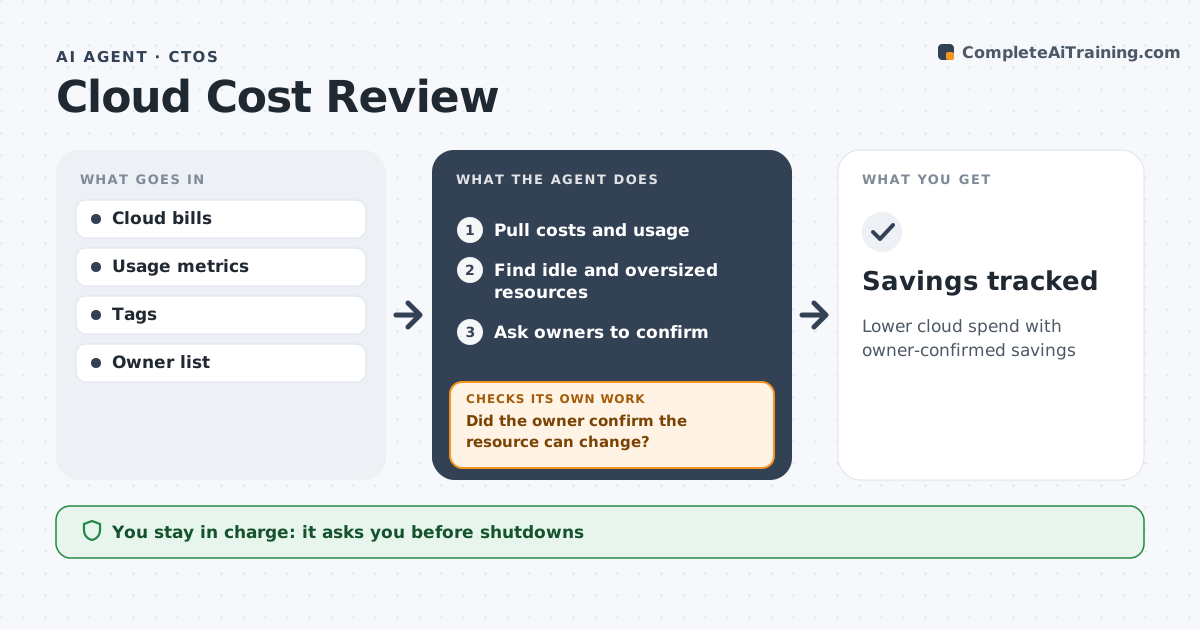
What it does
Cloud costs rise as teams launch resources and forget them. Each month this agent pulls the bill and usage data, groups costs by team and service, and finds likely waste such as idle servers, oversized databases and unattached storage. It never acts on a finding alone: it asks each owner to confirm, because some resources that look idle are needed for backups or seasonal peaks. If the owner does not confirm, the item stays out of the proposal until they reply. It then drafts savings proposals with amounts and, the next month, checks whether the savings really showed up on the bill. The CTO approves shutdowns and longer commitments such as reserved capacity, which only make sense for steady workloads. Edge case: when a resource has no owner tag, the agent finds who created it from the activity logs and asks them.
How it works
Follow the arrows from top to bottom. The orange dashed arrow is the loop: when a check fails, the agent goes back and tries again.
Read the steps as a list
- Monthly bill
- Pull costs and usage
- Find idle and oversized resources
- Ask owners to confirm
- Did the owner confirm the resource can change?If not: mark as kept and note reason. Back to step 4.
- Draft savings proposals
- CTO approves changes and commitmentsThe agent waits here for your OK.
- Savings tracked
How it decides
It finds low-use resources and confirms with owners before proposing changes.
- Under 5% CPU for 30 days is idle
- Owners must confirm changes
- Commitments only for steady workloads
Make it yours
Every agent is a starting point. You choose these settings for your own situation.
- Idle threshold
- Teams in scope
- Report format
- Commitment rules
What keeps you in control
It always asks you first
- Shutdowns
- Reserved capacity purchases
Hard limits
- Never deletes resources
- No purchases
It stops when
- Done: proposals approved
- Stop: billing data missing
Set it up
We guide you through the set-up, step by step
Members get the full set-up guide for this agent. No technical skills needed: you copy, paste and upload.
- One set of instructions to paste into your AI, with the clicks for ChatGPT, Claude, Microsoft 365 Copilot, Gemini and Grok
- The agent then walks you through connecting your own data, one source at a time
- A downloadable copy with the flow chart, the rules and the full guide