AI agent for event marketers
Co-Promotion Partner Kit Tracker Agent
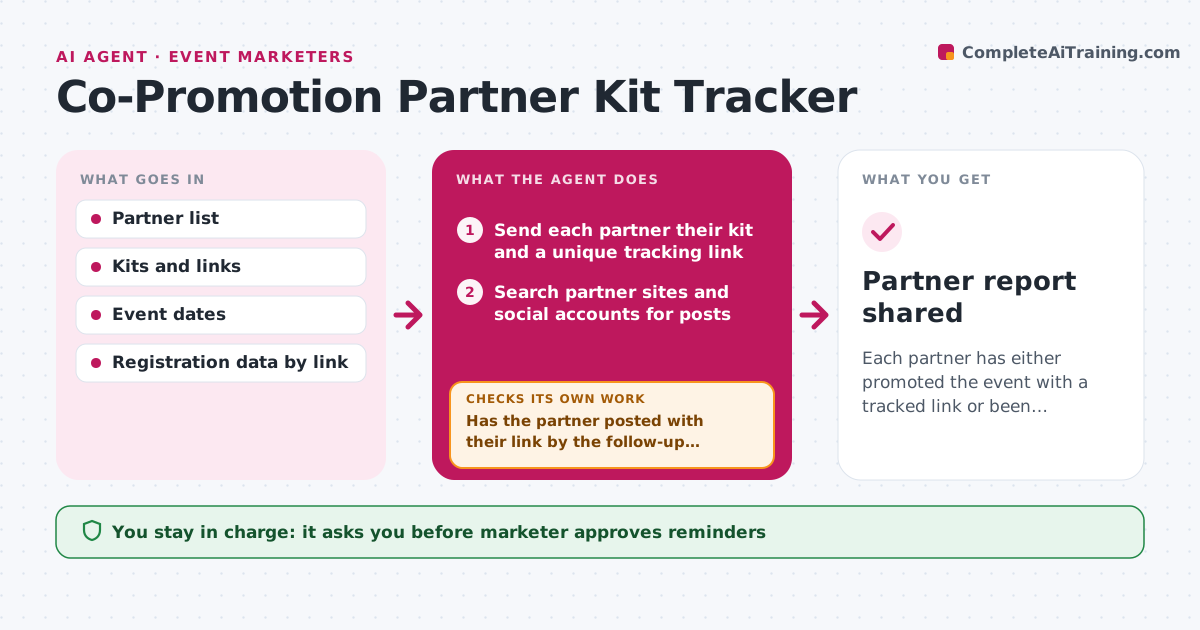
Each partner has either promoted the event with a tracked link or been followed up, with results reported.
What it does
The kit goes out, the partners say they will share it, and then nobody can say who did. This agent sends each partner their kit on the agreed day with a unique tracking link. It then checks partner websites and social accounts for posts and counts registrations that came through each partner's link. Partners who have not shared by the follow-up date get a friendly reminder with a refreshed asset, such as a new image or a one-line copy option. It rechecks after a day or two. It builds a partner report that shows who posted, who drove registrations and who needs a nudge. The marketer approves reminders and partner credit reports. Edge case: a partner posted without the link, so the agent asks for the link instead of a repost.
How it works
Follow the arrows from top to bottom. The orange dashed arrow is the loop: when a check fails, the agent goes back and tries again.
Read the steps as a list
- Kit send day arrives
- Send each partner their kit and a unique tracking link
- Search partner sites and social accounts for posts
- Count registrations from each link
- Has the partner posted with their link by the follow-up date?If not: draft a reminder with a refreshed asset for the marketer to approve, then recheck after 2 days. Back to step 3.
- Marketer approves remindersThe agent waits here for your OK.
- Handle partners who posted without a link: request the link
- Did the reminder produce a post or a reply?If not: send the second and final reminder, then mark the partner as inactive. Back to step 3.
- Build the partner report with posts and registrations
- Marketer approves the partner credit reportThe agent waits here for your OK.
- Partner report shared
How it decides
A partner counts as active when a public post or email with their link is found. Quiet partners get at most 2 reminders.
- Send the first reminder 3 days after the kit.
- Cap reminders at 2 per partner.
- Count a partner as active only when a public post carries their link.
- Rank partners by registrations per post.
Make it yours
Every agent is a starting point. You choose these settings for your own situation.
- Kit contents
- Reminder timing (default 3 days)
- Maximum reminders (default 2)
- Report recipients
What keeps you in control
It always asks you first
- Marketer approves reminders
- Marketer approves the partner credit report
Hard limits
- Never post on a partner's behalf
- Keep partner results private to the team
It stops when
- Done: all partners active or marked inactive and report shared.
- Stop: event passes.
Set it up
We guide you through the set-up, step by step
Members get the full set-up guide for this agent. No technical skills needed: you copy, paste and upload.
- One set of instructions to paste into your AI, with the clicks for ChatGPT, Claude, Microsoft 365 Copilot, Gemini and Grok
- The agent then walks you through connecting your own data, one source at a time
- A downloadable copy with the flow chart, the rules and the full guide