AI agent for retail managers
Collection Sell-Through and Markdown Agent
A weekly list of slow styles with markdown scenarios that protect margin, checked against sales after each change
What it does
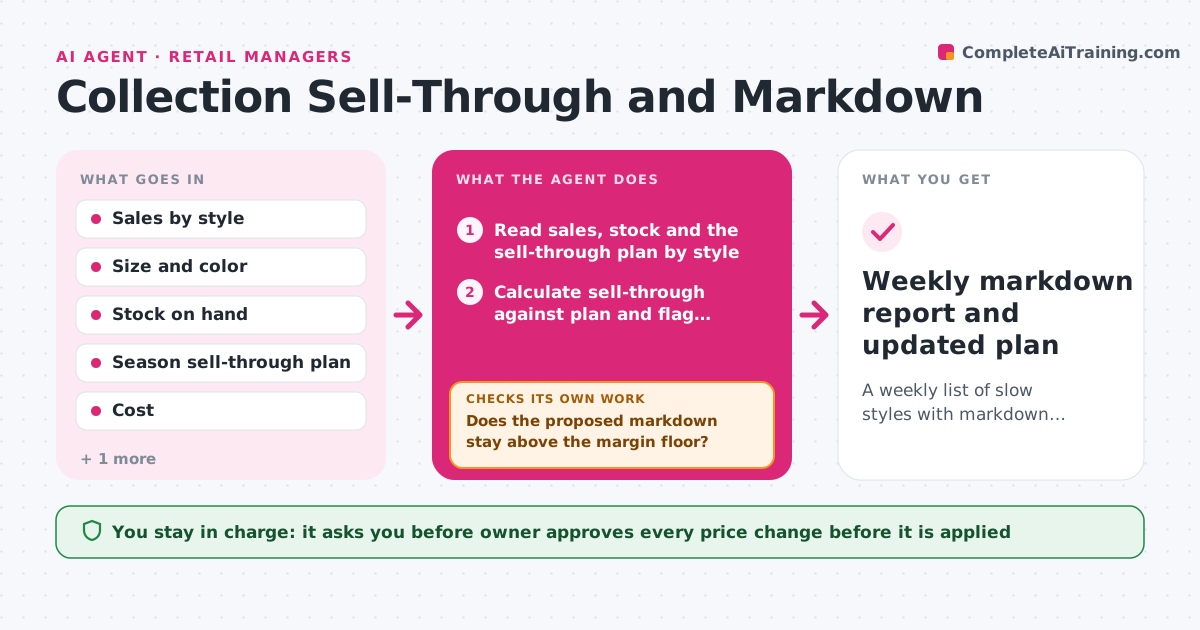
A boutique looks at sales once a month, finds twelve slow styles and marks everything down by 40 percent, wiping out the margin on the ones that would have sold in two more weeks. Each week this agent reads sales by style, size and color and compares sell-through against the plan for the season. It flags laggards, sorts them by how far behind they are and how much stock remains, and models markdown scenarios against the margin floor and the remaining weeks in the season. After each approved change, it rechecks sales for the following days to see whether the price move worked, and adjusts the next step. The owner approves each price change. Edge case: a style that is slow in the main size but selling out in a small size is flagged for a size-specific action, not a blanket markdown.
How it works
Follow the arrows from top to bottom. The orange dashed arrow is the loop: when a check fails, the agent goes back and tries again.
Read the steps as a list
- Sales week closes
- Read sales, stock and the sell-through plan by style
- Calculate sell-through against plan and flag laggards
- Check whether slowness is by size or color or across the style
- Model markdown scenarios against the margin floor and weeks remaining
- Does the proposed markdown stay above the margin floor?If not: Model a smaller markdown or a different action such as bundling. Back to step 4.
- Owner approves each price changeThe agent waits here for your OK.
- Record the change and read sales for the next 7 days
- Did sell-through rise toward plan after the markdown?If not: Model the next step and flag the style for the owner. Back to step 4.
- Weekly markdown report and updated plan
How it decides
It flags a style when actual sell-through is more than 15 points below plan, then picks the smallest markdown that lifts projected sell-through to plan without breaking the margin floor.
- Flag a style when it is more than 15 points behind plan
- Start with a 10 to 20 percent markdown before deeper cuts
- Never go below the margin floor unless the owner chooses to clear stock
- Treat size-specific slowness as a size action first
Make it yours
Every agent is a starting point. You choose these settings for your own situation.
- Margin floor
- Sell-through gap that triggers a flag (default 15 points)
- Markdown steps
- Day of the weekly report
- Season end dates
What keeps you in control
It always asks you first
- Owner approves every price change before it is applied
Hard limits
- Never change prices on its own
- Never use a margin floor the owner has not set
It stops when
- Done: Flagged styles have an approved action and follow-up check
- Stop: Sales data is missing for the week, so the agent reports the gap and waits
Set it up
We guide you through the set-up, step by step
Members get the full set-up guide for this agent. No technical skills needed: you copy, paste and upload.
- One set of instructions to paste into your AI, with the clicks for ChatGPT, Claude, Microsoft 365 Copilot, Gemini and Grok
- The agent then walks you through connecting your own data, one source at a time
- A downloadable copy with the flow chart, the rules and the full guide