AI agent for compensation analysts
Competitor Pay and Posting Watch Agent
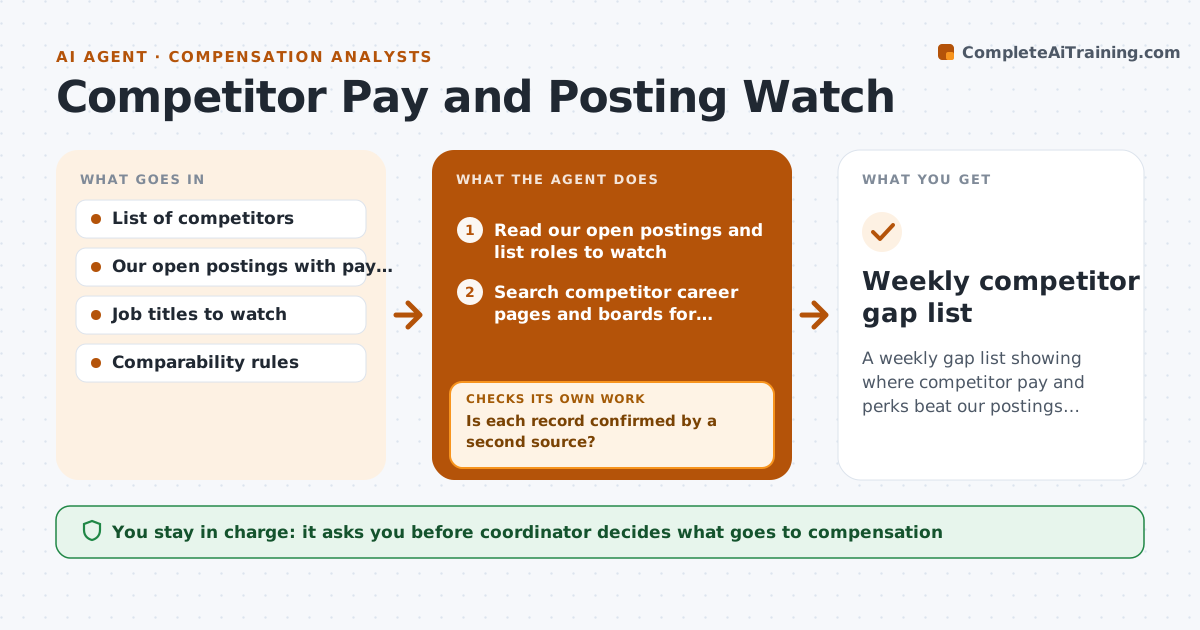
A weekly gap list showing where competitor pay and perks beat our postings, based on verified postings only.
What it does
You lose a candidate to a competitor and only then find out they pay 12% more and offer remote work. This agent watches for that before it happens. Each week it searches competitor career pages and job boards for roles that match your open postings, and records pay ranges, perks, location rules and wording. It checks each finding against a second source, such as the same role on another board, before logging it, and drops unverified claims. Then it compares the verified data with your own postings and builds a gap list. You decide whether to bring any gap to compensation. Edge case: a posting with a pay range for a different city is marked as not comparable.
How it works
Follow the arrows from top to bottom. The orange dashed arrow is the loop: when a check fails, the agent goes back and tries again.
Read the steps as a list
- Weekly Wednesday run
- Read our open postings and list roles to watch
- Search competitor career pages and boards for matching roles
- Record pay, perks, location rules and wording
- Is each record confirmed by a second source?If not: Search another board or the company page, and drop the record if still unconfirmed. Back to step 3.
- Match each record to our role and check comparability
- Calculate pay gap at midpoint and list perk gaps
- Are all gaps from comparable roles in the same market?If not: Remove or adjust non-comparable records and recalculate. Back to step 6.
- Draft the gap list with links
- Coordinator decides what to raise with compensationThe agent waits here for your OK.
- Weekly competitor gap list
How it decides
A role is comparable if title level, location and scope match. A gap is reported if the competitor midpoint is more than 5% above ours or a perk is missing.
- Compare only same level, same market roles
- Report a gap above 5% at midpoint
- Keep records only with a second source
- Mark remote policy differences separately from pay
Make it yours
Every agent is a starting point. You choose these settings for your own situation.
- Competitor list
- Roles and titles to watch
- Gap threshold (default 5%)
- Report day and recipients
What keeps you in control
It always asks you first
- Coordinator decides what goes to compensation
Hard limits
- Never contact competitors or their candidates
- Never use leaked or private information
It stops when
- Done: gap list sent to the coordinator
- Stop: a site blocks automated reading
Set it up
We guide you through the set-up, step by step
Members get the full set-up guide for this agent. No technical skills needed: you copy, paste and upload.
- One set of instructions to paste into your AI, with the clicks for ChatGPT, Claude, Microsoft 365 Copilot, Gemini and Grok
- The agent then walks you through connecting your own data, one source at a time
- A downloadable copy with the flow chart, the rules and the full guide