AI agent for business development managers
Conference Lead Follow-up Agent
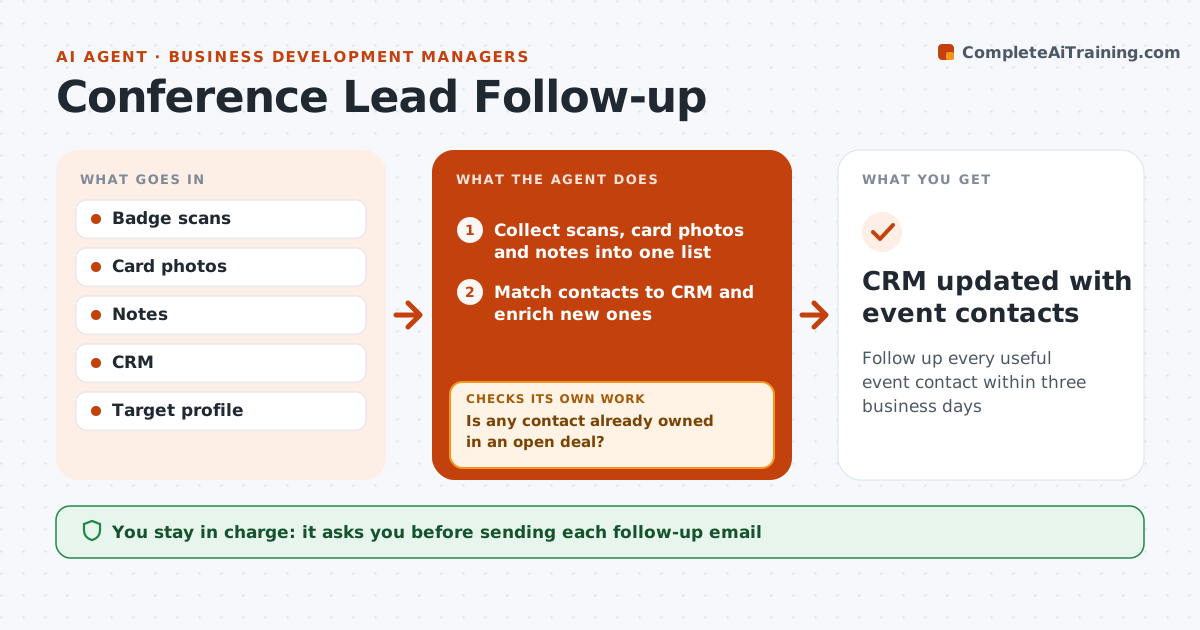
Follow up every useful event contact within three business days
What it does
After an event, BD staff come back with badge scans, business card photos and quick notes, and follow-up often slips for a week or more. This agent collects them into one list, matches each contact to existing CRM records, and enriches new ones with company and role from public sources. It then checks whether any contact is already owned in another rep's open deal; those are routed to the owning rep and removed from the list. It sorts the rest into hot, warm and keep-in-touch: hot needs a stated need or next step plus profile fit, warm is profile fit without a stated need. It drafts a personal follow-up for each hot and warm contact that mentions what was discussed. Keep-in-touch contacts join a newsletter only with consent. The BD person approves and sends each follow-up. Edge case: contacts in open deals go to the deal owner.
How it works
Follow the arrows from top to bottom. The orange dashed arrow is the loop: when a check fails, the agent goes back and tries again.
Read the steps as a list
- Event ends
- Collect scans, card photos and notes into one list
- Match contacts to CRM and enrich new ones
- Is any contact already owned in an open deal?If not: route that contact to the owning rep and remove it from this list. Back to step 3.
- Sort contacts into hot, warm and keep-in-touch
- Draft personal follow-ups for hot and warm contacts
- BD person approves and sends each follow-upThe agent waits here for your OK.
- CRM updated with event contacts
How it decides
Hot means a stated need or next step in the notes and a target profile fit. Warm means profile fit without a stated need.
- Route contacts in open deals to the deal owner
- Hot needs a stated need or next step
- Keep-in-touch contacts go to a newsletter list only with consent
Make it yours
Every agent is a starting point. You choose these settings for your own situation.
- Days to follow up (default 3)
- Target profile definition
- Email tone
- Which contacts need approval
What keeps you in control
It always asks you first
- Sending each follow-up email
- Adding contacts to marketing lists
Hard limits
- Never emails contacts owned by another rep
- Never adds people to marketing lists without consent
It stops when
- Done: all hot and warm contacts followed up
- Stop: no notes or scans provided
Set it up
We guide you through the set-up, step by step
Members get the full set-up guide for this agent. No technical skills needed: you copy, paste and upload.
- One set of instructions to paste into your AI, with the clicks for ChatGPT, Claude, Microsoft 365 Copilot, Gemini and Grok
- The agent then walks you through connecting your own data, one source at a time
- A downloadable copy with the flow chart, the rules and the full guide