AI agent for pharmacists
Controlled Substance Count Reconciliation Agent
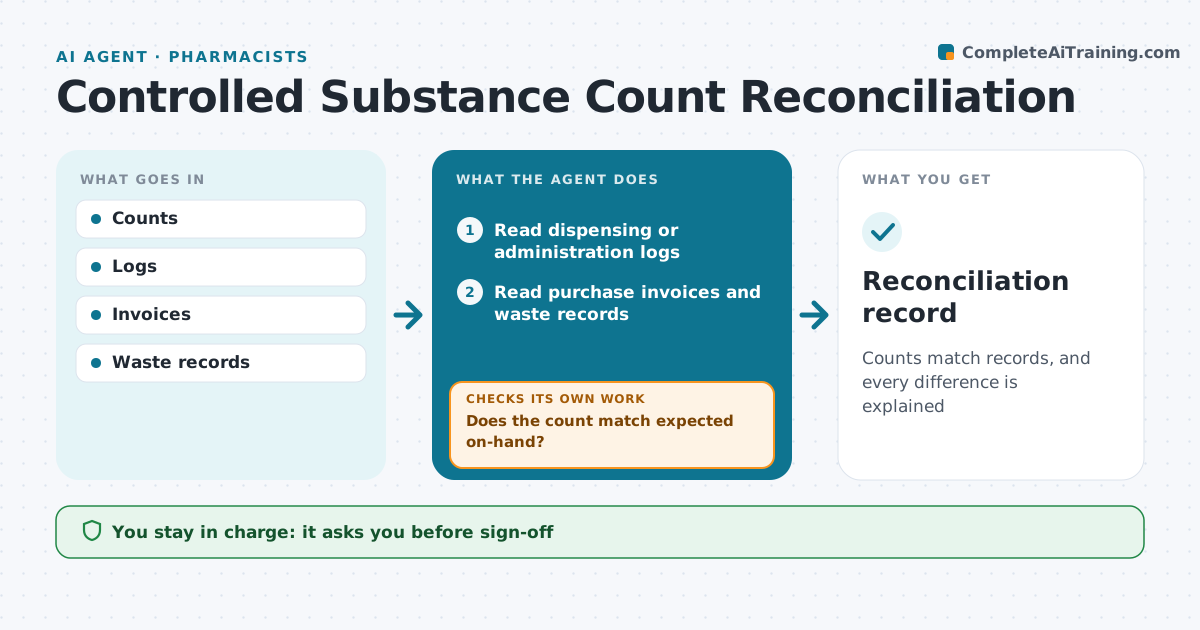
Counts match records, and every difference is explained
What it does
Controlled drugs must be counted and reconciled against purchase, dispensing and waste records, and unexplained differences carry legal weight. This agent reads the count, the dispensing or administration log, purchase invoices and waste records, and calculates expected on-hand for each drug. When the count does not match, it lists transactions since the last clean count and looks for likely causes, like unrecorded waste or an unposted invoice. Staff recount and add missing records, and the agent checks again. Any difference that no record explains is marked unexplained and a recount is requested. Unresolved differences go to the responsible person for reporting. The pharmacist signs off every reconciliation and any loss report. Edge case: a partial vial with witnessed waste that was never logged is flagged, not assumed.
How it works
Follow the arrows from top to bottom. The orange dashed arrow is the loop: when a check fails, the agent goes back and tries again.
Read the steps as a list
- Count entered
- Read dispensing or administration logs
- Read purchase invoices and waste records
- Calculate expected on-hand for each drug
- Does the count match expected on-hand?If not: list transactions since the last clean count and look for missing waste or unposted invoices. Back to step 4.
- Draft discrepancy note with likely cause
- Is every difference explained by a record?If not: mark it unexplained and ask for a recount. Back to step 2.
- Responsible person signs offThe agent waits here for your OK.
- Reconciliation record
How it decides
Expected minus counted equals difference. Any difference is investigated.
- Any difference triggers review
- Waste needs a witness
- Unresolved after 24 hours escalates
Make it yours
Every agent is a starting point. You choose these settings for your own situation.
- Count frequency
- Drugs in scope
- Escalation time
- Report format
What keeps you in control
It always asks you first
- Sign-off
- Loss reports
Hard limits
- No log edits by the agent
- Loss reporting by a person
It stops when
- Done: matched
- Stop: possible loss, report per rules
Set it up
We guide you through the set-up, step by step
Members get the full set-up guide for this agent. No technical skills needed: you copy, paste and upload.
- One set of instructions to paste into your AI, with the clicks for ChatGPT, Claude, Microsoft 365 Copilot, Gemini and Grok
- The agent then walks you through connecting your own data, one source at a time
- A downloadable copy with the flow chart, the rules and the full guide